Add Engaging Multimedia to Your Courses
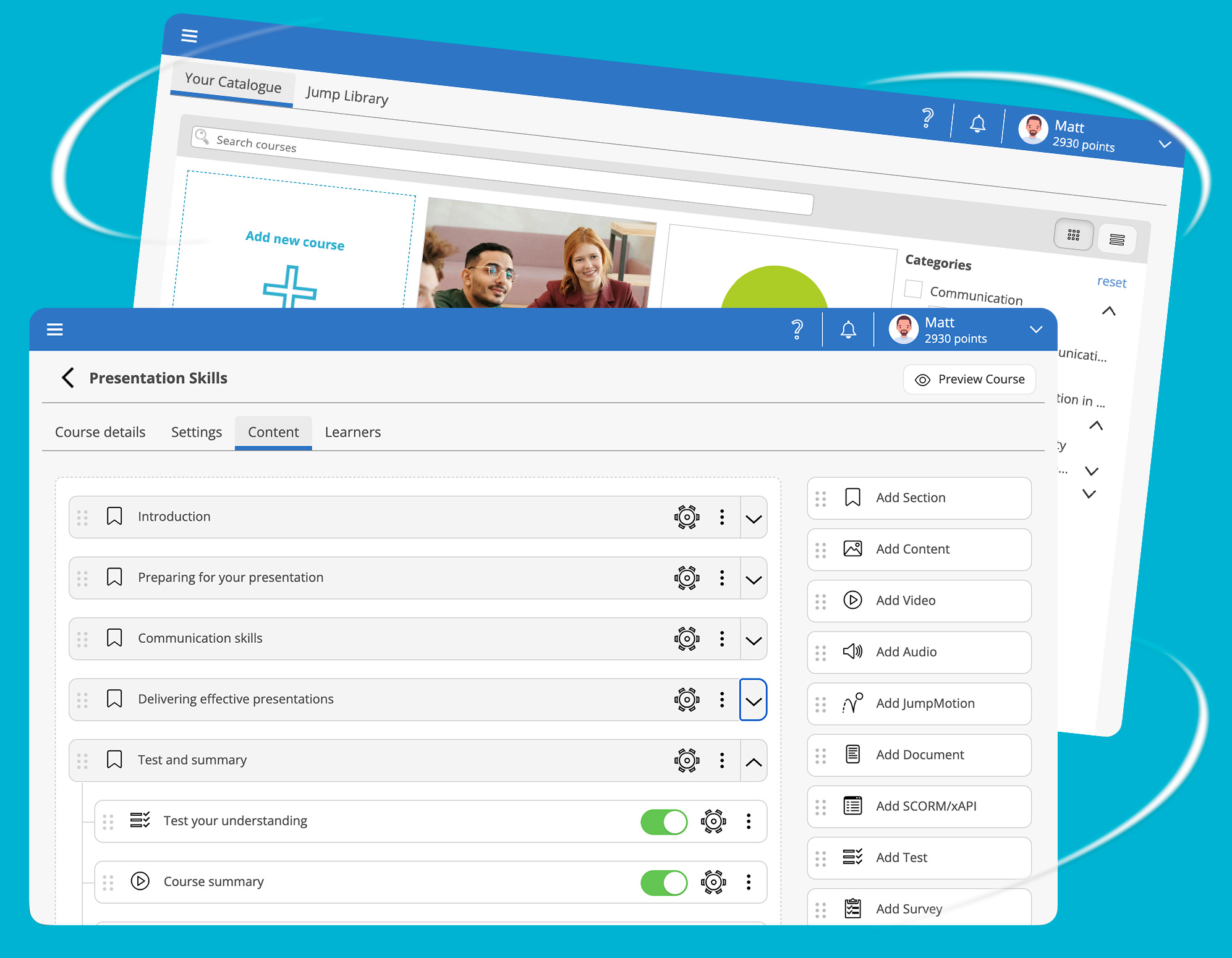
With JumpLMS, you're not limited to just text-based learning. Our platform supports a wide range of content formats to bring your training material to life.
AI Content & Image Generation
Use it to overcome the blank page, speed up course creation, and keep your training content consistent, structured, and engaging.
SCORM 1.2 and xAPI
Upload your packages directly into a course, then track learner progress, scores, and completion status from inside JumpLMS.
HTML Content
It’s an easy way to present information clearly, keep learners engaged, and build professional-looking course pages fast.
Video
You stay in control of how completion is tracked, whether learners watch the full video, spend a set amount of time, start playback, or click a completion button. It’s a simple way to create more visual, flexible, and engaging learning experiences.
Audio
You control how completion is tracked, whether learners listen to the full file, spend a set amount of time, start playback, or click a completion button.
Documents
You control how completion is tracked, whether learners open the document, view every page, spend a set amount of time, or click a completion button. It’s a simple way to include policies, guides, worksheets, presentations, and supporting materials inside your course.
Course Navigation and Completion Rules
You can also choose the completion rules that suit your training goals, from completing every element, to finishing specific sections, or reaching a set completion percentage.
It’s a simple way to structure learning, support better progress, and keep course completion aligned with your objectives.