How to change your username in JumpLMS
Last updated on
Your JumpLMS username and email address are used to identify your account and help you log in to your training portal.
This guide explains how to update your username or email address from your JumpLMS account settings.
How to change your username
-
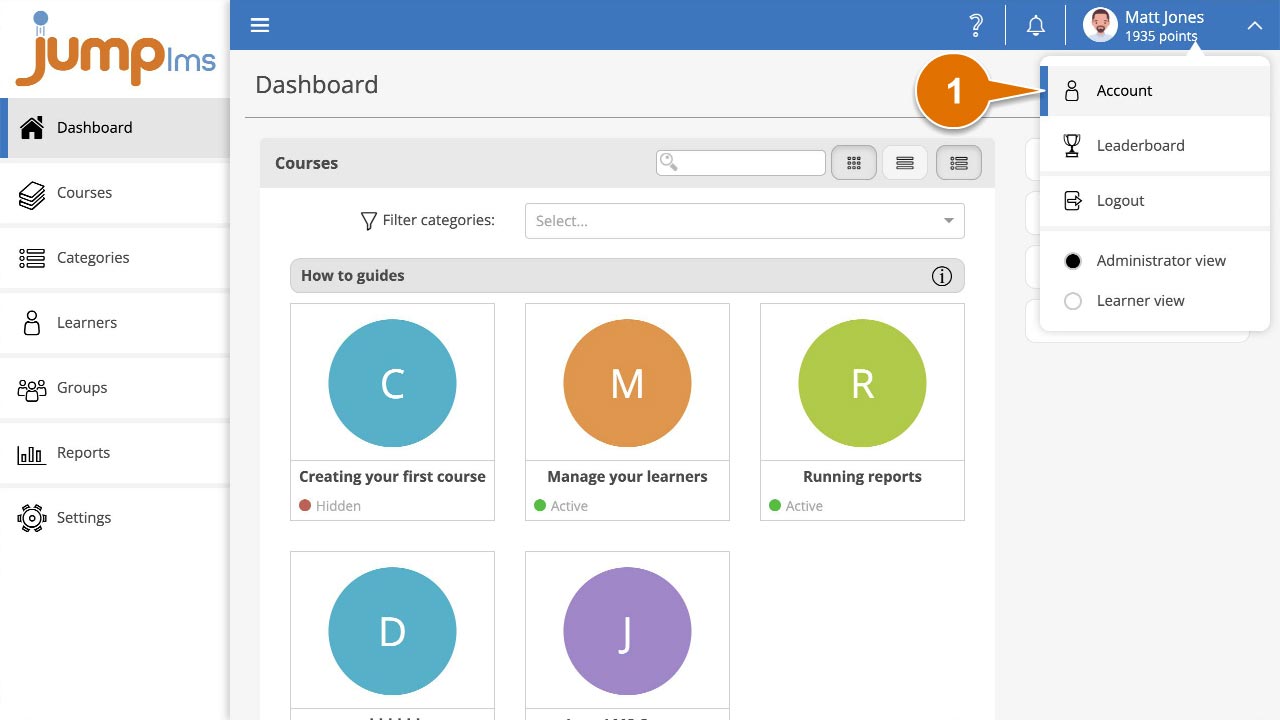
Click on your user profile image or name at the top-right of the screen and select Account.
-
In the Contact Details panel, update your username or email address as required.
-
Click Save changes.
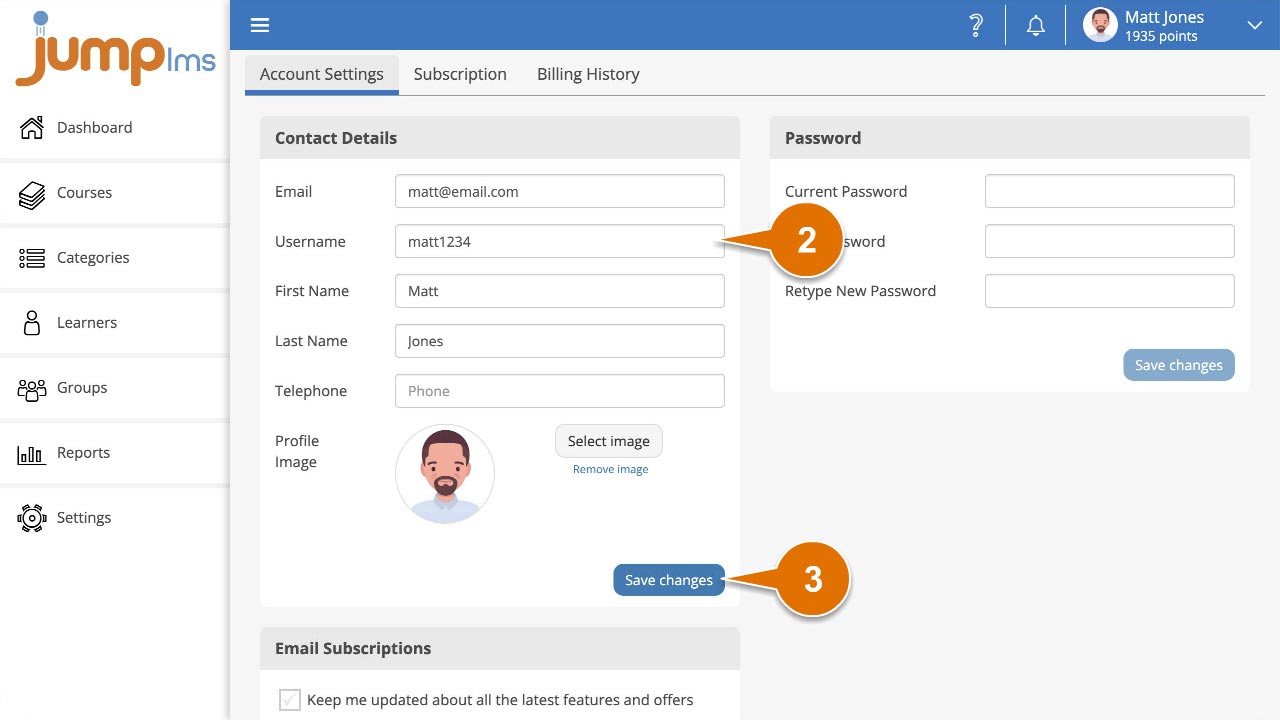
Your username or email address has now been changed. You can use the updated details the next time you log in to your JumpLMS portal.
Did this article help?
Can't find what you're looking for?
Contact the JumpLMS team and we’ll help you find the right answer.
Contact the JumpLMS team and we’ll help you find the right answer.