How to archive a Learner in JumpLMS
Last updated on
Archiving inactive Learners is a useful way to free up Learner places in your subscription plan.
When you archive a Learner, their progress is kept safely in JumpLMS, but they can no longer access the portal while archived.
Archiving a Learner does not delete their progress. You can restore archived Learners if they need access again later.
How to archive a Learner
-
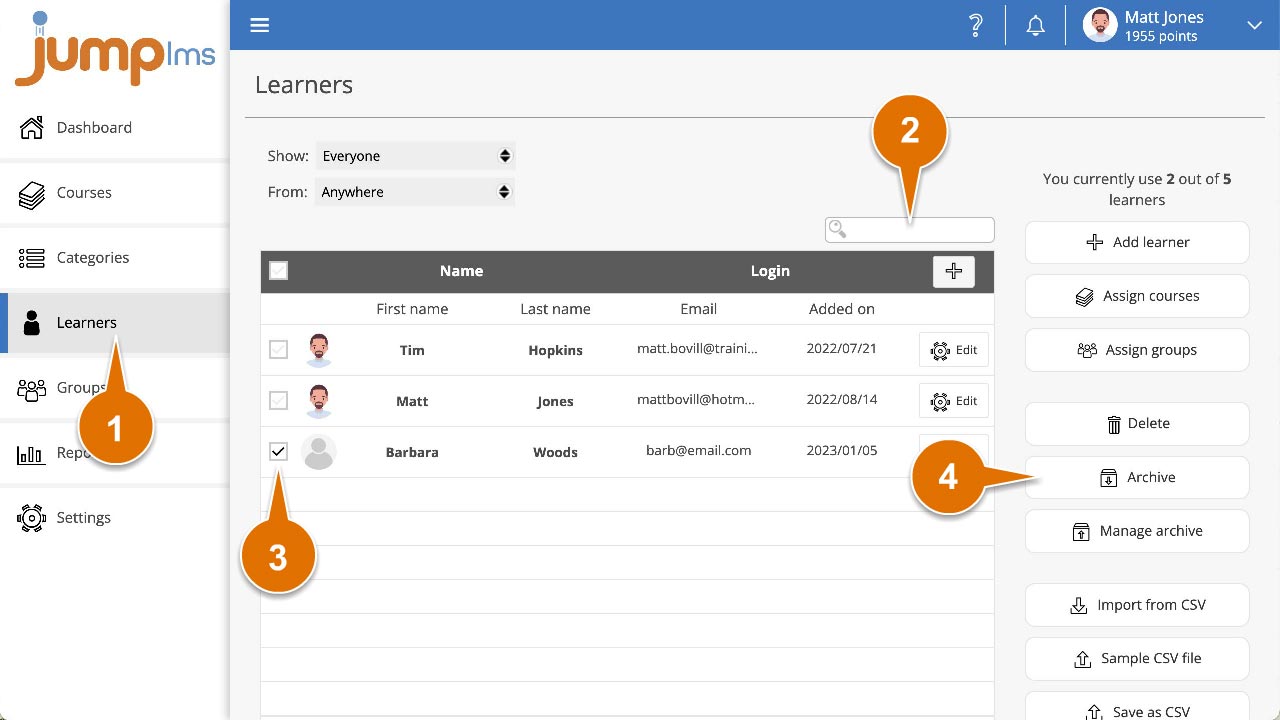
Click on the Learners tab.
-
Search for the Learner or Learners you want to archive, or find them in the Learners list.
-
Tick each Learner you want to archive.
-
Click Archive.
-
Click Archive Learner/s to confirm.
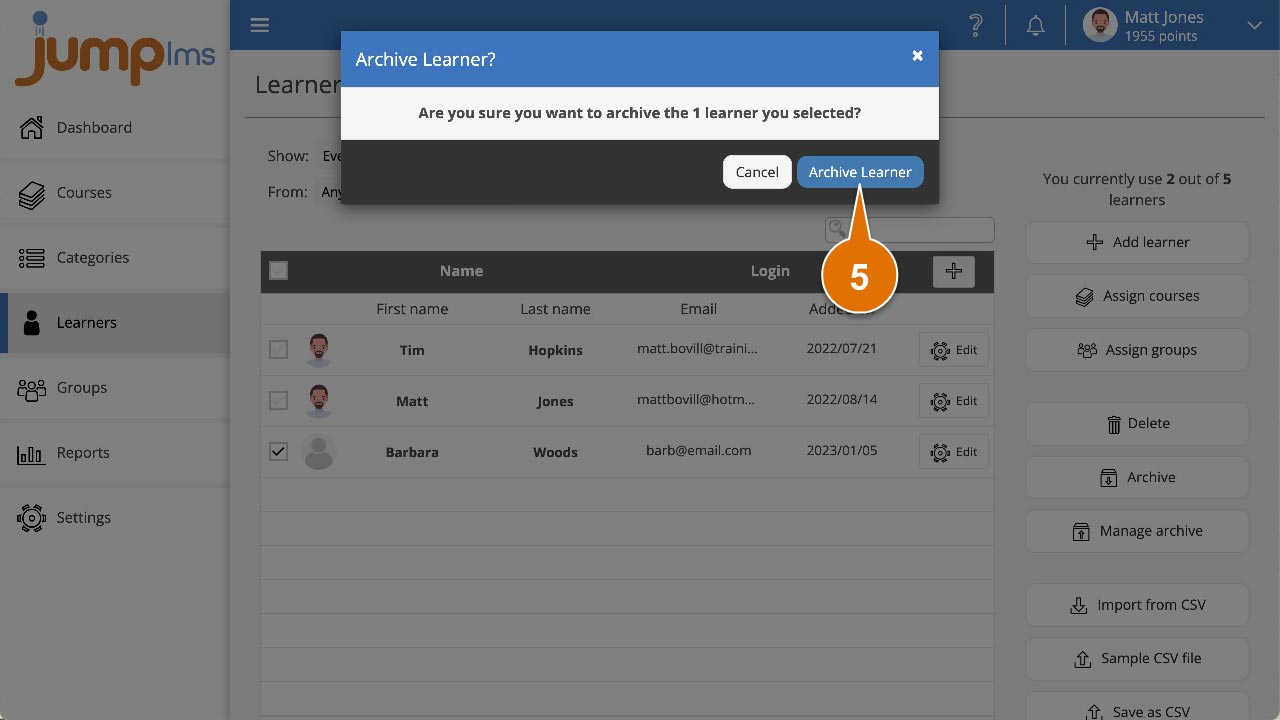
The selected Learners have now been archived.
Did this article help?
Can't find what you're looking for?
Contact the JumpLMS team and we’ll help you find the right answer.
Contact the JumpLMS team and we’ll help you find the right answer.