How to send a message to a group in JumpLMS
Last updated on
JumpLMS allows you to send targeted messages to specific groups of Learners.
Once you have created a group and added Learners to it, you can send a message to everyone in that group by email, Notifications, or both.
How to send a message to a group
-
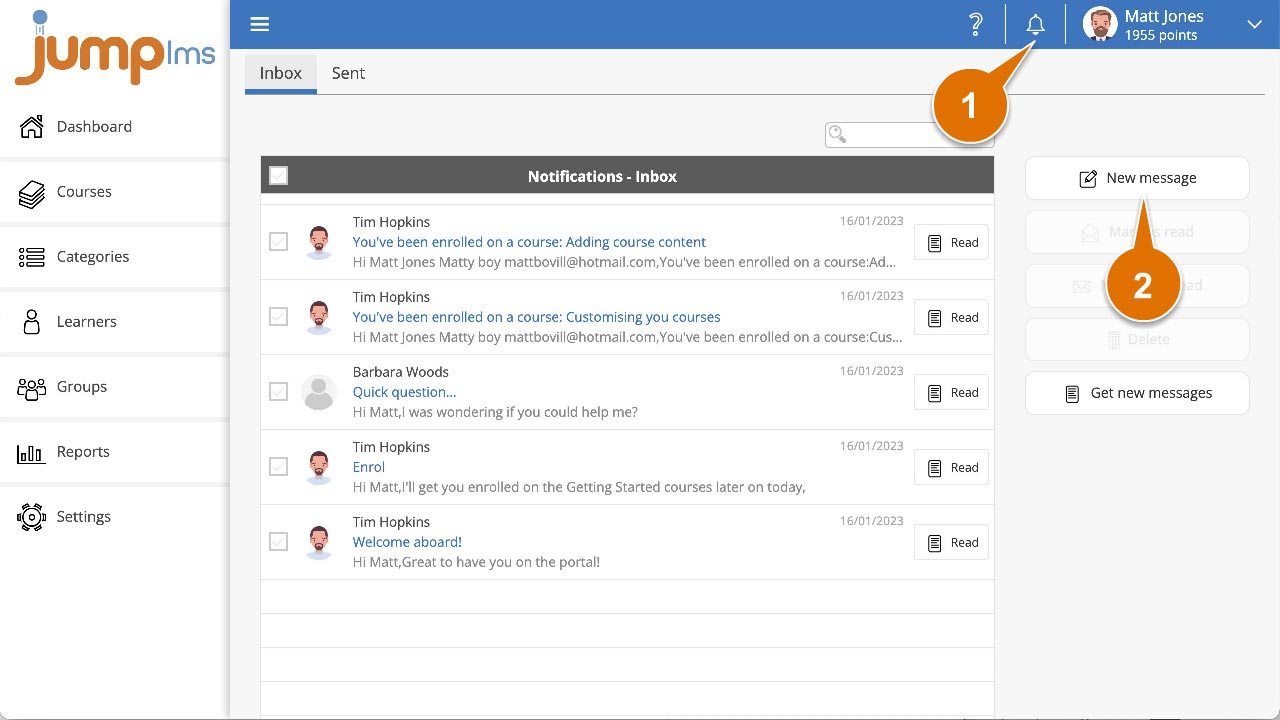
Click the Notifications button.
-
Click New message.
-
Open the To group dropdown list.
-
Select the relevant group or groups from the list.
-
Select how you want to send the message. You can choose:
- Message is sent as an email
- Message is sent to Notifications
-
Add a Subject.
-
Compose your message.
-
Click Send.
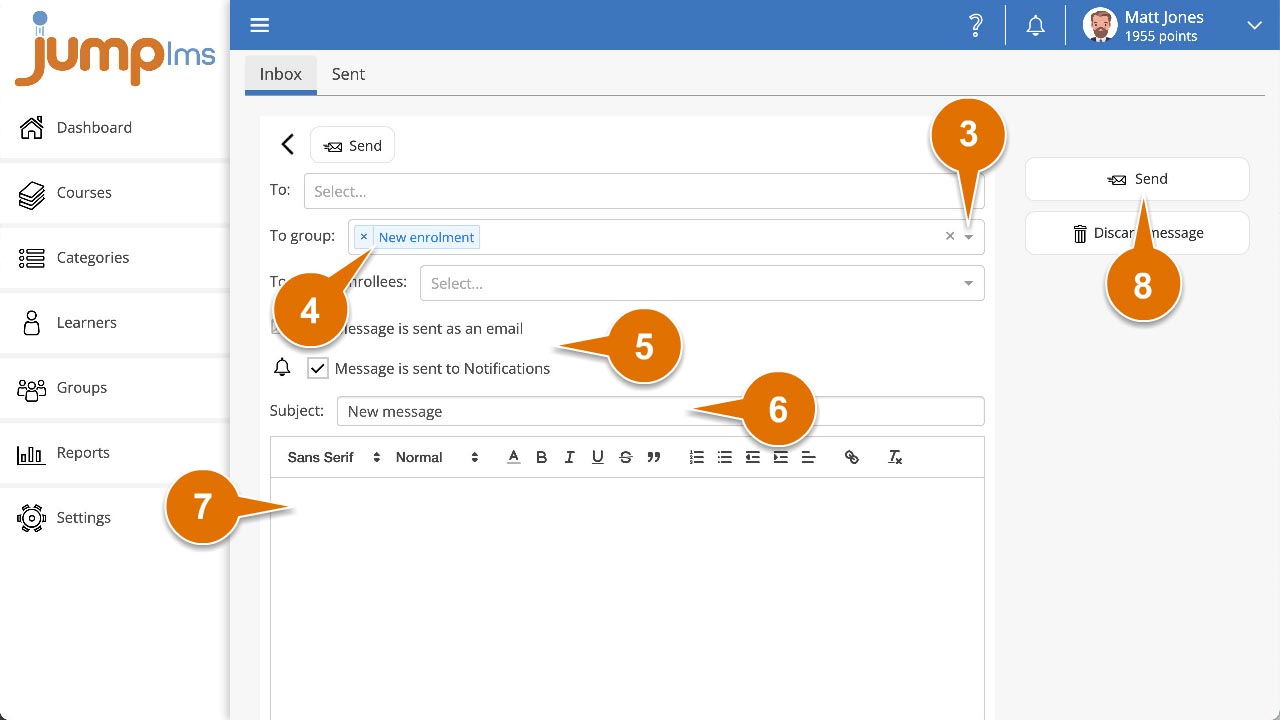
The message will be sent to the Learners in the selected group or groups.
Did this article help?
Can't find what you're looking for?
Contact the JumpLMS team and we’ll help you find the right answer.
Contact the JumpLMS team and we’ll help you find the right answer.