How to view a Learner's progress in a course in JumpLMS
JumpLMS lets you view a Learner's progress in a specific course from either Course Reports or Learner Reports.
Both routes show useful progress data, including completion status, training time, access dates and points earned. You can also open a more detailed, element-by-element report.
How to view Learner progress from Course Reports
-
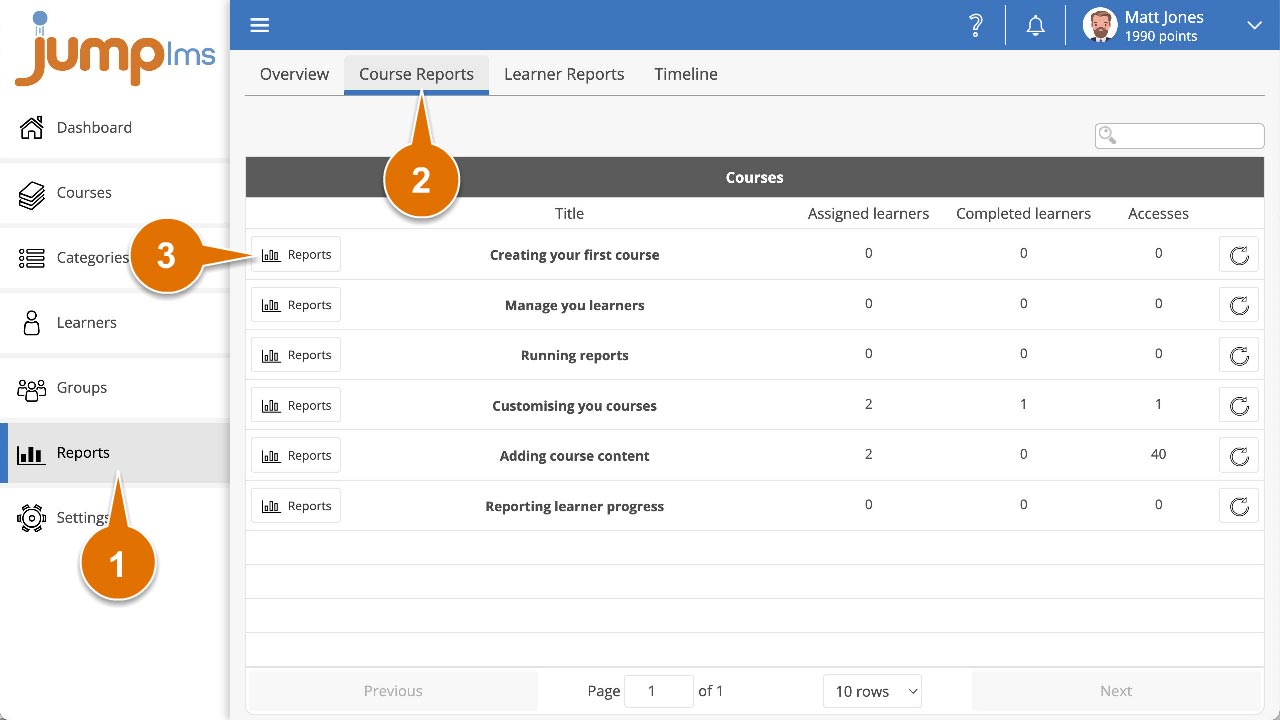
Click on the Reports tab.
-
Click on the Course Reports tab.
-
Search for the required course, or find it in the table and click Reports.
-
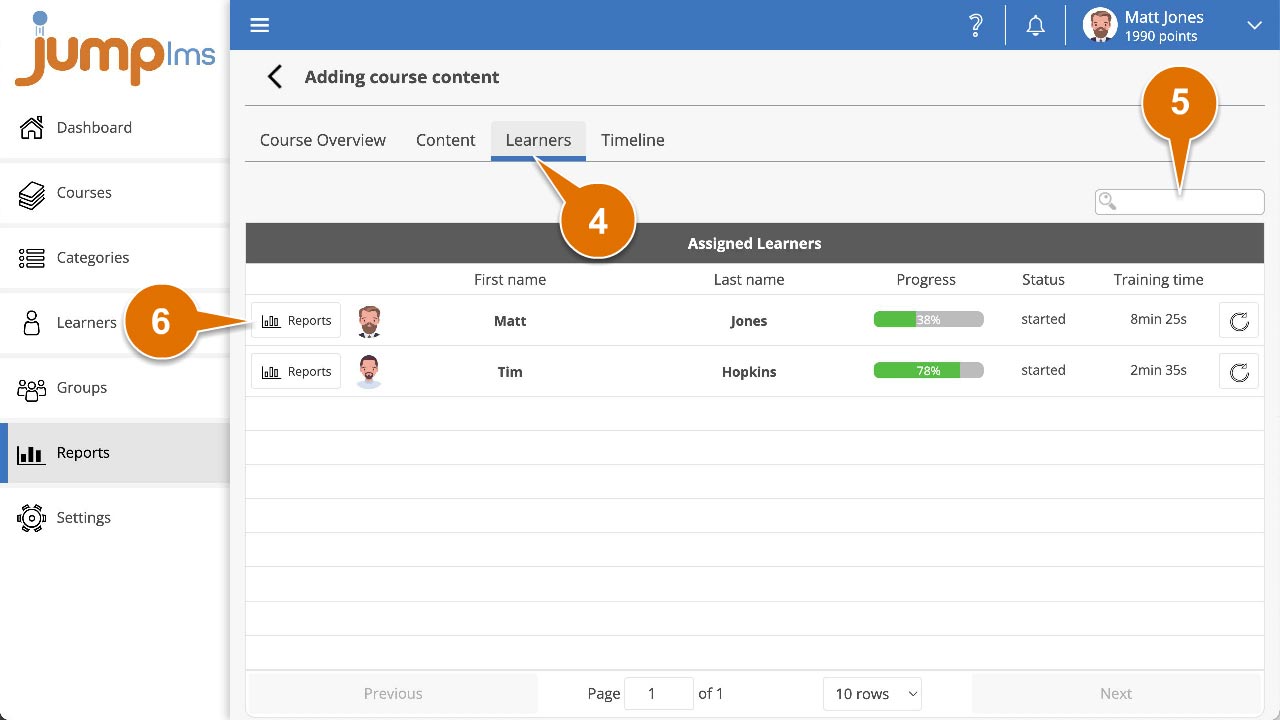
Click on the Learners tab.
-
Search for the required Learner, or find them in the table to view a breakdown of their progress in the course. Data includes:
- Progress percentage
- Completion status
- Score, when applicable
- Total training time
- Completion date
- Total accesses
- First accessed
- Last accessed
- Points earned
-
To view a more detailed report, search for the required Learner, or find them in the table and click Reports.
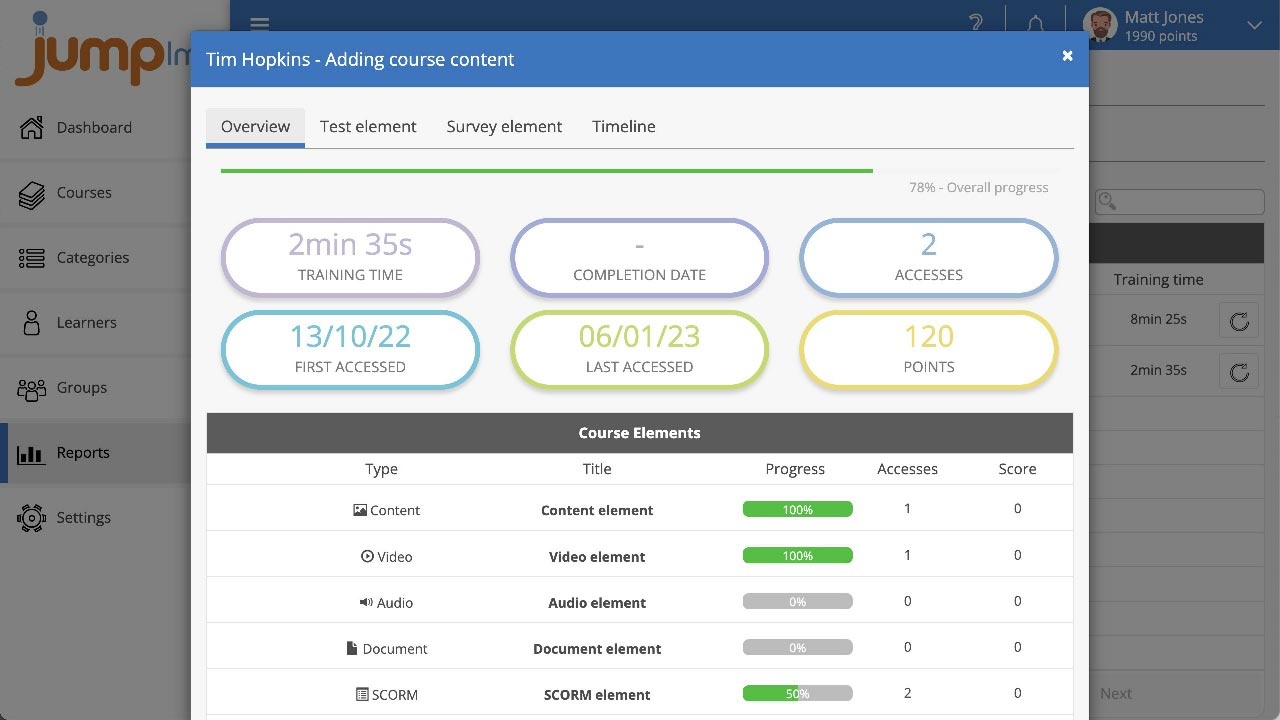
You can now view a detailed, element-by-element report of the Learner's progress through the course.
How to view Learner progress from Learner Reports
-
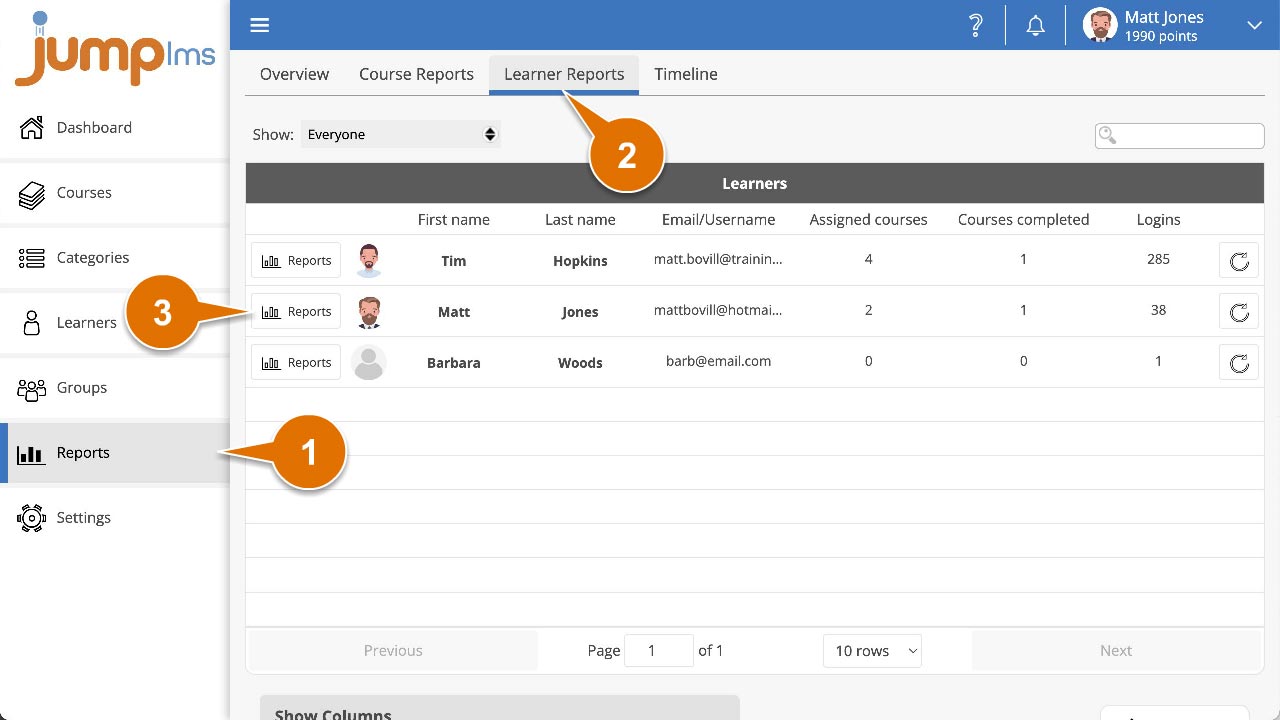
Click on the Reports tab.
-
Click on the Learner Reports tab.
-
Search for the required Learner, or find them in the table and click Reports.
-
Click on the Courses tab.
-
Search for the required course, or find it in the table to view a breakdown of the Learner's progress in the course. Data includes:
- Progress percentage
- Completion status
- Score, when applicable
- Total training time
- Completion date
- Total accesses
- First accessed
- Last accessed
- Points earned
-
To view a more detailed report, search for the required course, or find it in the table and click Reports.
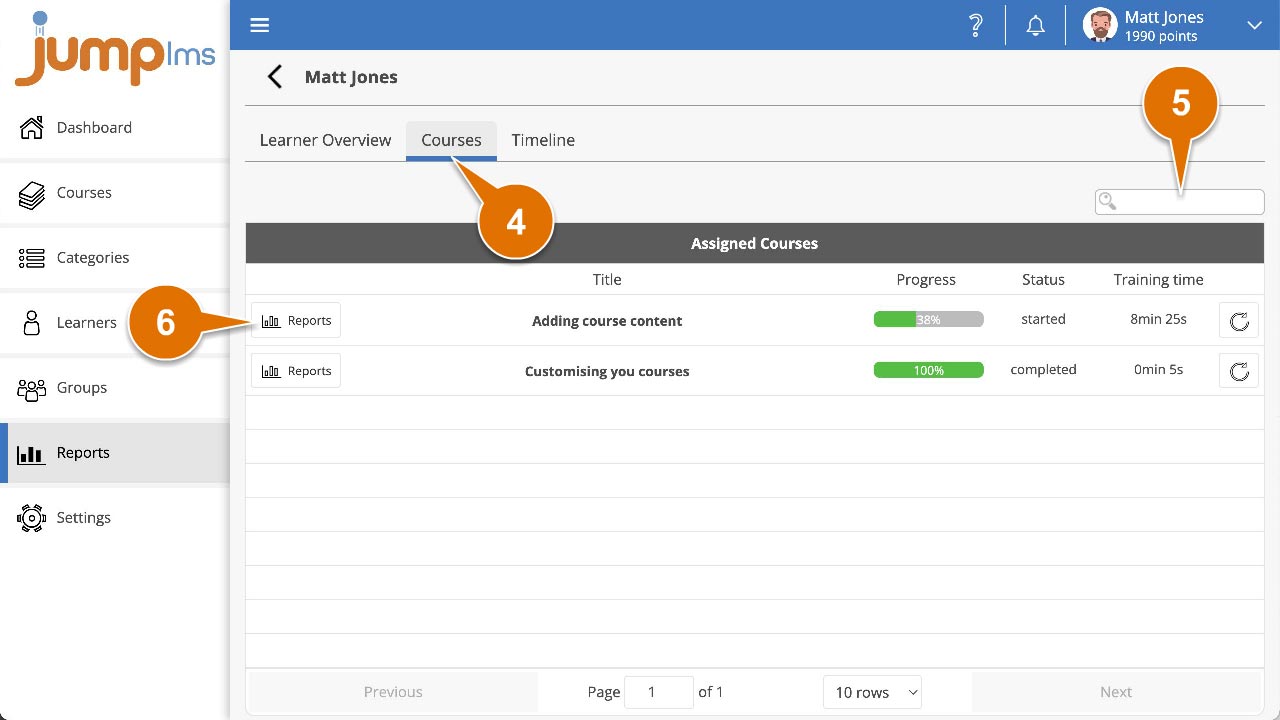
You can now view a detailed, element-by-element report of the Learner's progress through the course.
Contact the JumpLMS team and we’ll help you find the right answer.