How to add custom gamification points to a course in JumpLMS
JumpLMS uses default portal gamification points unless you choose to customise the point values for an individual course.
Custom course points are useful when you want a specific course to award different points, place more weight on certain Learner actions, or deactivate selected point triggers.
How to add custom gamification points to a course
-
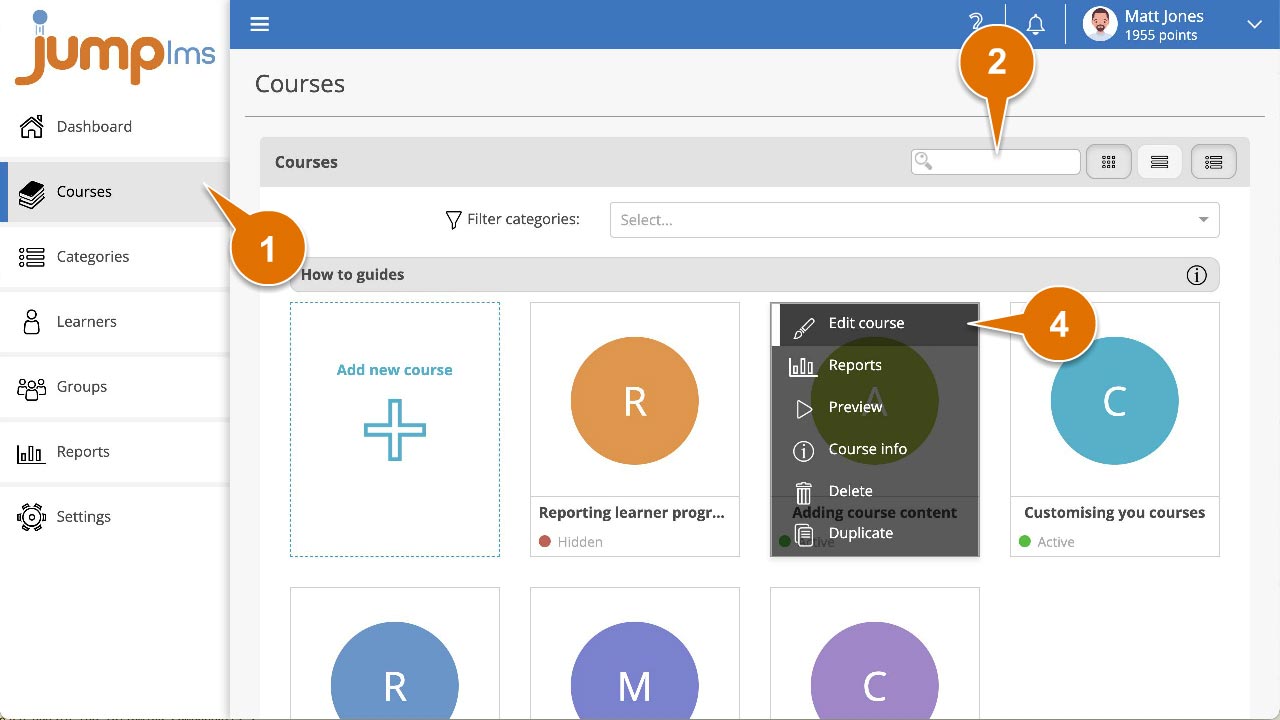
Click on the Courses tab.
-
Search for the course you want to customise, or find it in the course list.
-
Open the course options and click Edit course.
-
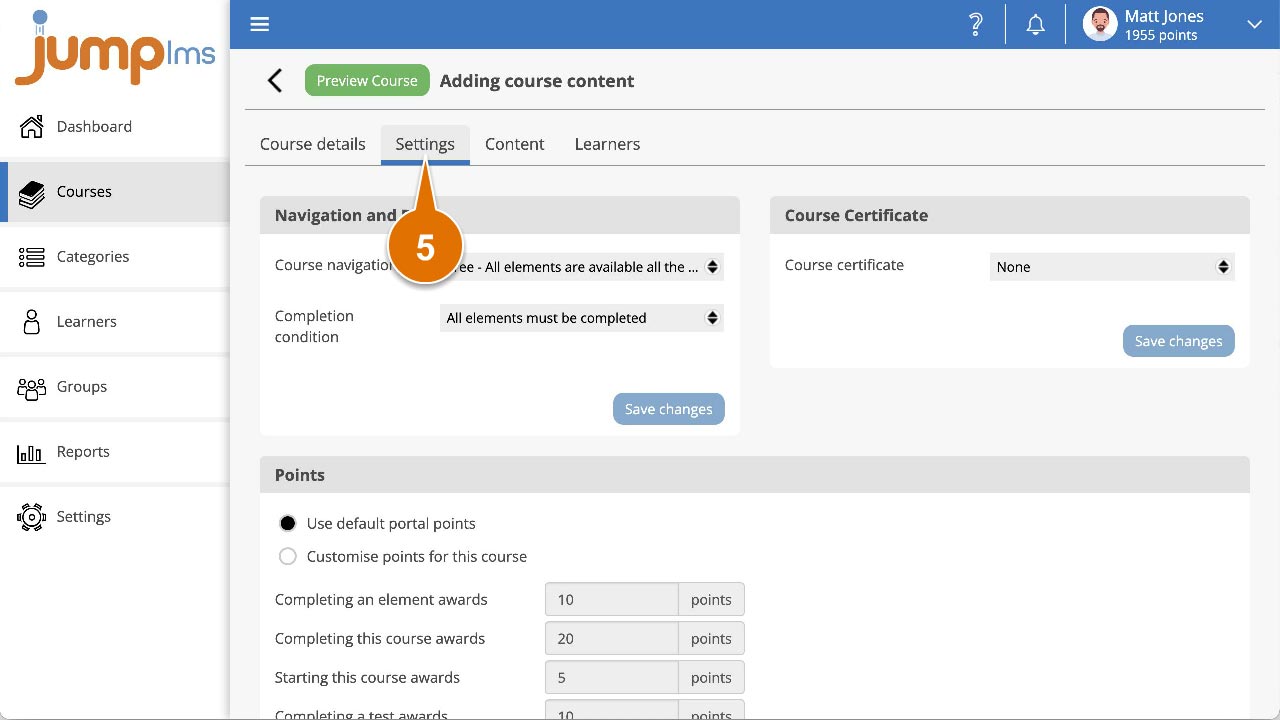
Click the Settings tab.
-
In the Points panel, select Customise points for this course to use custom course points instead of the default portal points.
-
Change the required point values, or deactivate any point triggers you do not want to use.
-
Click Save changes.
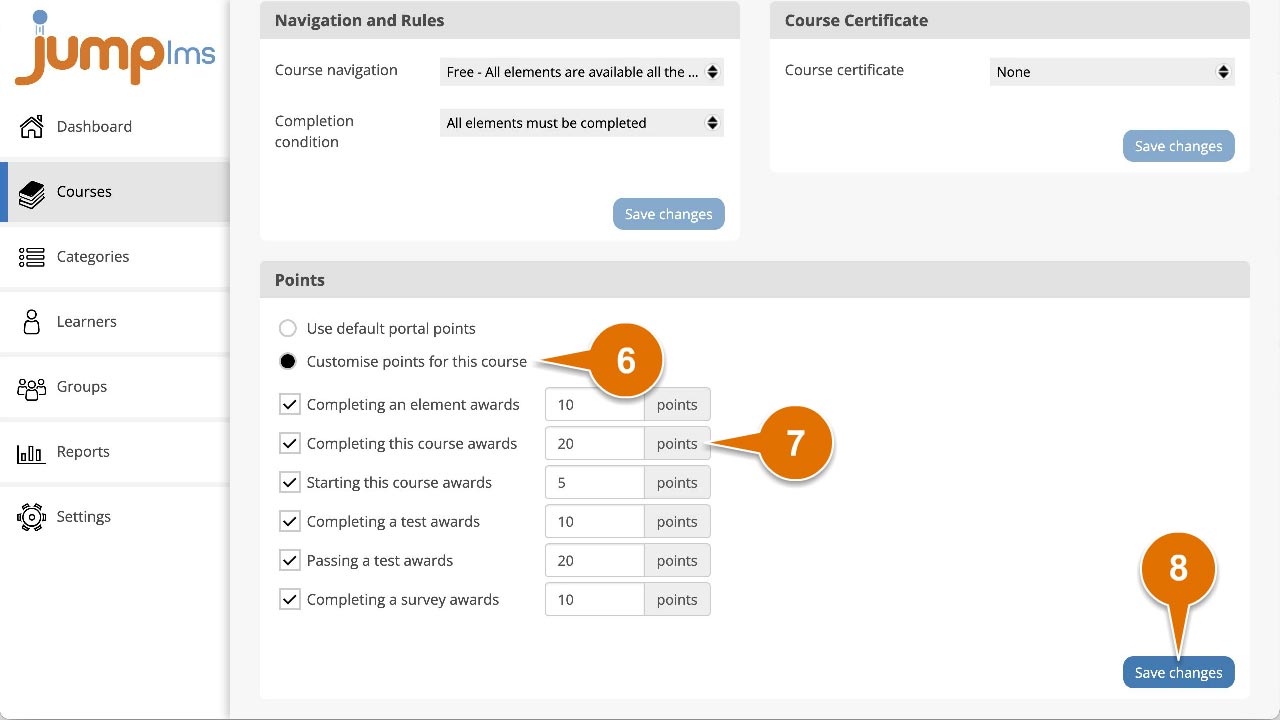
The course will now use its custom gamification point values.
Contact the JumpLMS team and we’ll help you find the right answer.