How to edit a Learner's details in JumpLMS
Last updated on
You can edit a Learner's profile whenever you need to update their account information.
This can include their contact details, password, access level, custom profile fields and other Learner information.
How to edit a Learner's details
-
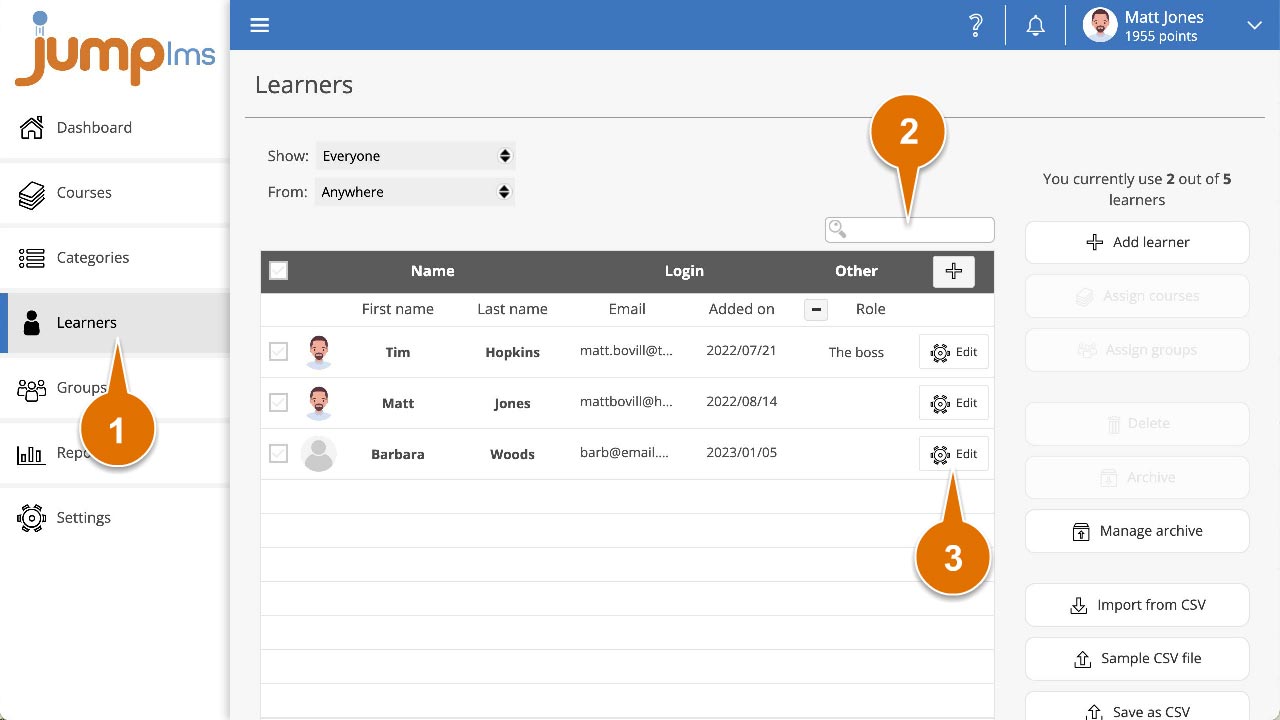
Click on the Learners tab.
-
Search for the Learner whose details you want to edit, or find them in the Learners list.
-
Click Edit.
-
Update the required Learner details or password.
-
Click Save changes.
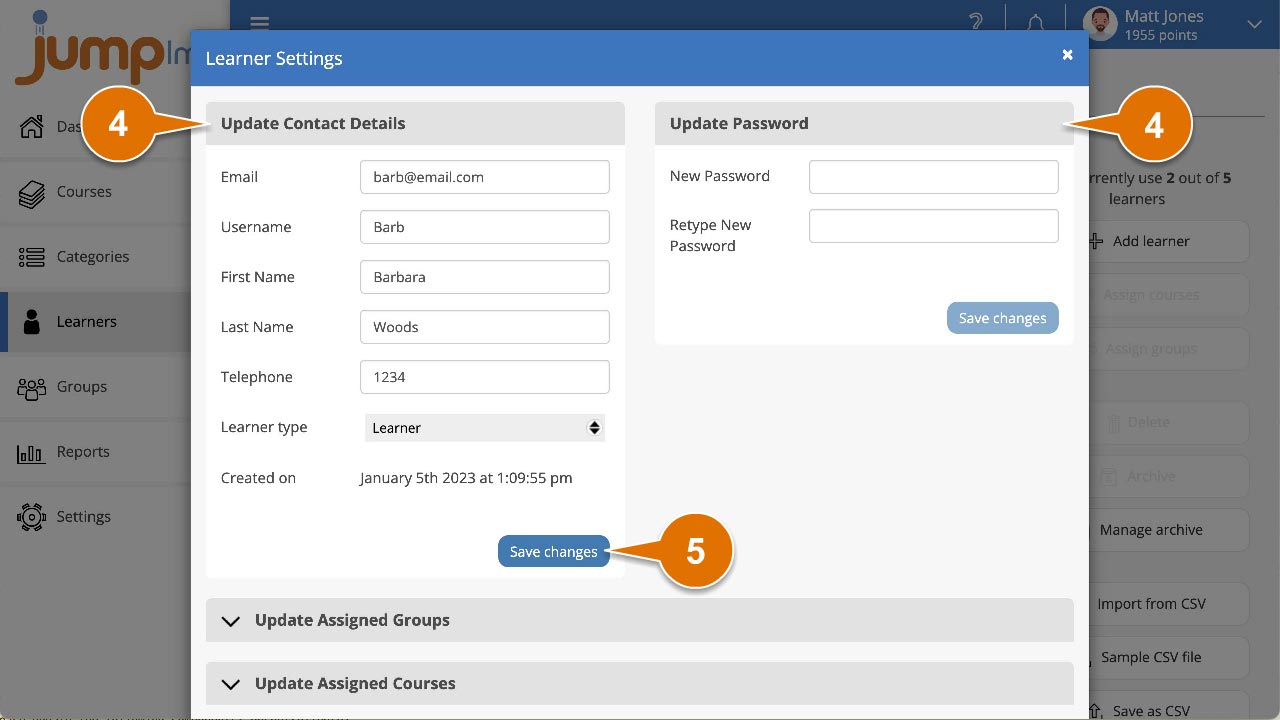
The Learner's details have now been updated.
Did this article help?
Can't find what you're looking for?
Contact the JumpLMS team and we’ll help you find the right answer.
Contact the JumpLMS team and we’ll help you find the right answer.