How to enrol Learners on a course in JumpLMS
JumpLMS gives you several ways to enrol Learners on a course, depending on whether you want to manage enrolments from the Learner record or directly from the course.
You can enrol a single Learner, enrol multiple Learners at once, or assign one or more courses to a selected group of Learners.
Option 1: Enrol a single Learner from the Learners tab
-
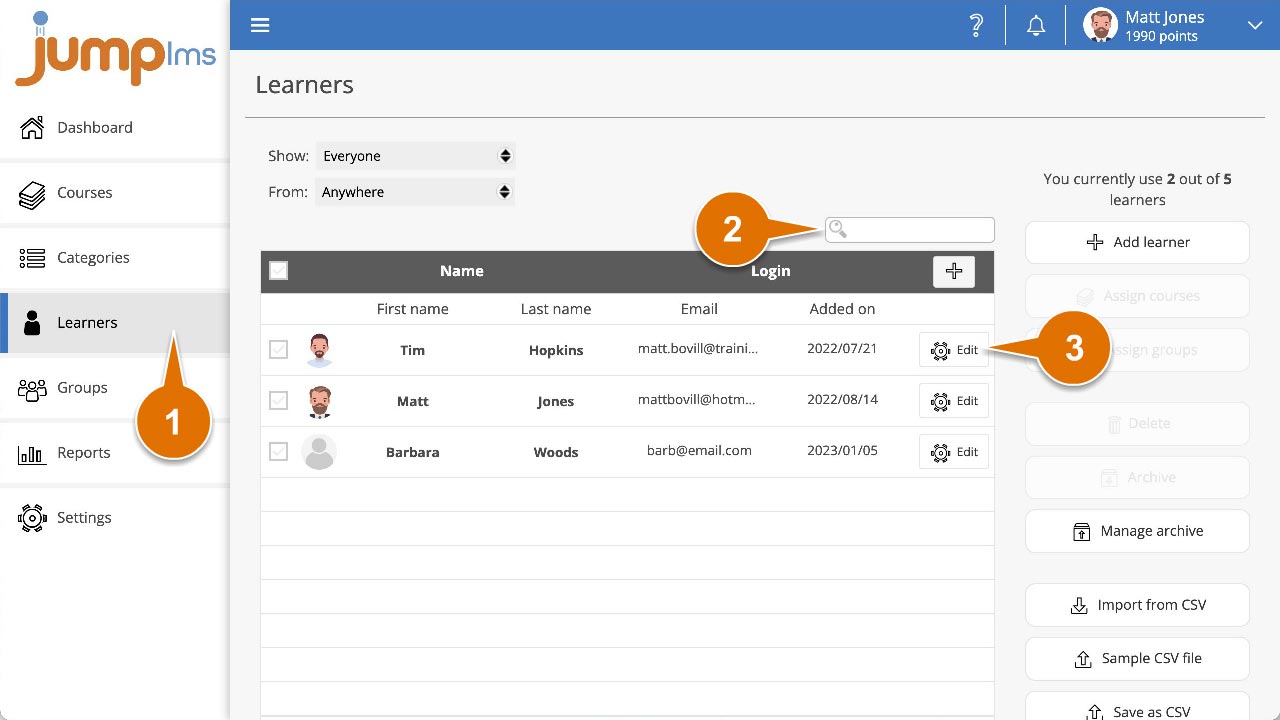
Click on the Learners tab.
-
Search for the Learner you want to enrol, or find them in the Learner list.
-
Click Edit.
-
Expand the Update Assigned Courses section.
-
Search for the course you want to enrol the Learner on, or find it in the list.
-
Tick the Assign checkbox.
-
Click Save changes.
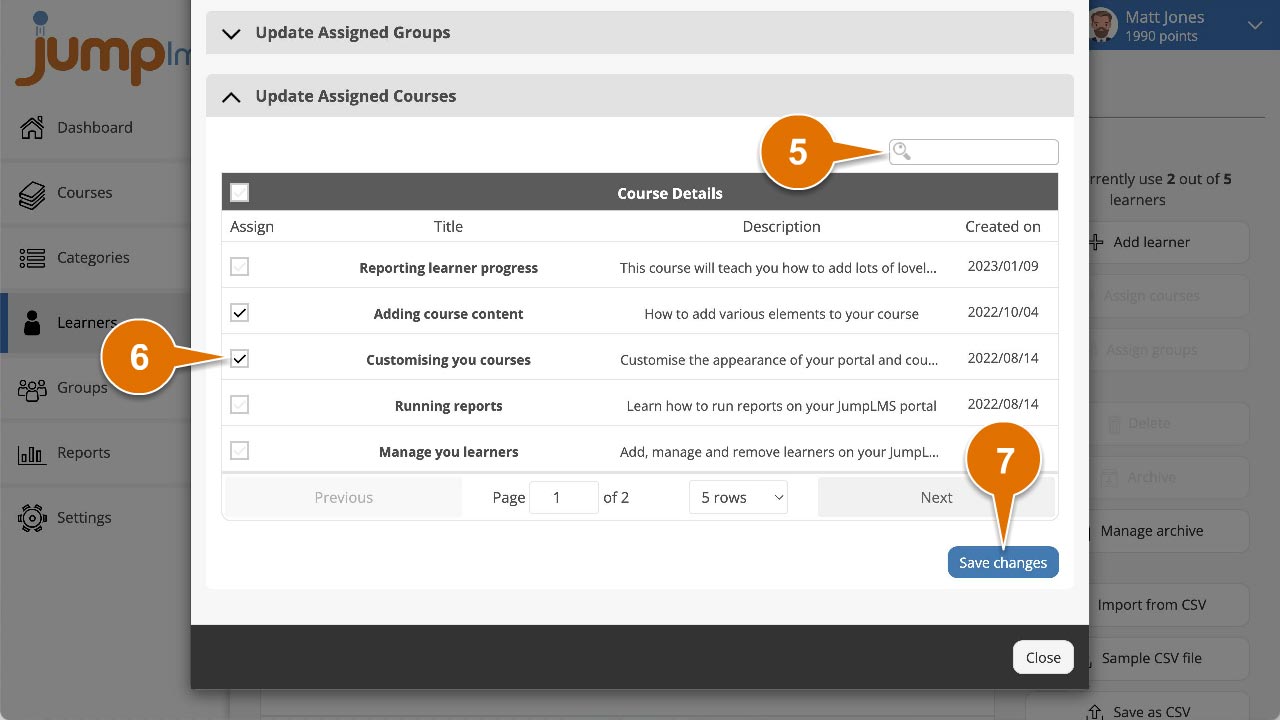
The Learner has now been enrolled on the course.
Option 2: Enrol multiple Learners from the Learners tab
-
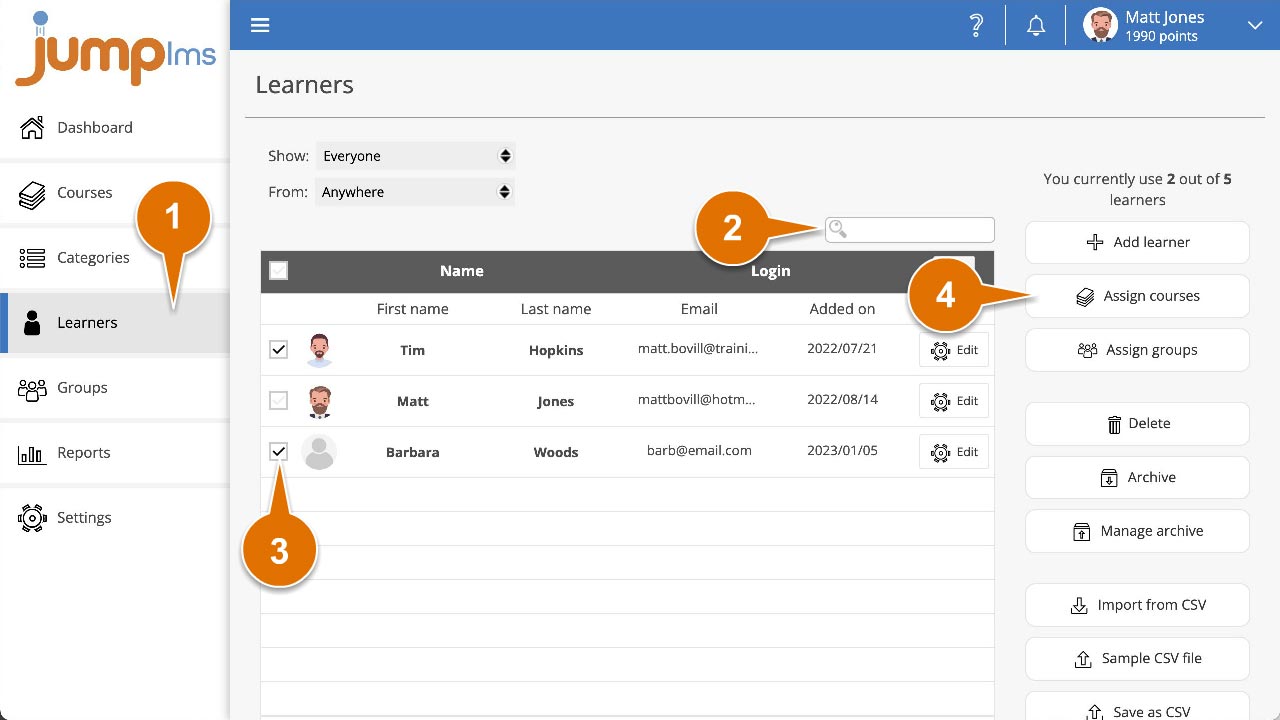
Click on the Learners tab.
-
Search for the Learners you want to enrol, or find them in the Learner list.
-
Tick the Select checkbox for each Learner you want to enrol.
-
Click Assign courses.
-
Search for the courses you want to assign, or find them in the list.
-
Tick the Assign checkbox for each course you want to assign.
-
Click Save changes.
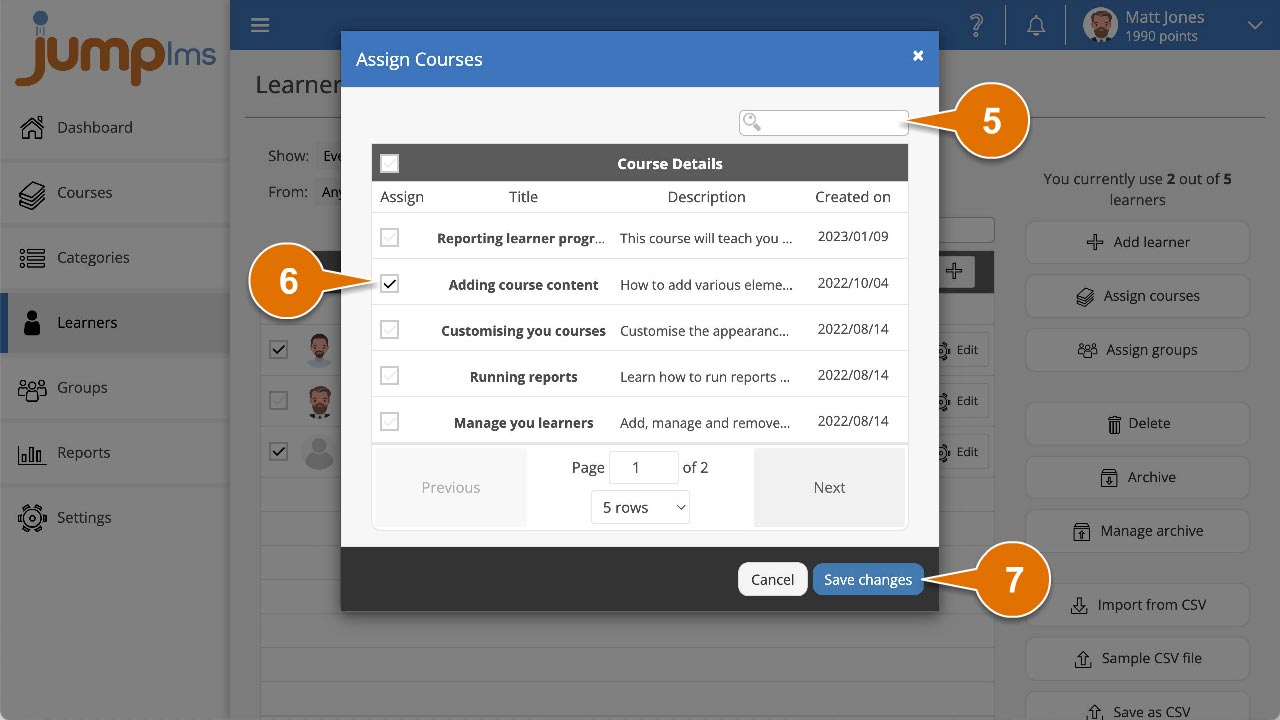
All selected Learners have now been enrolled on the selected course or courses.
Option 3: Enrol a single Learner from the Courses tab
-
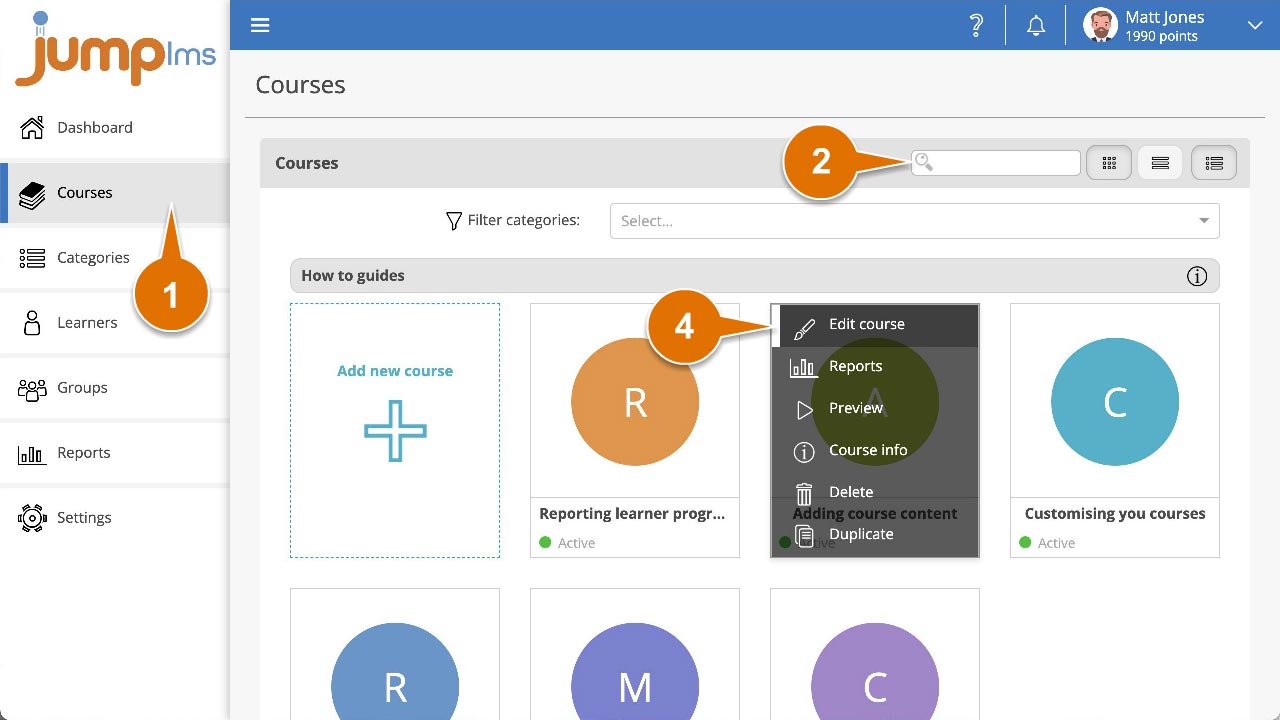
Click on the Courses tab.
-
Search for the course you want to enrol the Learner on, or find it in the course list.
-
Open the course options and click Edit course.
-
If the course is Active, click the Learners tab.
-
Search for the Learner you want to enrol on the course, or find them in the list.
-
Enable the Enrolled switch.
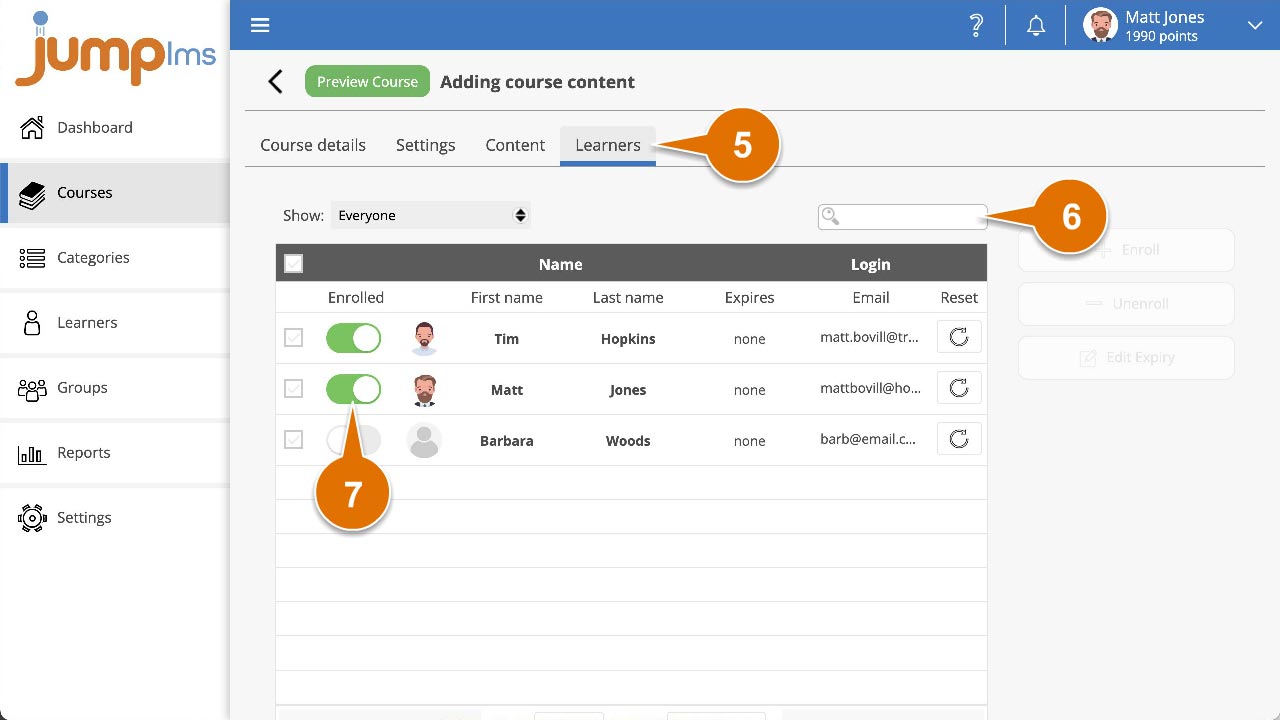
The Learner has now been enrolled on the course.
Option 4: Enrol multiple Learners from the Courses tab
-
Click on the Courses tab.
-
Search for the course you want to enrol Learners on, or find it in the course list.
-
Open the course options and click Edit course.
-
If the course is Active, click the Learners tab.
-
Search for the Learners you want to enrol on the course, or find them in the list.
-
Tick the Select checkbox for each Learner you want to enrol.
-
Click Enrol.
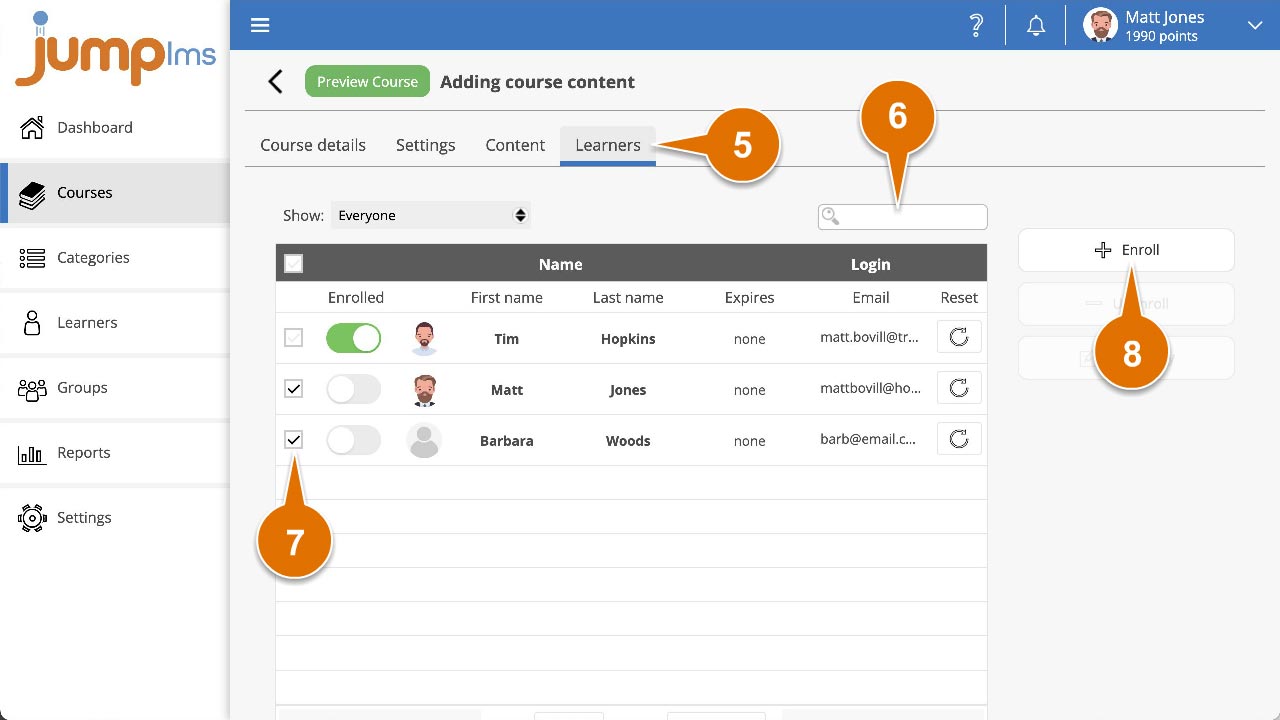
The selected Learners have now been enrolled on the course.
Contact the JumpLMS team and we’ll help you find the right answer.