How to edit a course category in JumpLMS
Last updated on
You can edit a course category whenever you need to update its title, description, visibility, or assigned courses.
This helps keep your course library organised as your training catalogue grows or changes over time.
How to edit a course category
-
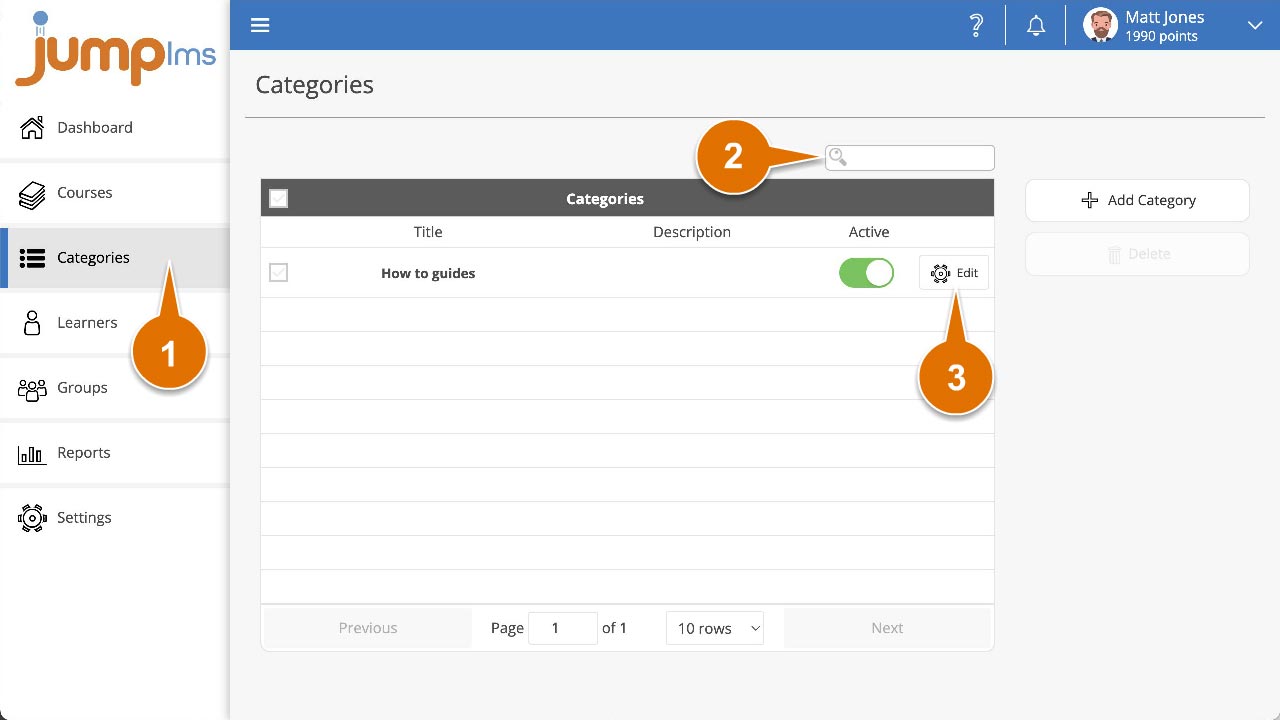
Click on the Categories tab.
-
Search for the category you want to edit, or find it in the category list.
-
Click Edit.
-
The category popup will appear. Update the category details as required.
-
Click Save changes.
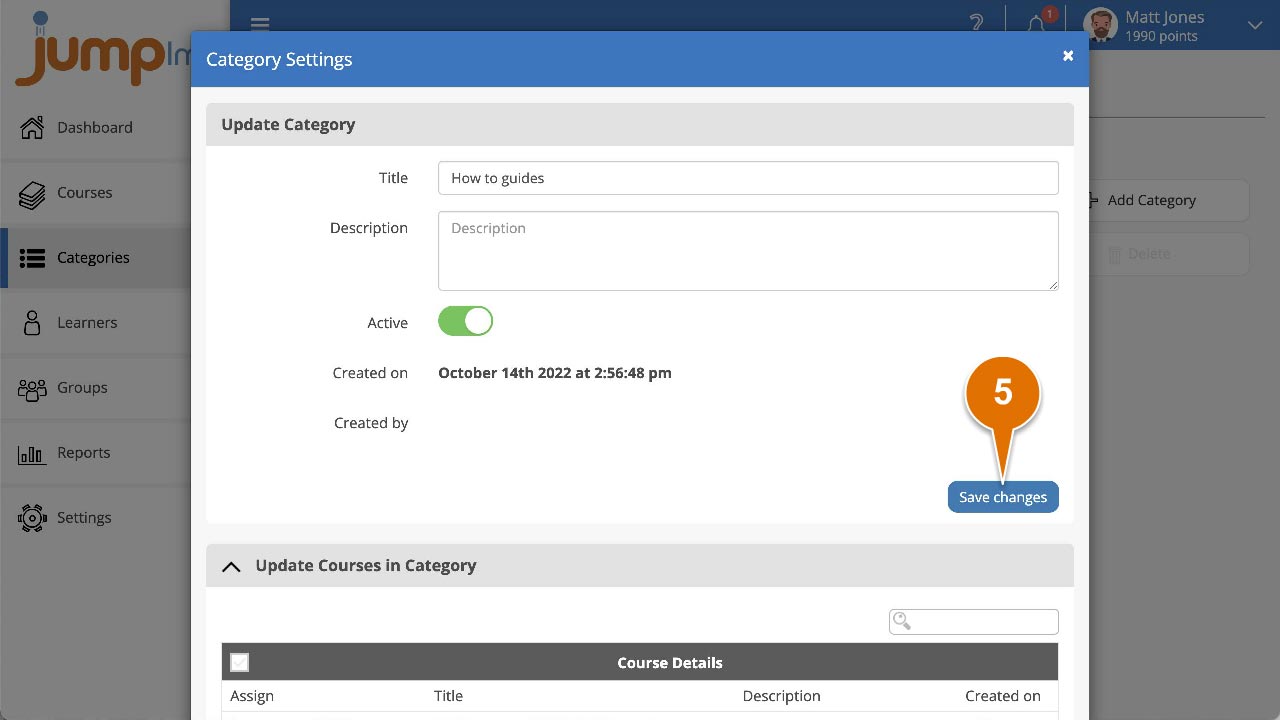
Your changes have now been applied to the course category.
Did this article help?
Can't find what you're looking for?
Contact the JumpLMS team and we’ll help you find the right answer.
Contact the JumpLMS team and we’ll help you find the right answer.