How to export a list of your Learners in JumpLMS
Last updated on
JumpLMS lets you export a full list of your active Learners as a CSV file.
The exported file includes useful Learner information such as full name, username, email address, the date they were added to the portal and the date they last accessed their account.
Exported Learner information is downloaded as a CSV file, which can be opened in most spreadsheet programs.
How to export a list of your Learners
-
Click on the Learners tab.
-
Click Save as CSV.
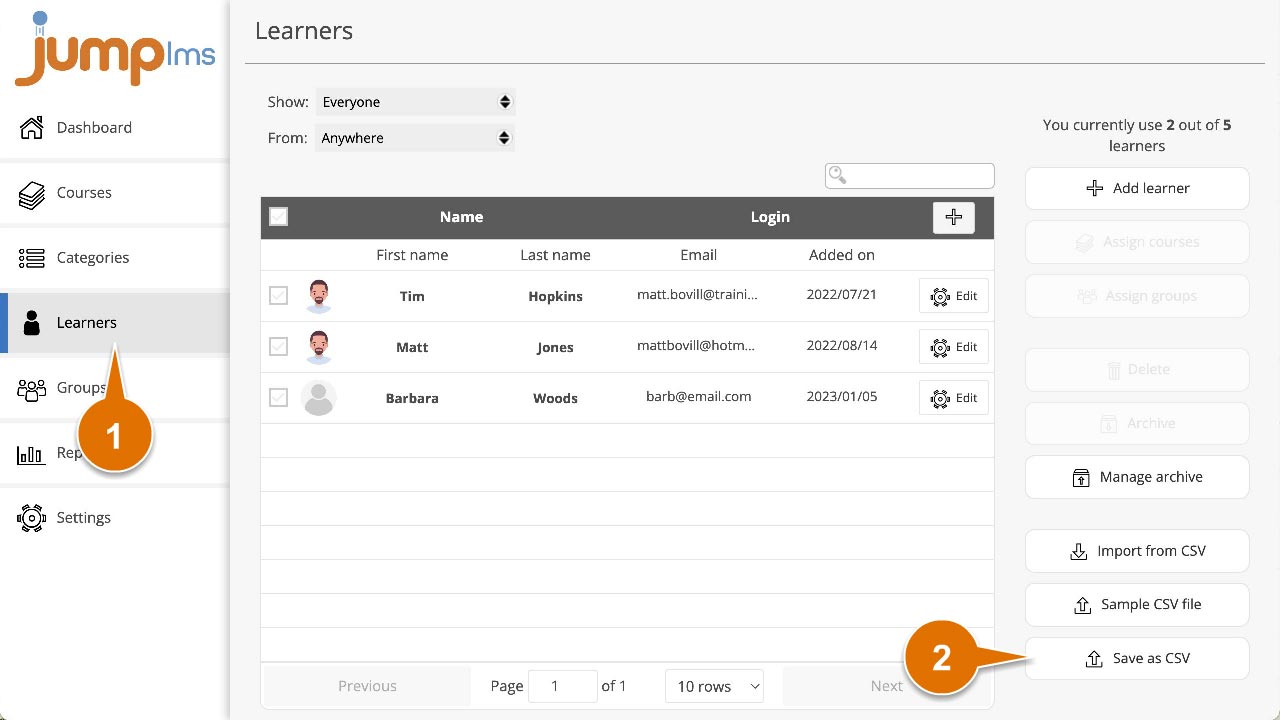
Your browser will then download the Learner list as a CSV file.
Did this article help?
Can't find what you're looking for?
Contact the JumpLMS team and we’ll help you find the right answer.
Contact the JumpLMS team and we’ll help you find the right answer.