How to set the navigation options in a course in JumpLMS
Last updated on
JumpLMS lets you choose how Learners move through a course.
You can allow Learners to access all course elements freely, or use restricted navigation so each element only becomes available after the previous required element has been completed.
Course navigation options
- Free navigation: Learners can open course elements in any order.
- Restricted navigation: Learners must complete the required course element before moving on to the next one.
How to set the navigation options in a course
-
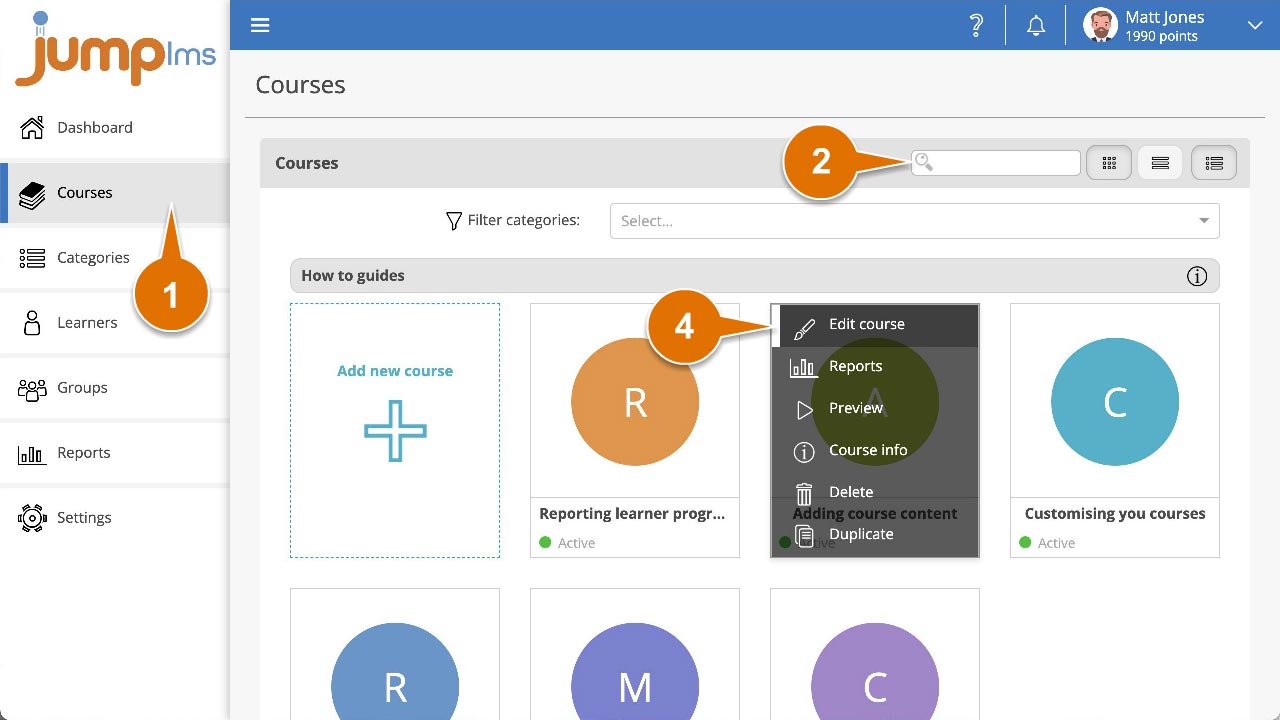
Click on the Courses tab.
-
Search for the course you want to edit, or find it in the course list.
-
Open the course options and click Edit course.
-
Click the Settings tab.
-
In the Navigation and Rules panel, open the Course navigation dropdown and select an option.
-
Click Save changes.
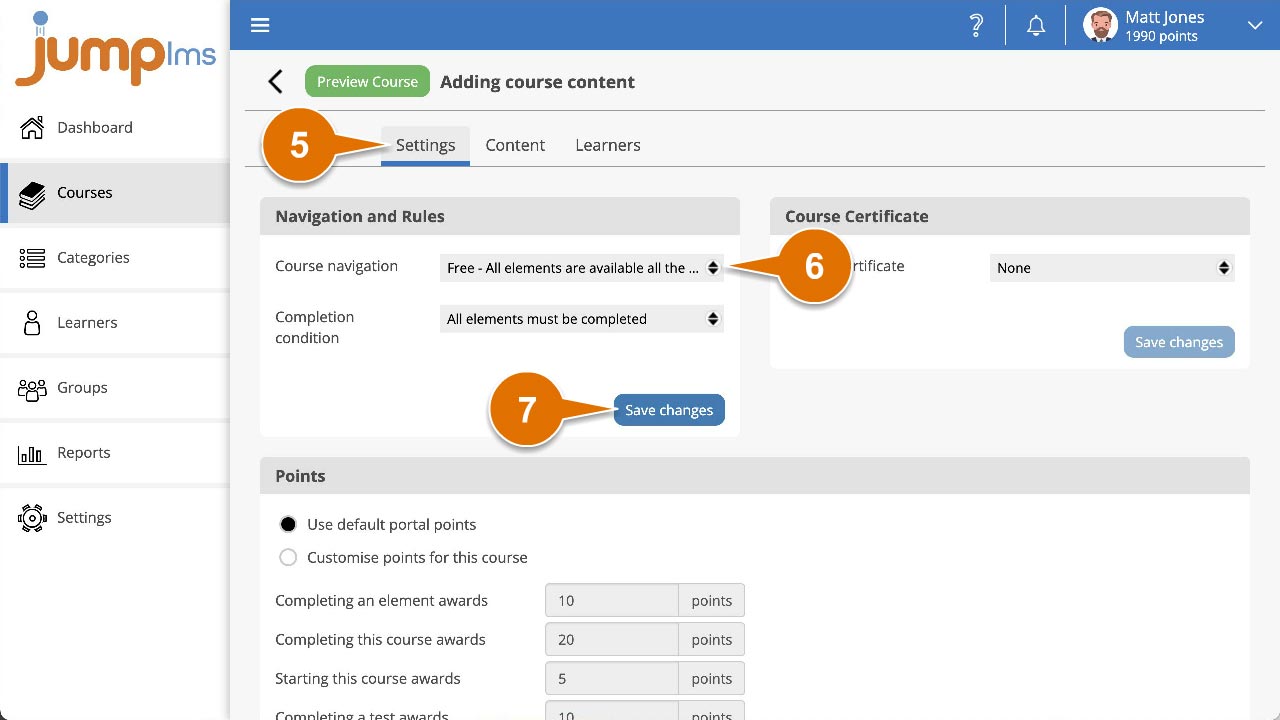
The course navigation option has now been changed.
Did this article help?
Can't find what you're looking for?
Contact the JumpLMS team and we’ll help you find the right answer.
Contact the JumpLMS team and we’ll help you find the right answer.