How to edit a course element in JumpLMS
Course elements are not fixed once they have been added. In JumpLMS, you can edit an existing element whenever you need to update its content, title, description, properties, or settings.
This guide explains how to find an existing course element, open it for editing, make your changes, and save them.
How to edit a course element
-
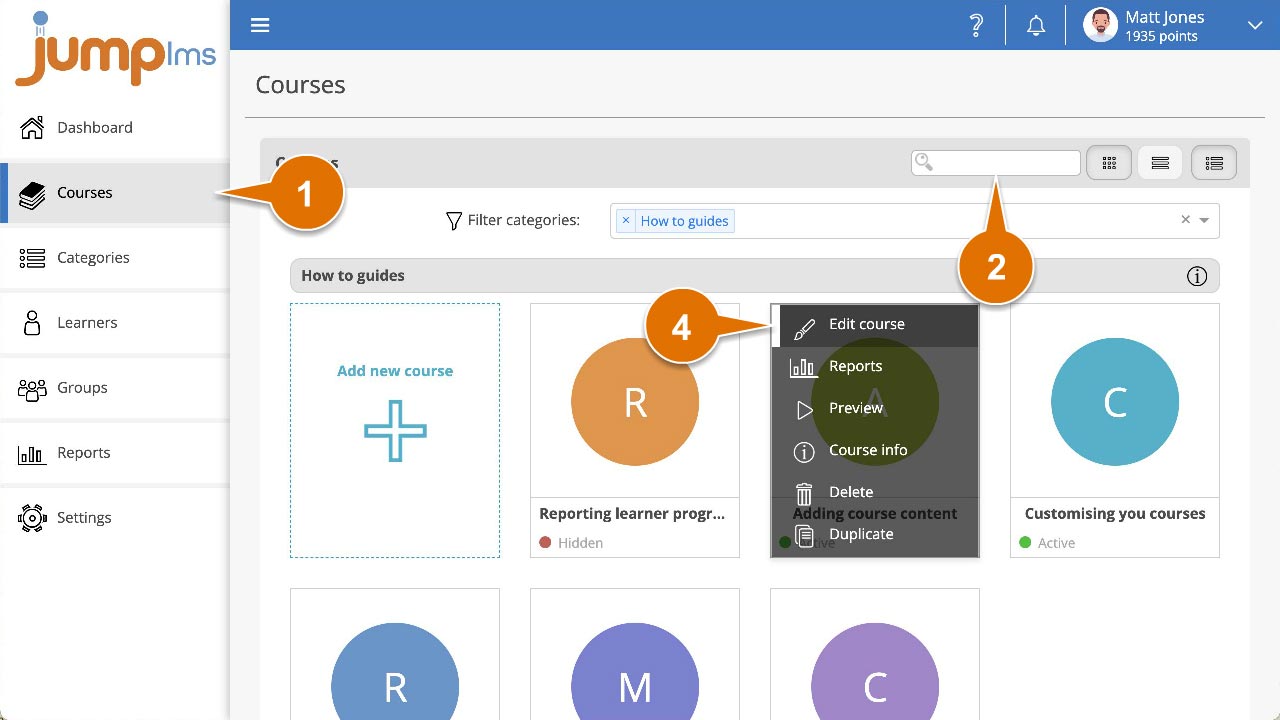
Click on the Courses tab.
-
Search for the course that contains the element you want to edit, or find it in the course list.
-
Open the course options and click Edit course.
-
Click on the Content tab.
-
Locate the element you want to change and click the Edit button.

-
The element properties and settings panel will appear. Make the changes you need.
-
Click Save changes.
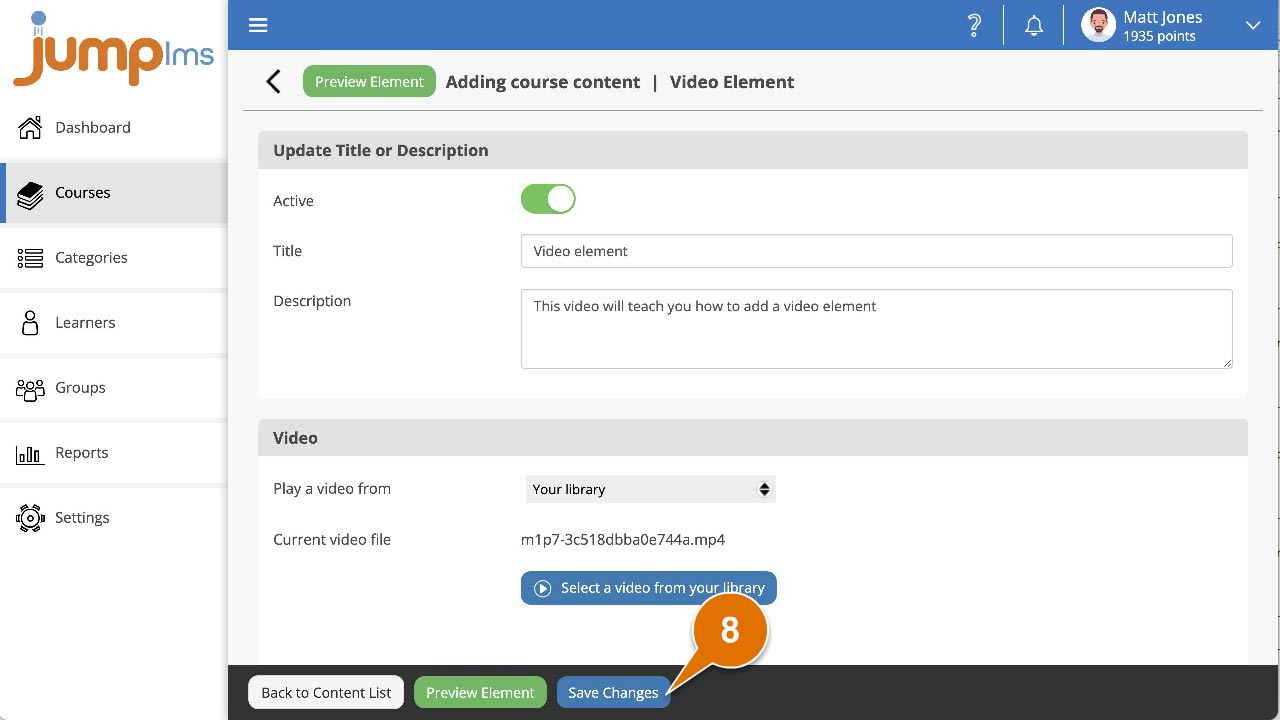
Your changes will now show in the course.
Contact the JumpLMS team and we’ll help you find the right answer.