How to edit a course in JumpLMS
Last updated on
You can edit a JumpLMS course whenever you need to update its content, settings, categories, certificates, navigation options, completion rules, or Learner enrolments.
This means you do not need to finish building a course in one session. You can return to it, make changes, and keep improving it over time.
How to edit a course
-
Click on the Courses tab.
-
Search for the course you want to edit, or find it in the course list.
-
Open the course options and click Edit course.
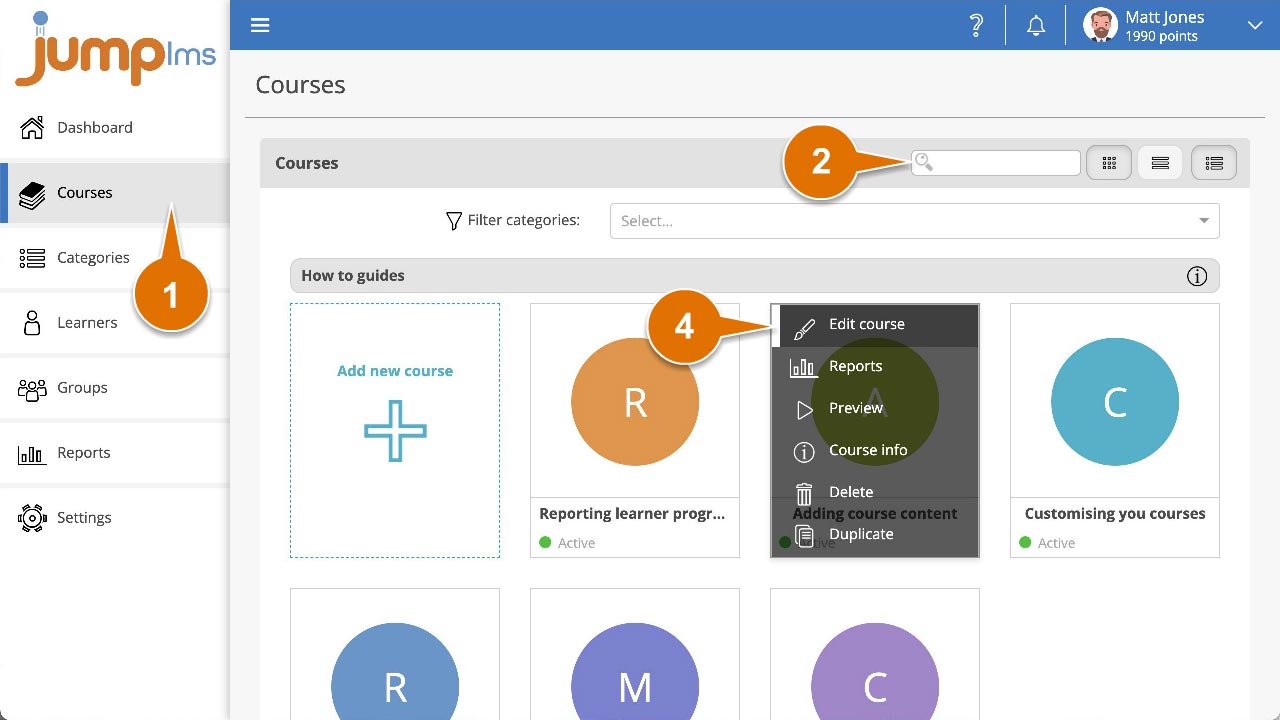
You can now edit any part of the course.
Did this article help?
Can't find what you're looking for?
Contact the JumpLMS team and we’ll help you find the right answer.
Contact the JumpLMS team and we’ll help you find the right answer.