How to change the orientation of a certificate in JumpLMS
Last updated on
JumpLMS lets you design certificates in either portrait or landscape orientation, giving you control over the layout and appearance of certificates issued to Learners.
This guide explains how to edit an existing certificate and switch its orientation in the certificate creation tool.
How to change the orientation of a certificate
-
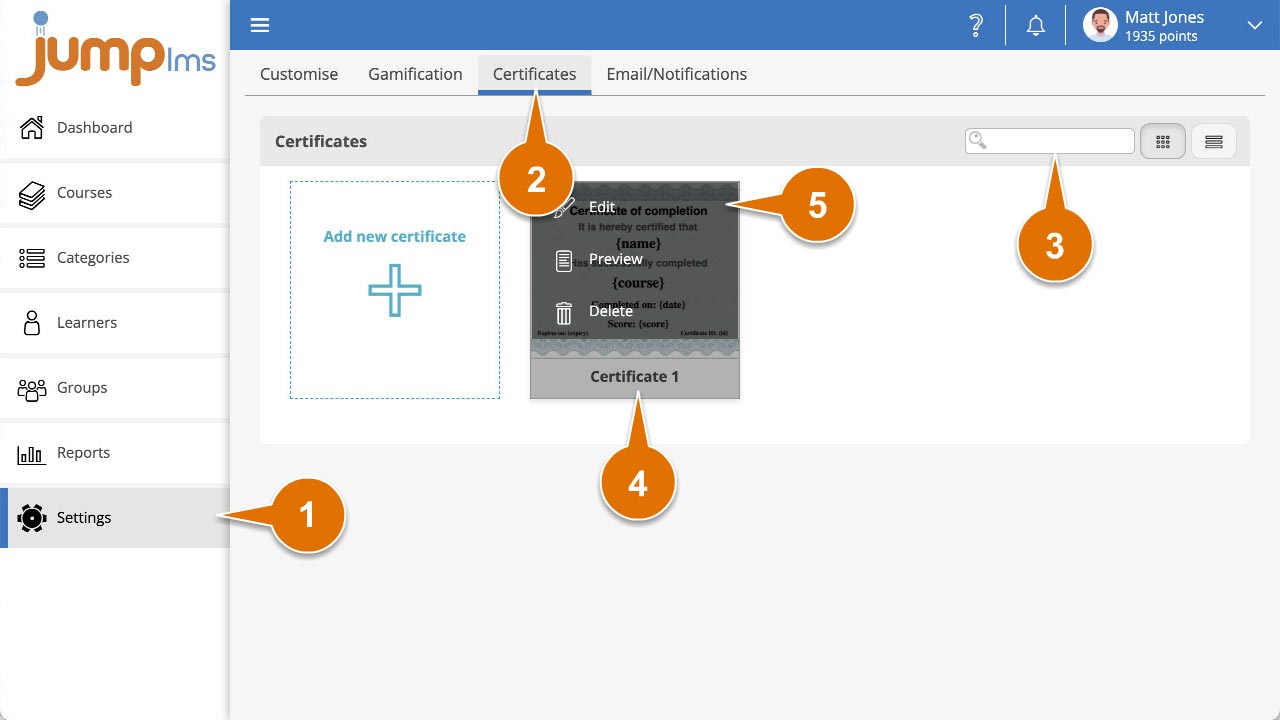
Click on the Settings tab.
-
Click on the Certificates tab.
-
Search for the certificate you want to edit, or find it in the certificate list.
-
Open the certificate options and click Edit.
-
Click Landscape or Portrait to change the certificate orientation.
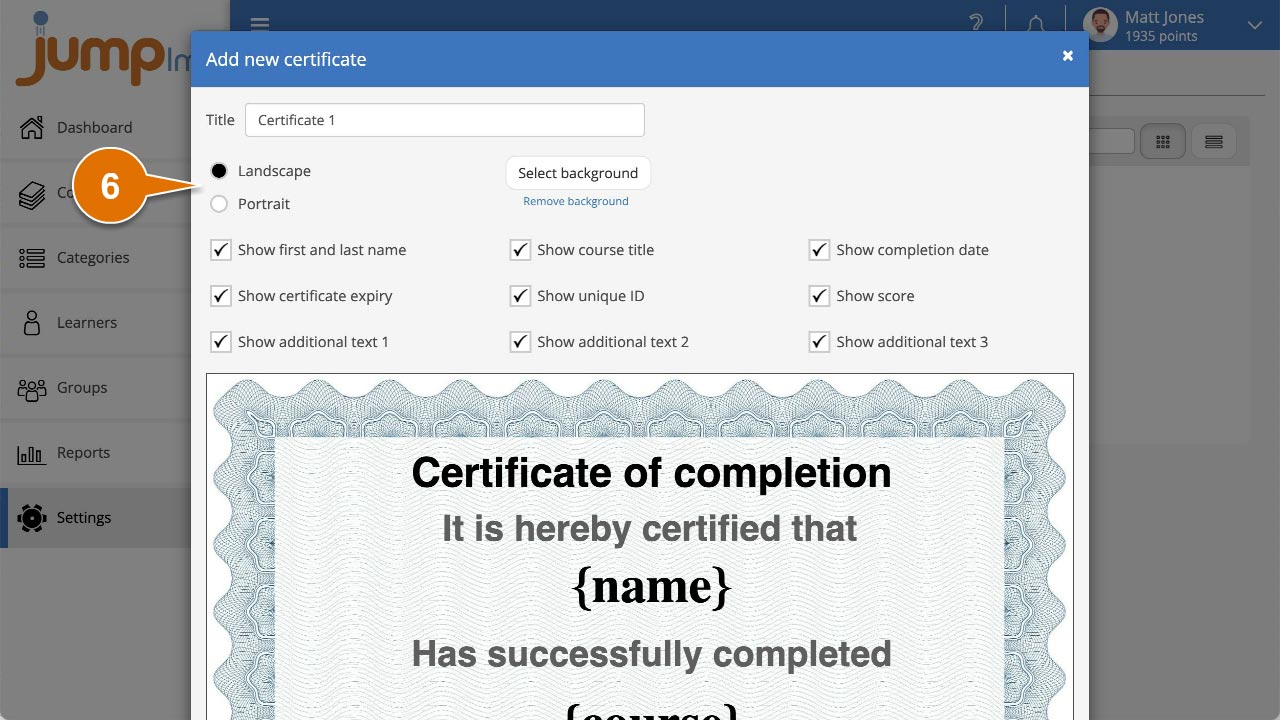
Your certificate is now set to your selected orientation.
Did this article help?
Can't find what you're looking for?
Contact the JumpLMS team and we’ll help you find the right answer.
Contact the JumpLMS team and we’ll help you find the right answer.