How to add a course to a category in JumpLMS
Course categories help you organise your JumpLMS course library so administrators and Learners can find relevant training more easily.
This guide explains two ways to add courses to categories: from the category settings area, or from the course edit area.
Option 1: Add a course from the category area
-
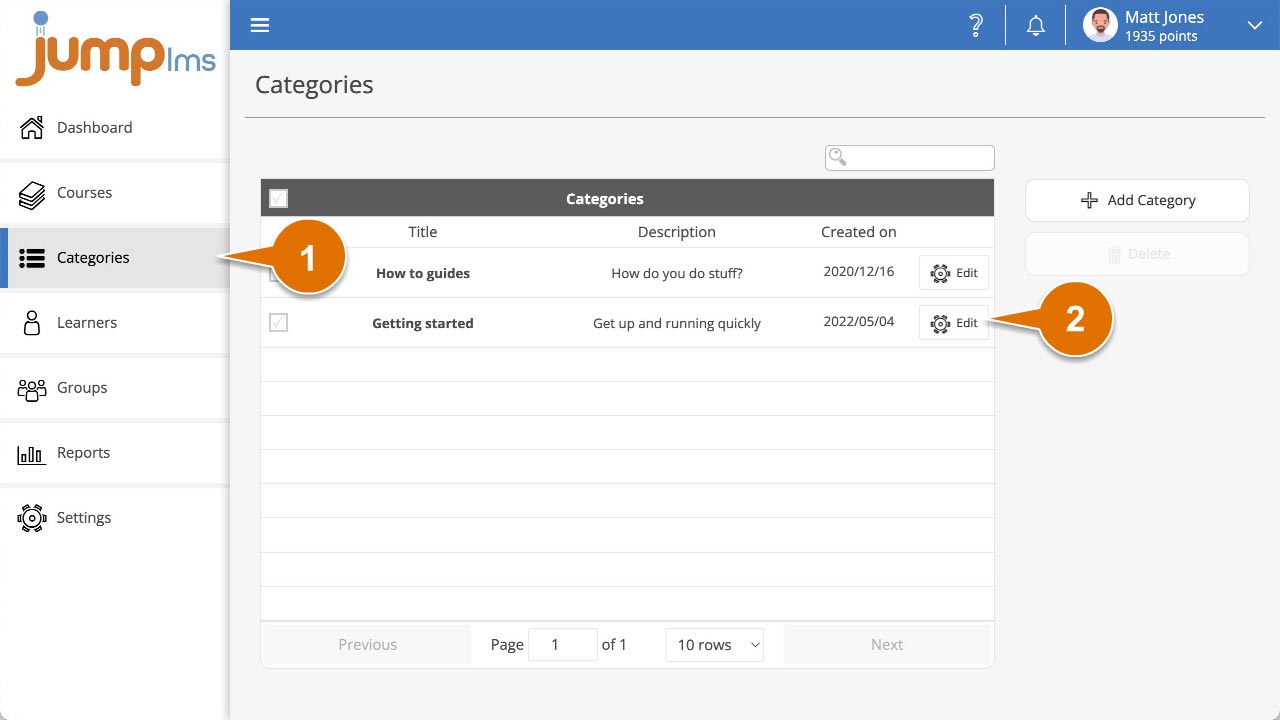
Click on the Categories tab.
-
Search for the category that you want to add the course to, or find it in the table and click Edit.
-
Expand the Update Courses in Category menu.
-
Search for the course, or find it in the table, and click the tick to select it.
-
Click Save changes.
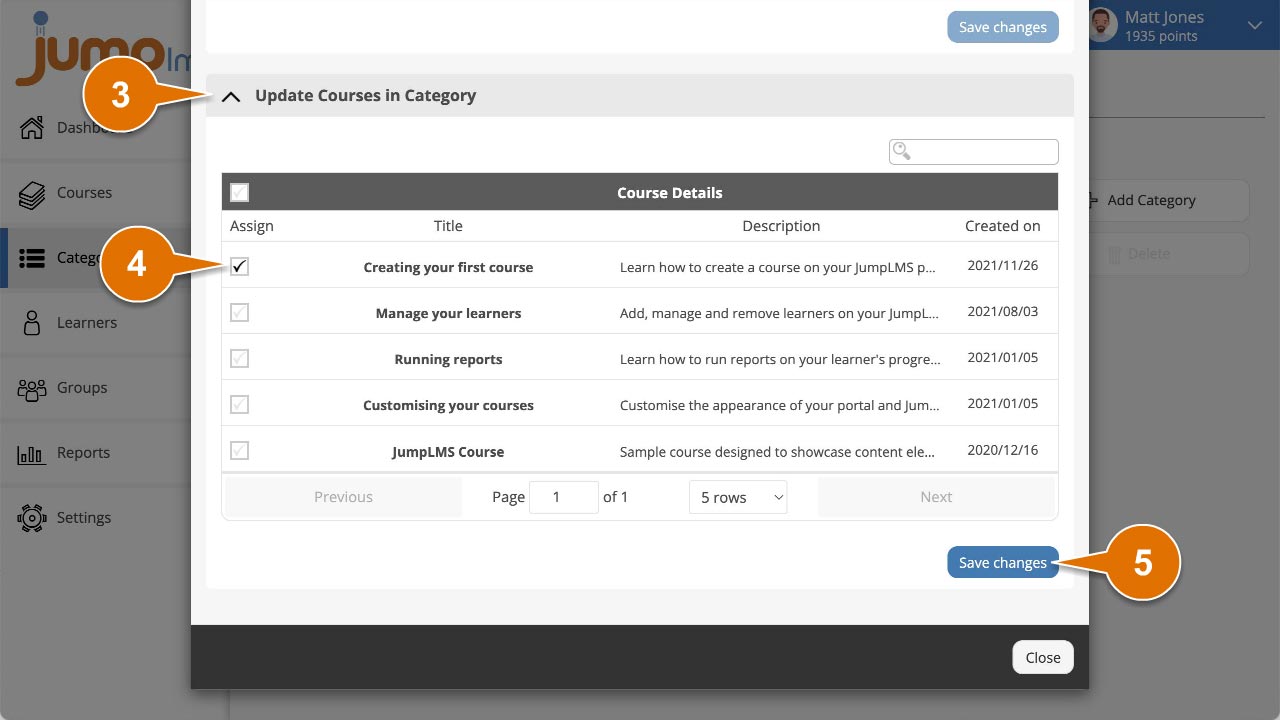
Your category is now associated with the selected courses.
Option 2: Add a course from the course edit area
-
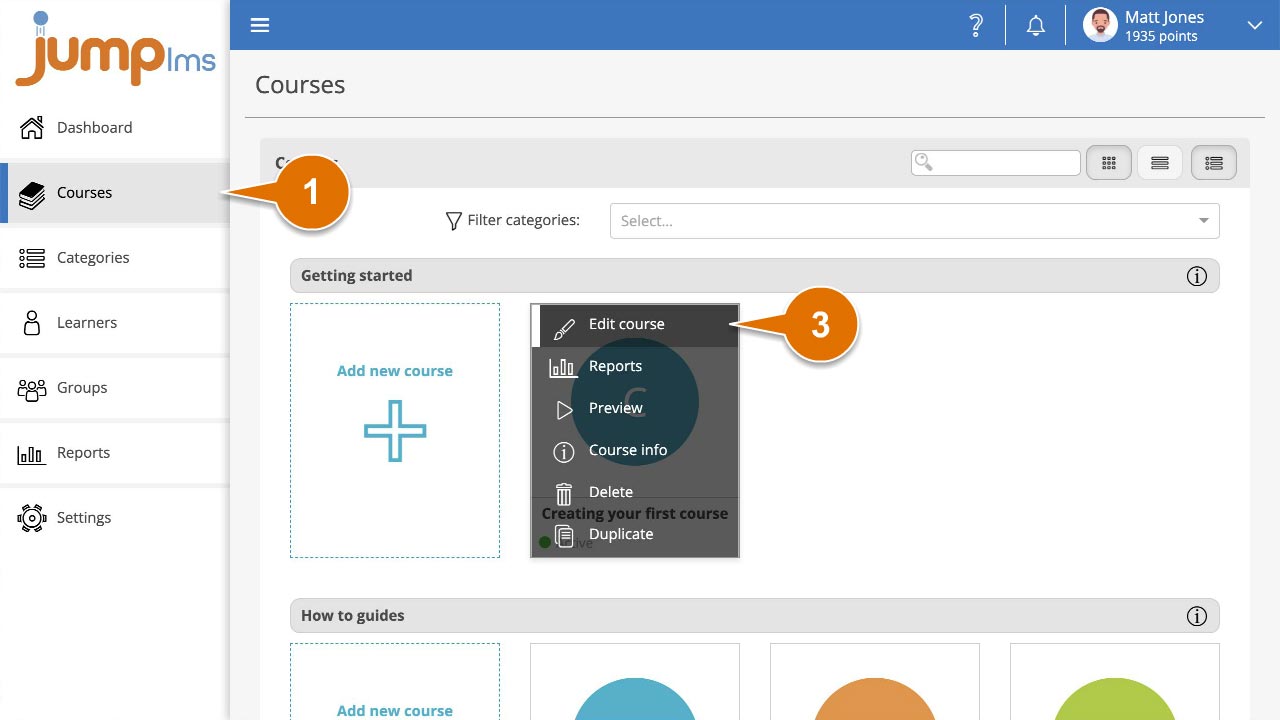
Click on the Courses tab.
-
Search for the course you want to categorise, then open its options and select Edit course.
-
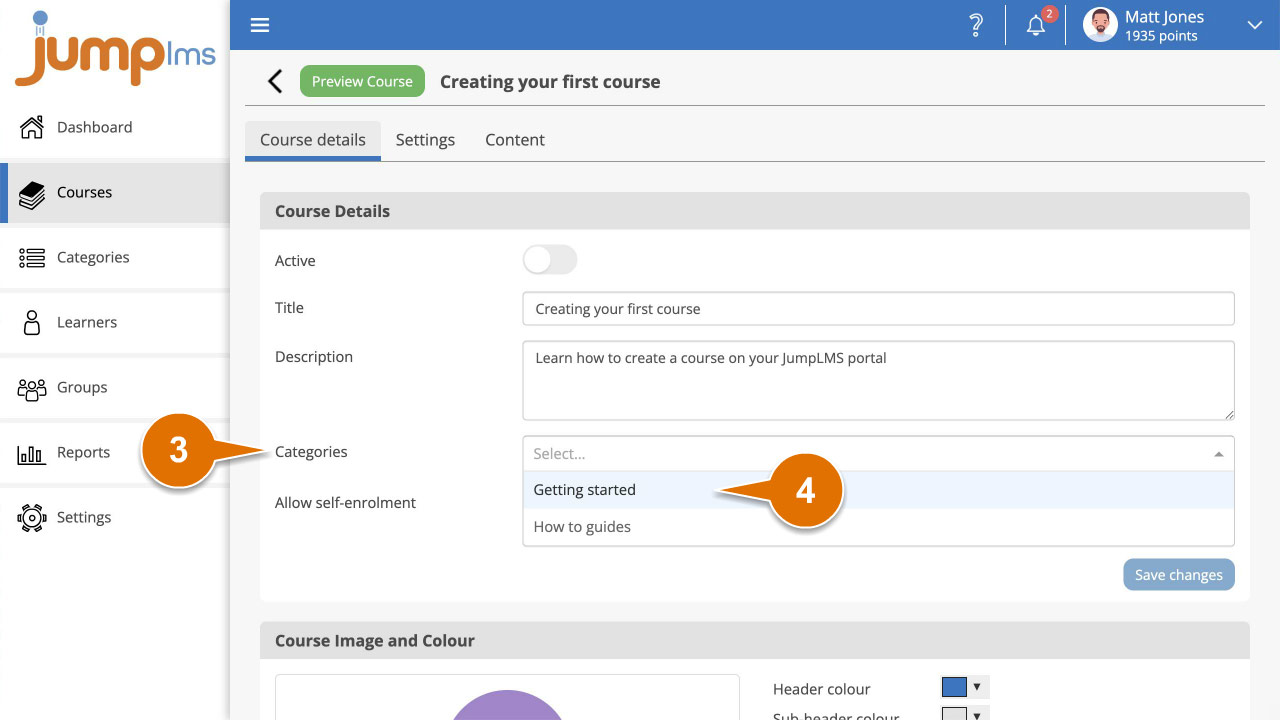
In the Course Details panel, open the Categories dropdown menu.
-
Select each category that you want to associate with the course.
-
Click Save changes.
Your course is now associated with the selected categories.
Contact the JumpLMS team and we’ll help you find the right answer.