How to view and download your invoices in JumpLMS
Last updated on
You can access your JumpLMS billing history from your account settings. This lets you review past payments and view or download invoices and receipts whenever you need them.
This guide explains how to find your billing history and open or download a specific JumpLMS invoice.
How to view and download your invoices
-
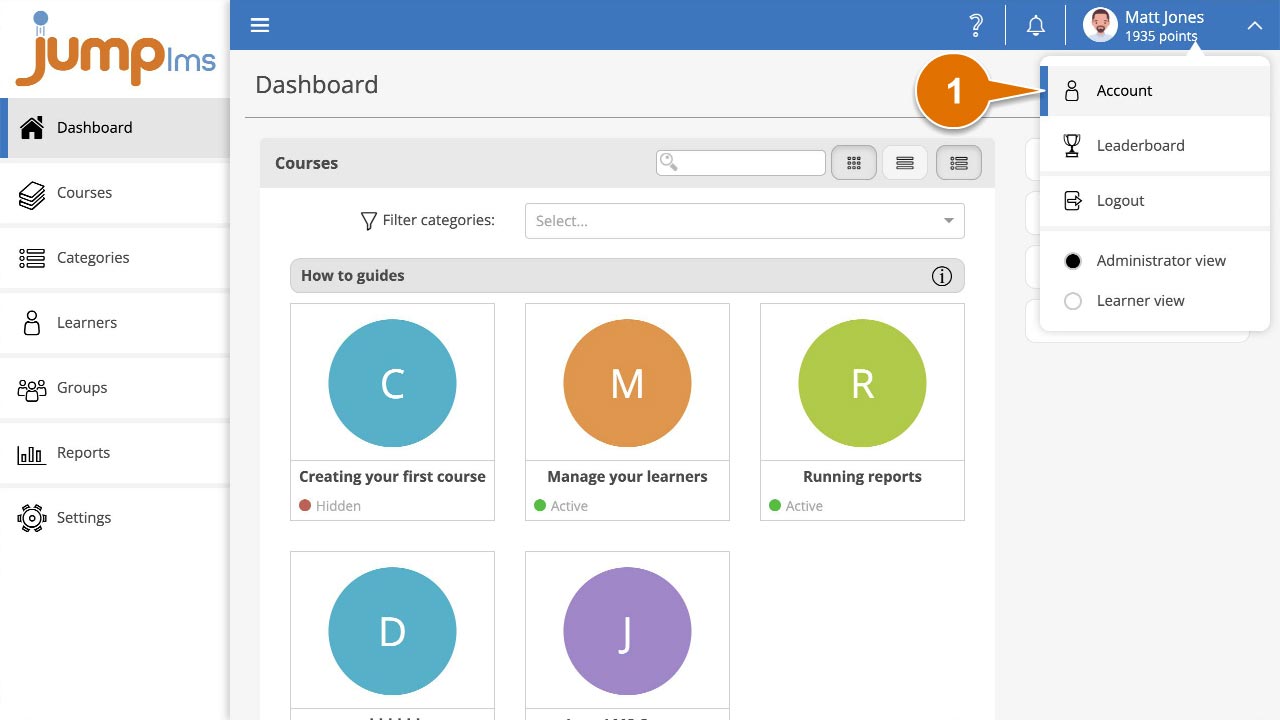
Click on your user profile image or name at the top-right of the screen and select Account.
-
Select the Billing History tab.
-
Find the invoice you need, then click the download or view details button.
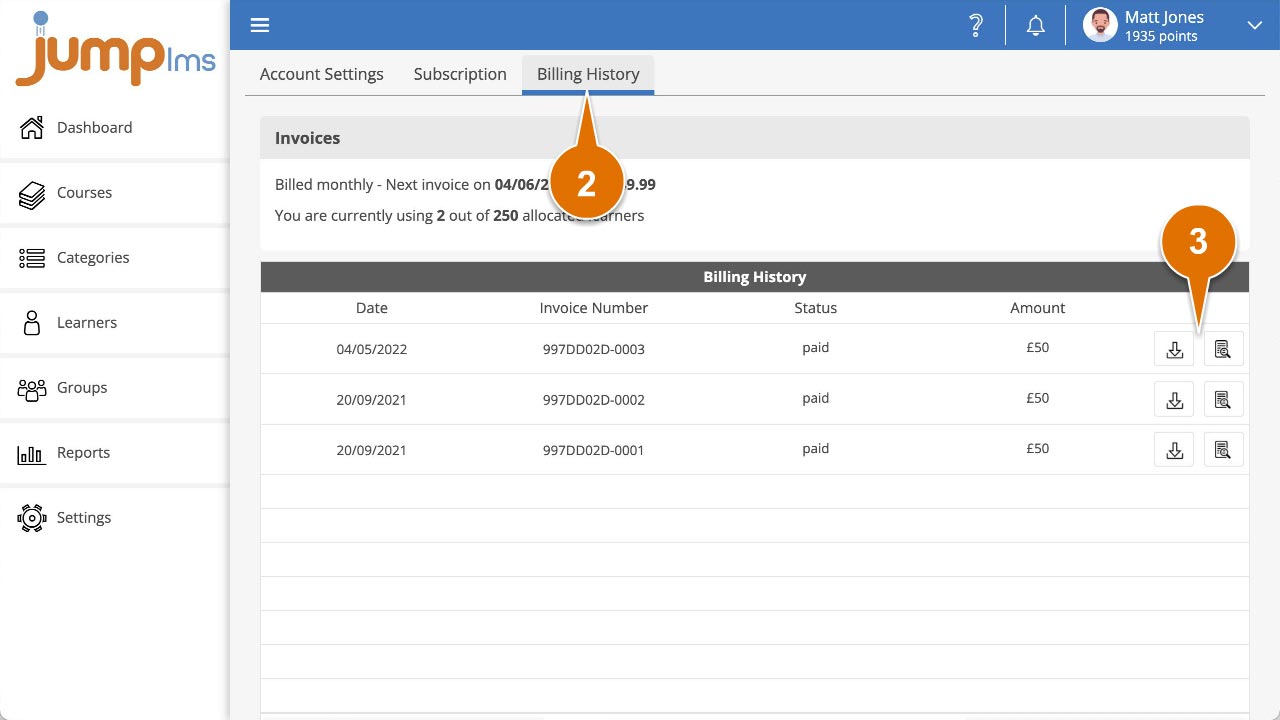
You have now viewed or downloaded your selected invoice.
Did this article help?
Can't find what you're looking for?
Contact the JumpLMS team and we’ll help you find the right answer.
Contact the JumpLMS team and we’ll help you find the right answer.