How to add a course section in JumpLMS
Course sections help you split course content into clear, manageable blocks, similar to chapters in a book.
This guide explains how to add a section to a JumpLMS course, give it a title and description, and place it in your course structure.
How to add a course section
-
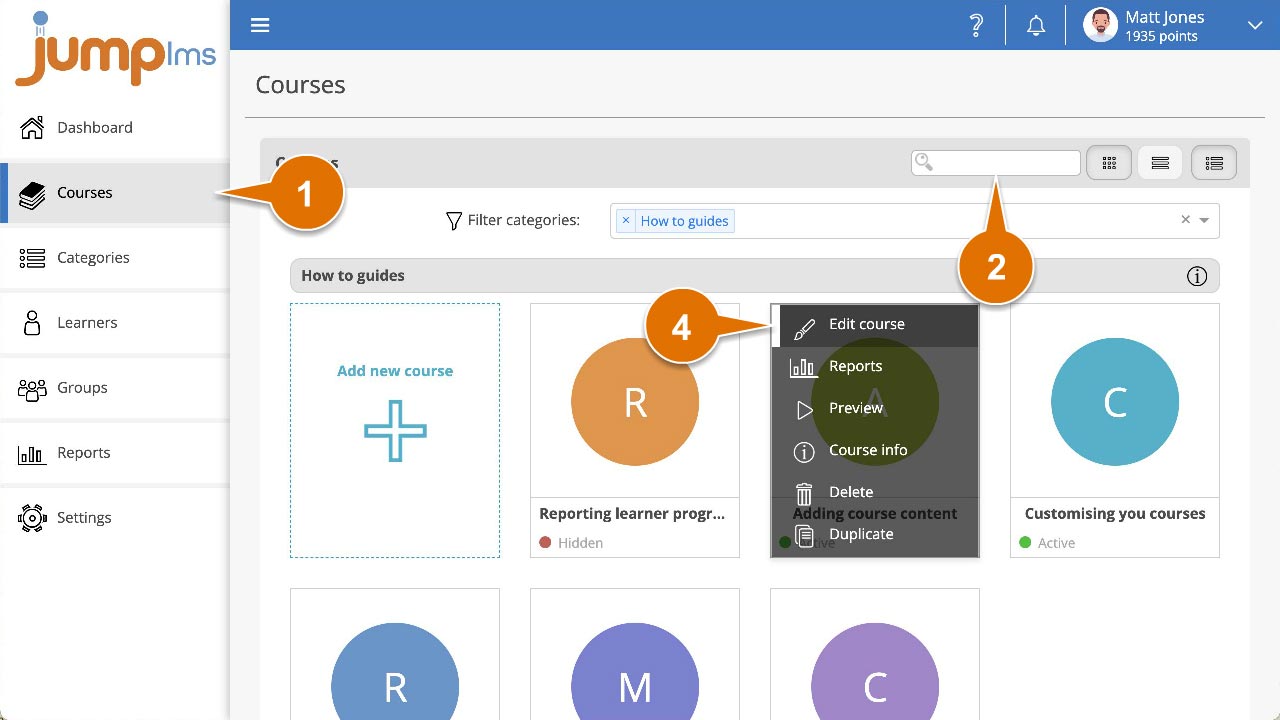
Click on the Courses tab.
-
Search for the course you want to add the section to, or find it in the course list.
-
Open the course options and click Edit course.
-
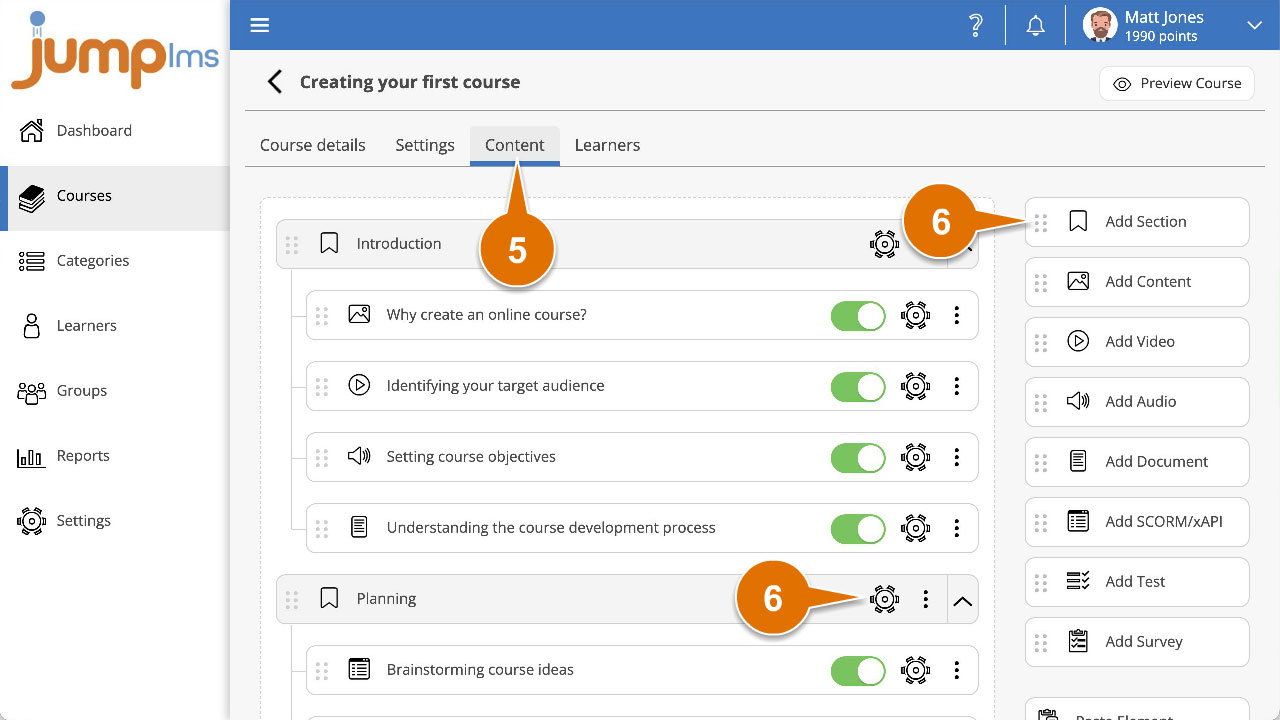
Click on the Content tab.
-
Click Add Section to add the section to the end of the course structure, or drag and drop it into the position you want. Then click Edit.
-
Enter a title and description for the section.
-
Click Add Element.
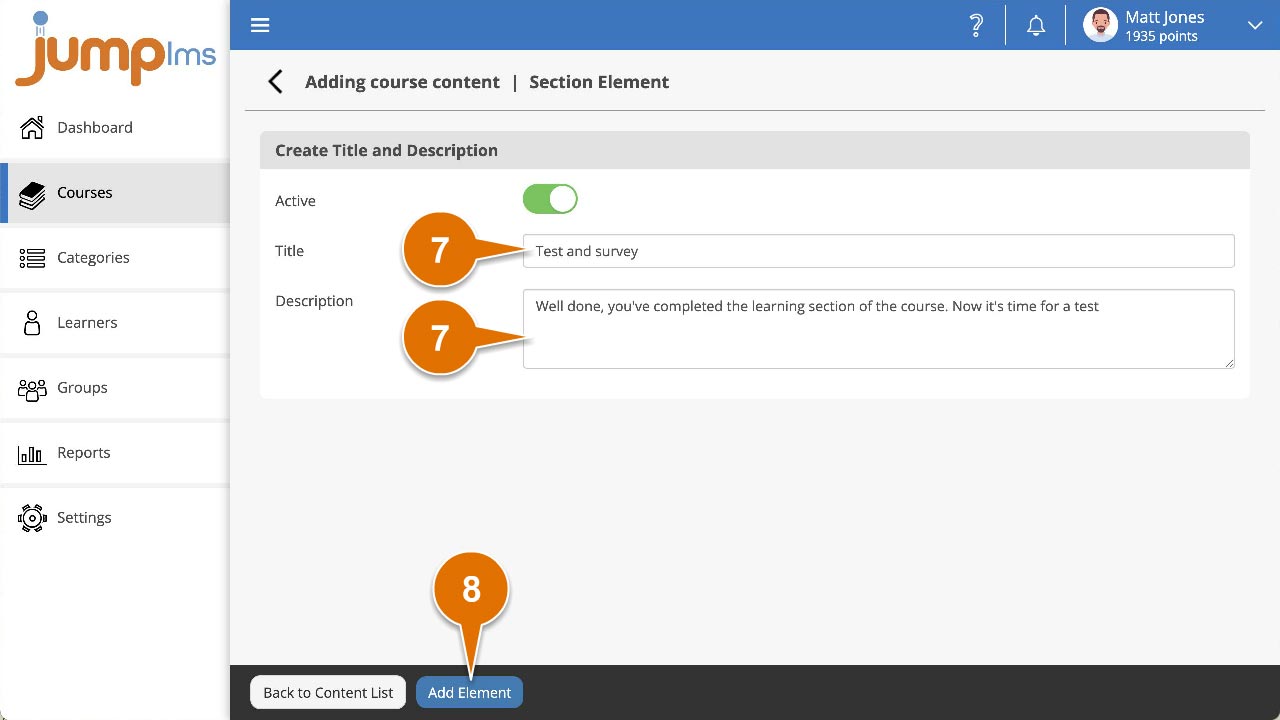
The section has now been added to your course.
Contact the JumpLMS team and we’ll help you find the right answer.