How to assign courses to a group in JumpLMS
You can assign courses to a group so the group has a defined set of associated courses.
You can also synchronise group member courses, which automatically enrols Learners in the group onto the courses assigned to that group.
How to assign courses to a group
-
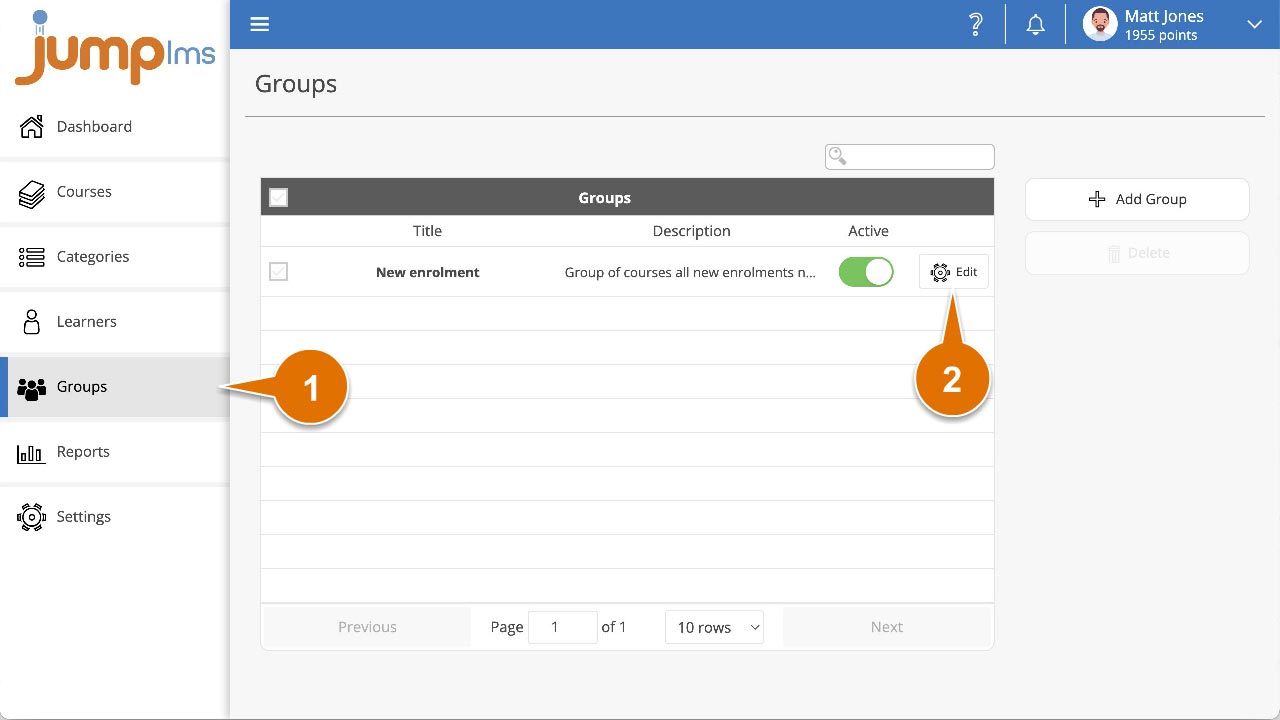
Click on the Groups tab.
-
Search for the group you want to update, or find it in the group list.
-
Click Edit.
-
Tick each course you want to assign to the group.
-
Click Synchronise group members courses to automatically enrol Learners in the group onto the assigned courses.
-
Click Save changes.
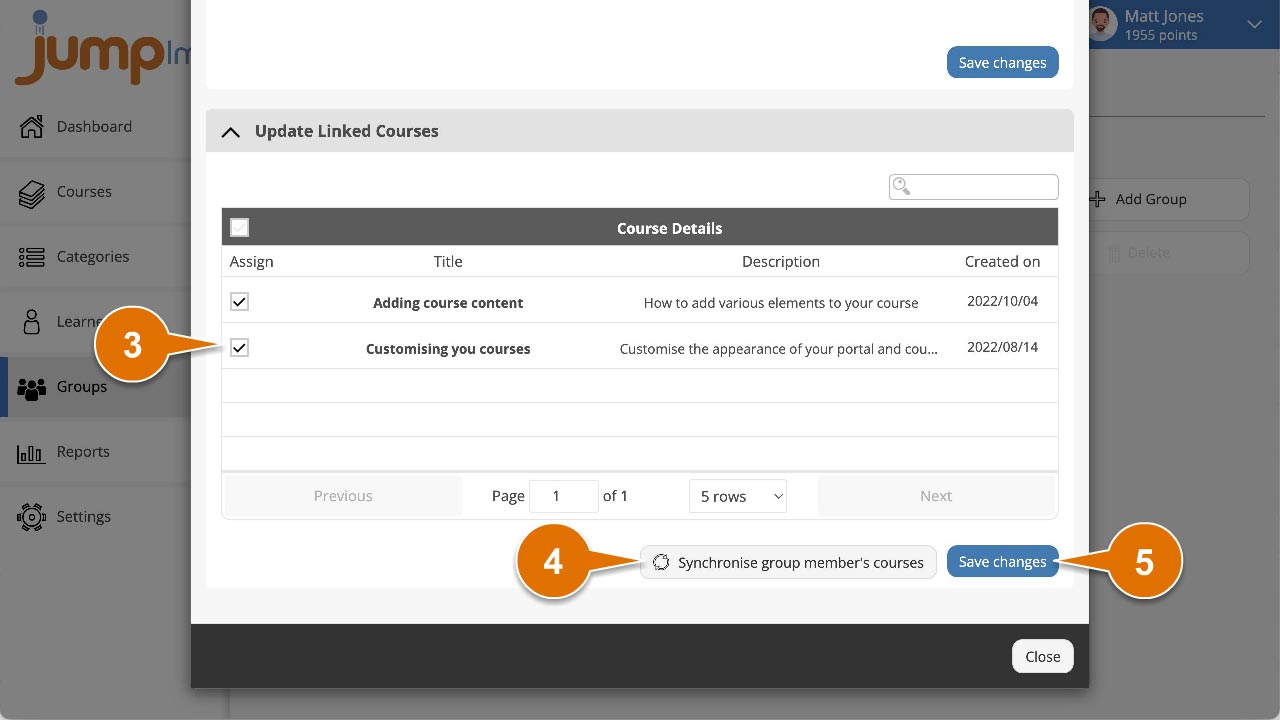
The courses have now been assigned to the group, and the group members have been enrolled on the associated courses.
Contact the JumpLMS team and we’ll help you find the right answer.