How to create a new course category in JumpLMS
Course categories help you organise your JumpLMS course library, making it easier for administrators and Learners to find relevant training.
This guide explains how to create a new course category, add a title and description, and choose which courses should appear in the category.
How to create a new course category
-
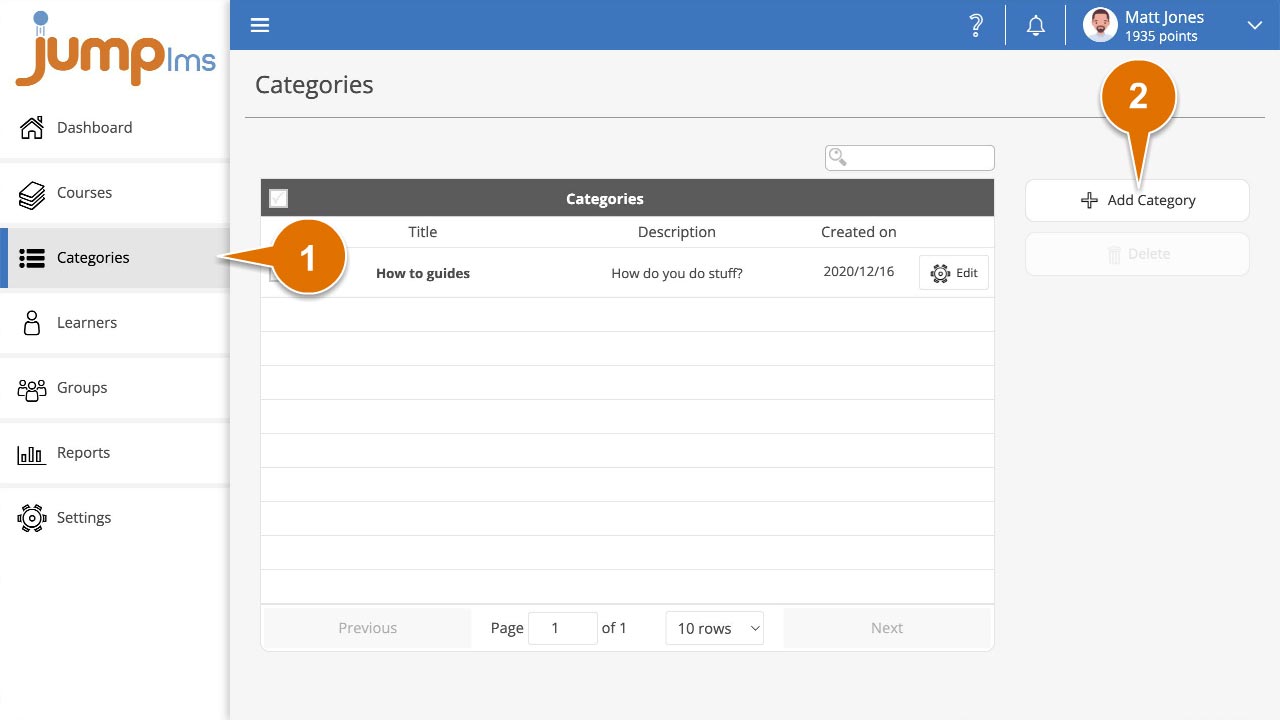
Click on the Categories tab.
-
Click the Add Category button.
-
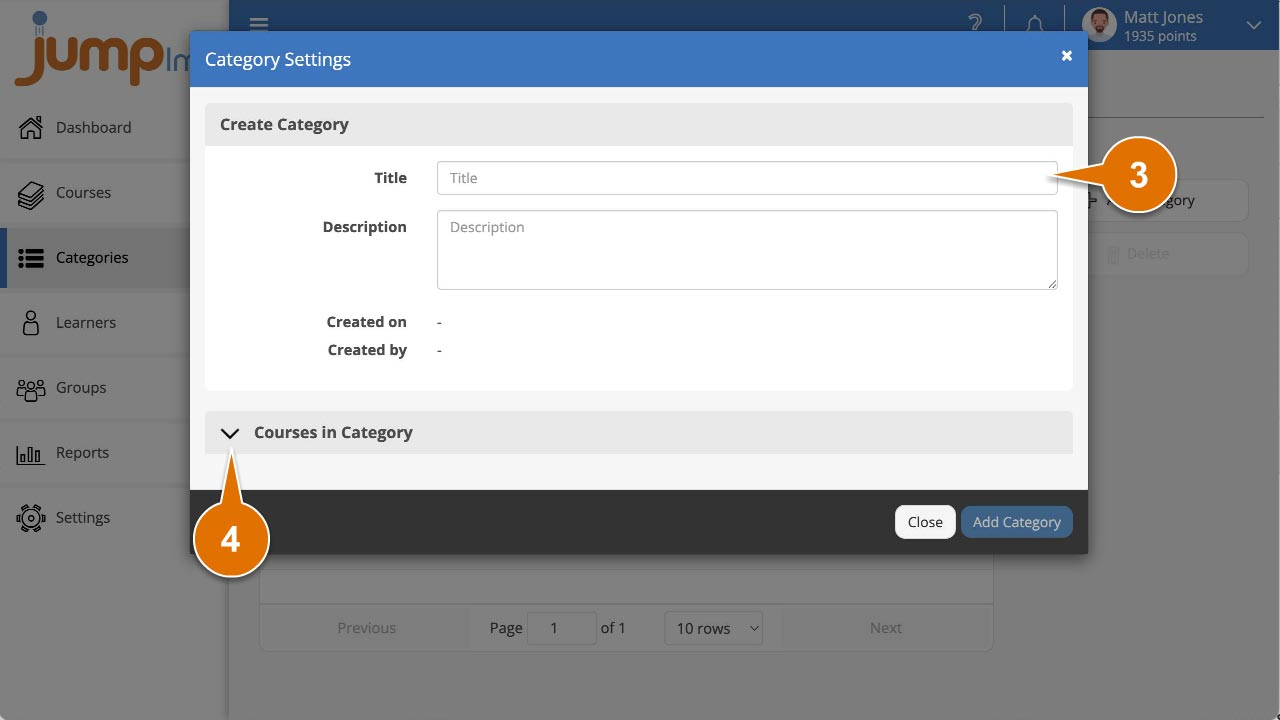
Enter the new category title and add a description.
-
Expand the Courses in Category menu.
-
Select any courses that you want to include in the new category. You can also leave this blank and add courses later.
-
Click Add Category.
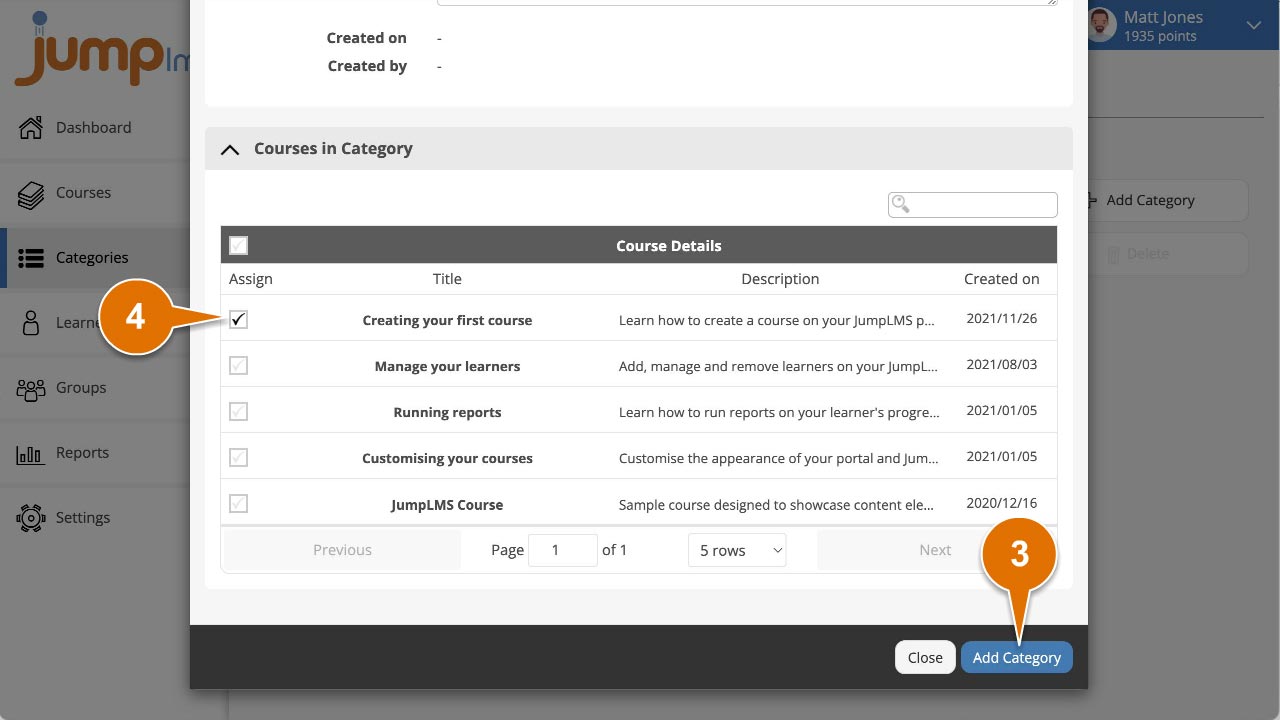
Your new course category has now been created. You can add or remove courses from the category at any time.
Contact the JumpLMS team and we’ll help you find the right answer.