How to add a new payment card in JumpLMS
If you are on a paid JumpLMS subscription, you can update your payment card from your account settings at any time.
This guide explains how to add a new credit or debit card so future JumpLMS subscription payments are taken from your updated payment method.
How to add a new payment card
-
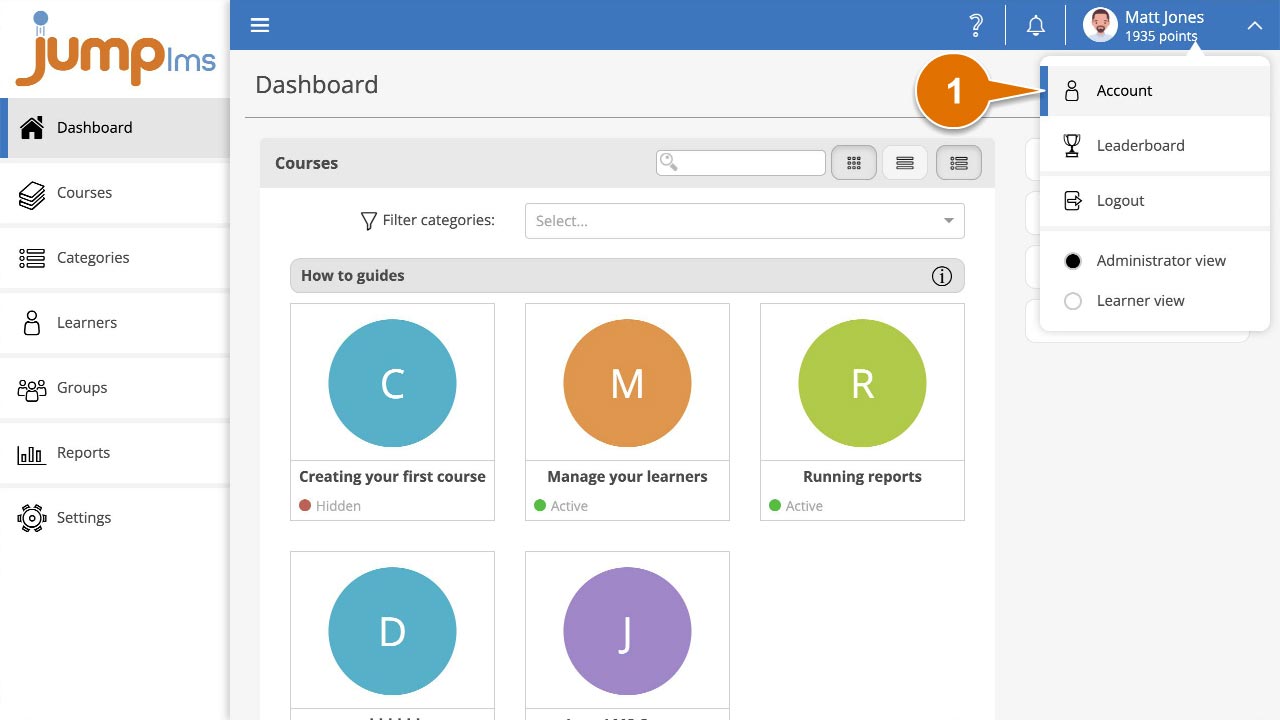
Click on your user profile image or name at the top-right of the screen and select Account.
-
Select the Subscription tab.
-
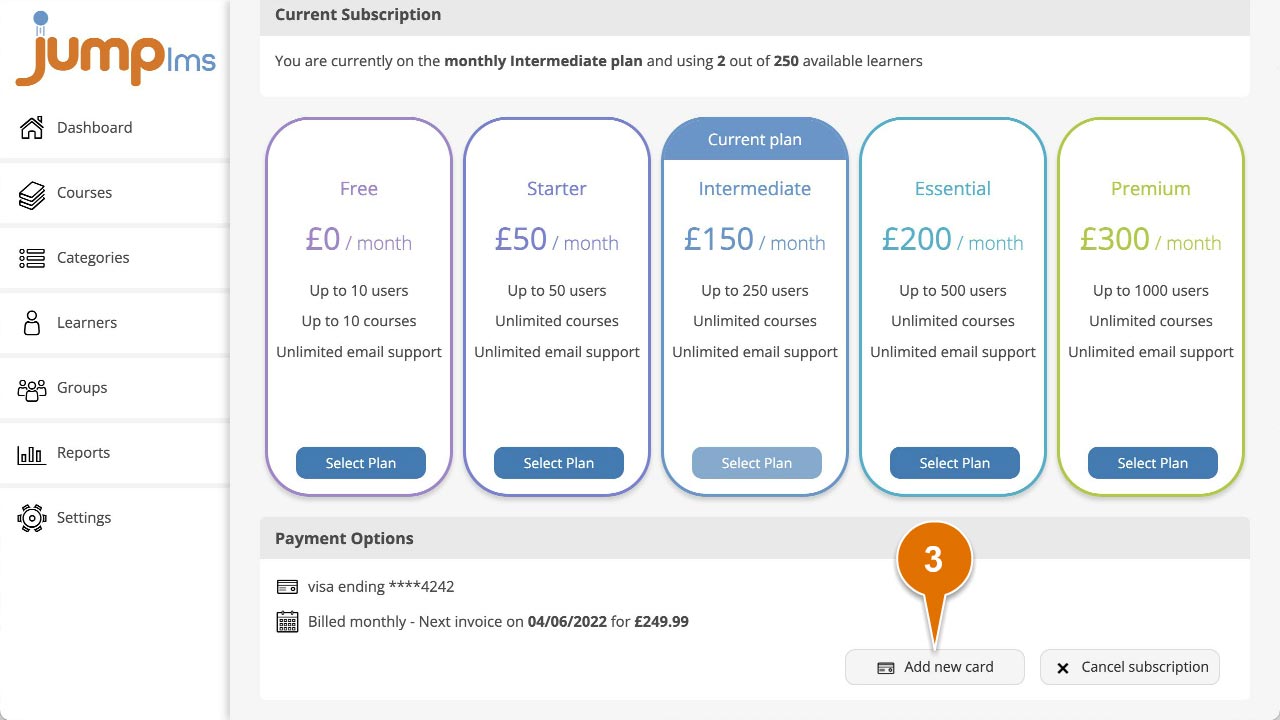
In the Payment Options panel, click Add new card.
-
Enter your card number, expiry date, and the CVC number from the back of your card.
-
Click Save card.
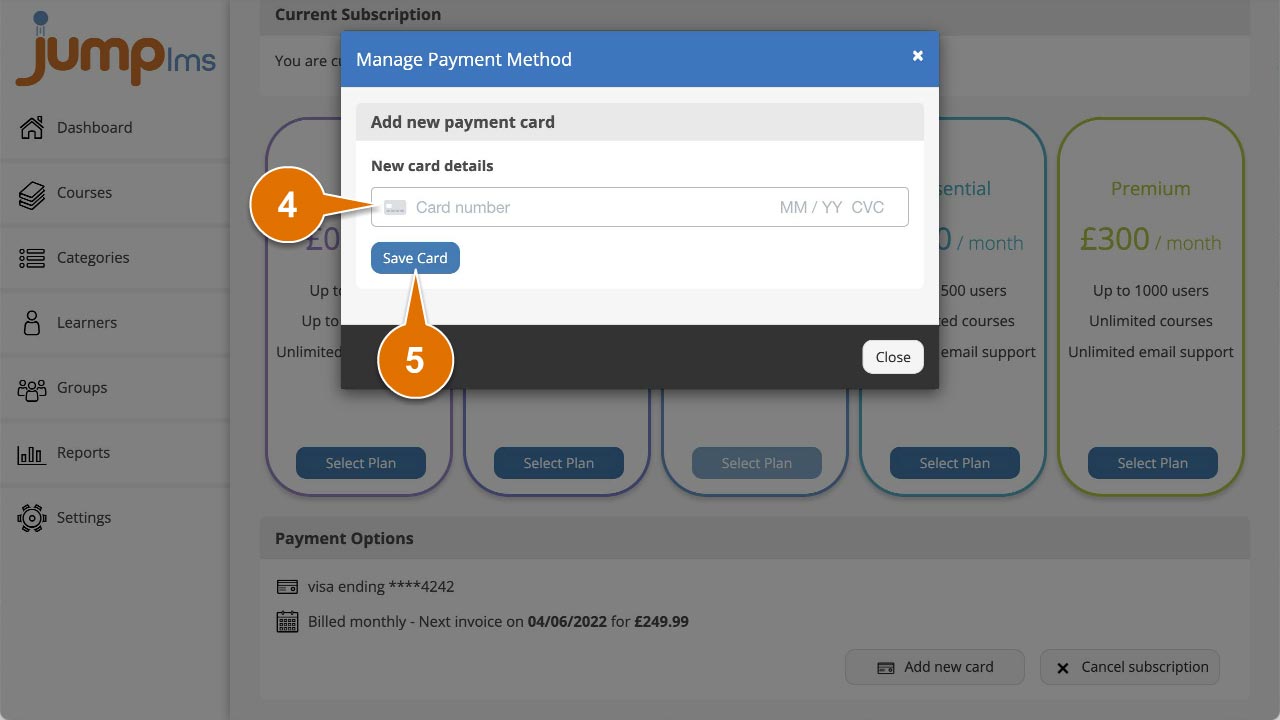
Your payment card has now been updated. Future subscription payments will be taken from the new card.
Contact the JumpLMS team and we’ll help you find the right answer.