How to add custom gamification points to a course in JumpLMS
When you create a new course, its gamification point values use your portal's default gamification settings.
If a course needs its own point values, you can customise the gamification points for that individual course without changing the default points used elsewhere on your portal.
How to add custom gamification points to a course
-
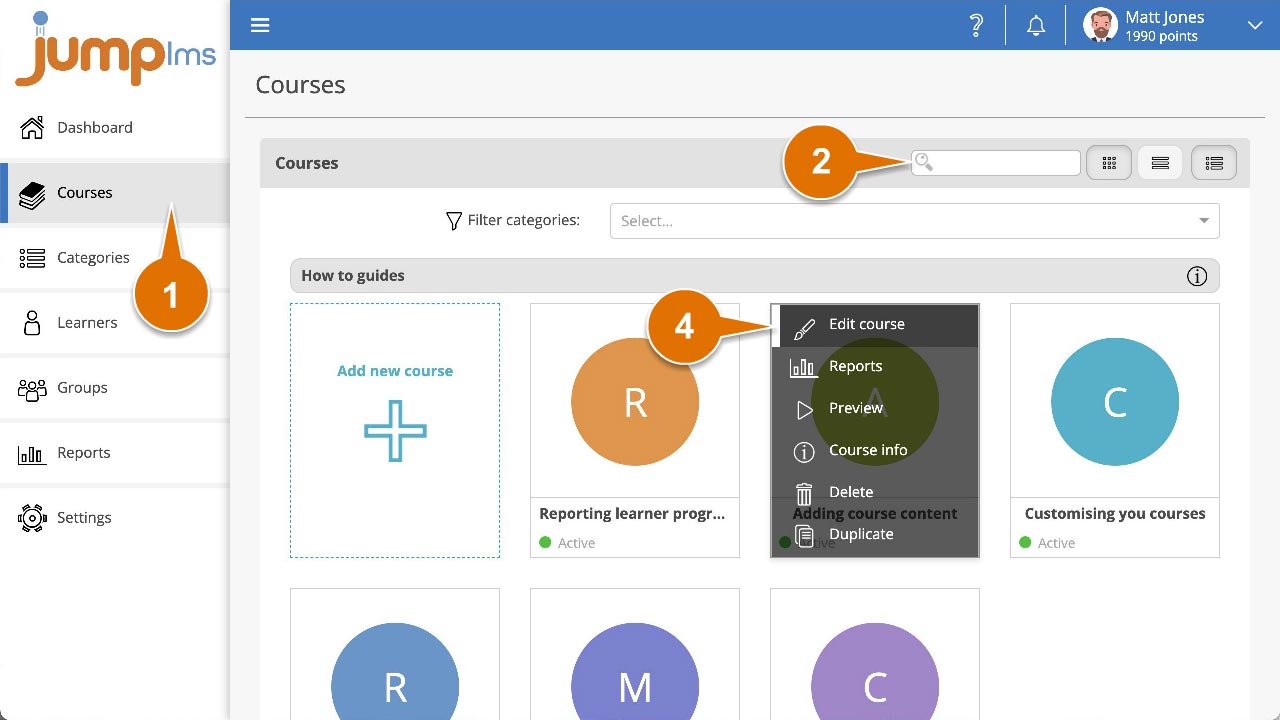
Click on the Courses tab.
-
Search for the course you want to customise, or find it in the course list.
-
Open the course options and click Edit course.
-
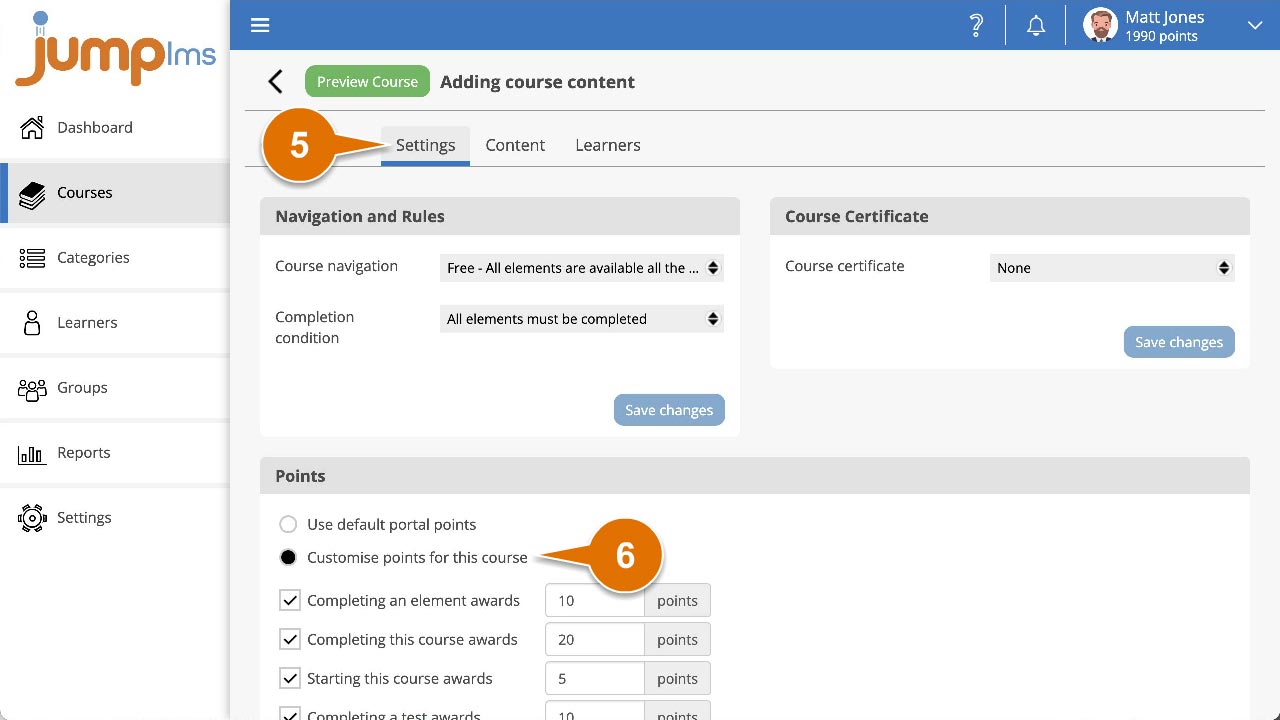
Click the Settings tab.
-
In the Points panel, select Customise points for this course to use custom point values instead of the default portal points.
-
Change the point values as required.
-
Click Save changes.
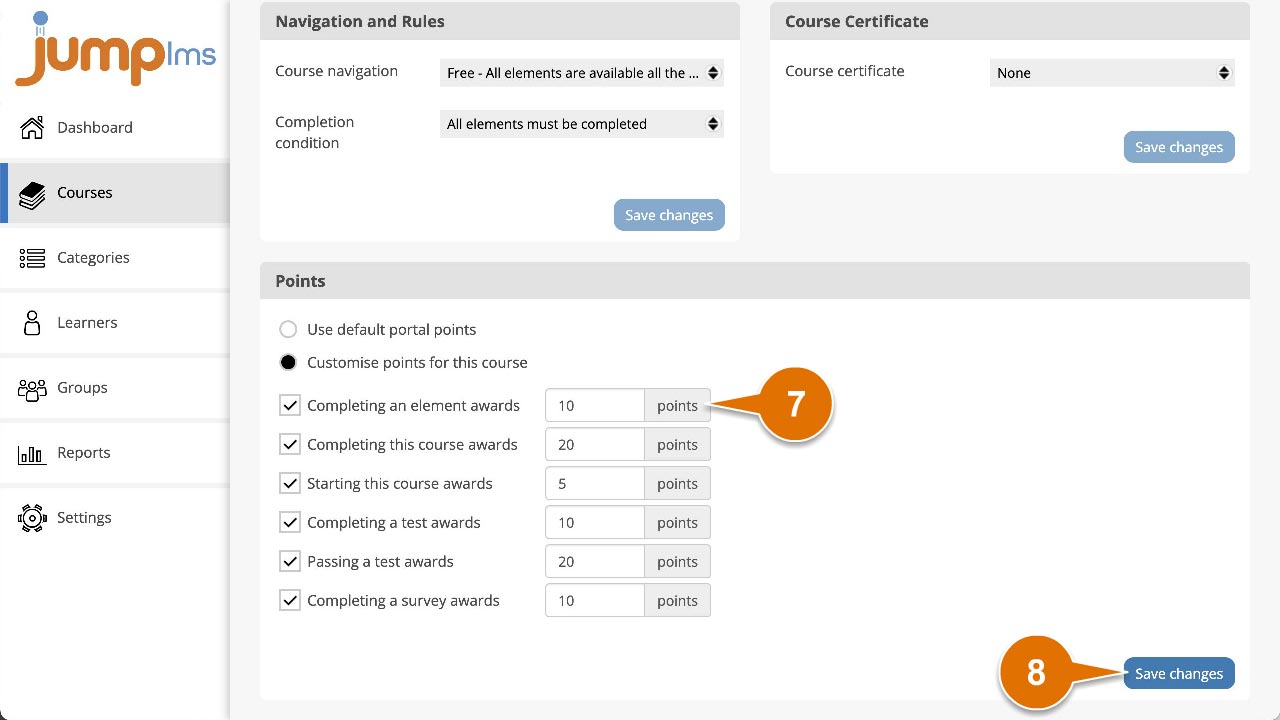
The course will now use its custom gamification point values.
Contact the JumpLMS team and we’ll help you find the right answer.