How to edit a course category in JumpLMS
Last updated on
Course categories help you organise your JumpLMS course library, making it easier for administrators and Learners to find the right training.
This guide explains how to edit an existing course category, including its title, description, and associated courses.
How to edit a course category
-
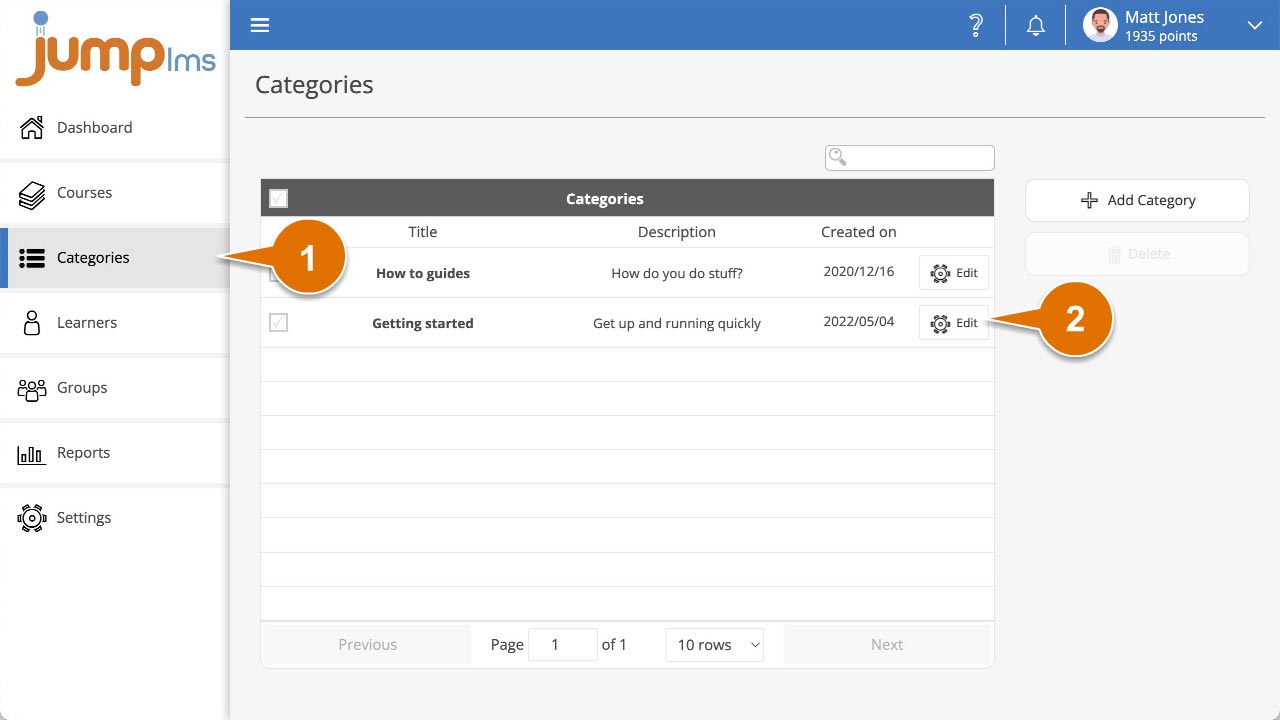
Click on the Categories tab.
-
Search for the required category, or find it in the table and click Edit.
-
Update the category title, description, and/or selected courses.
-
Click Save changes.
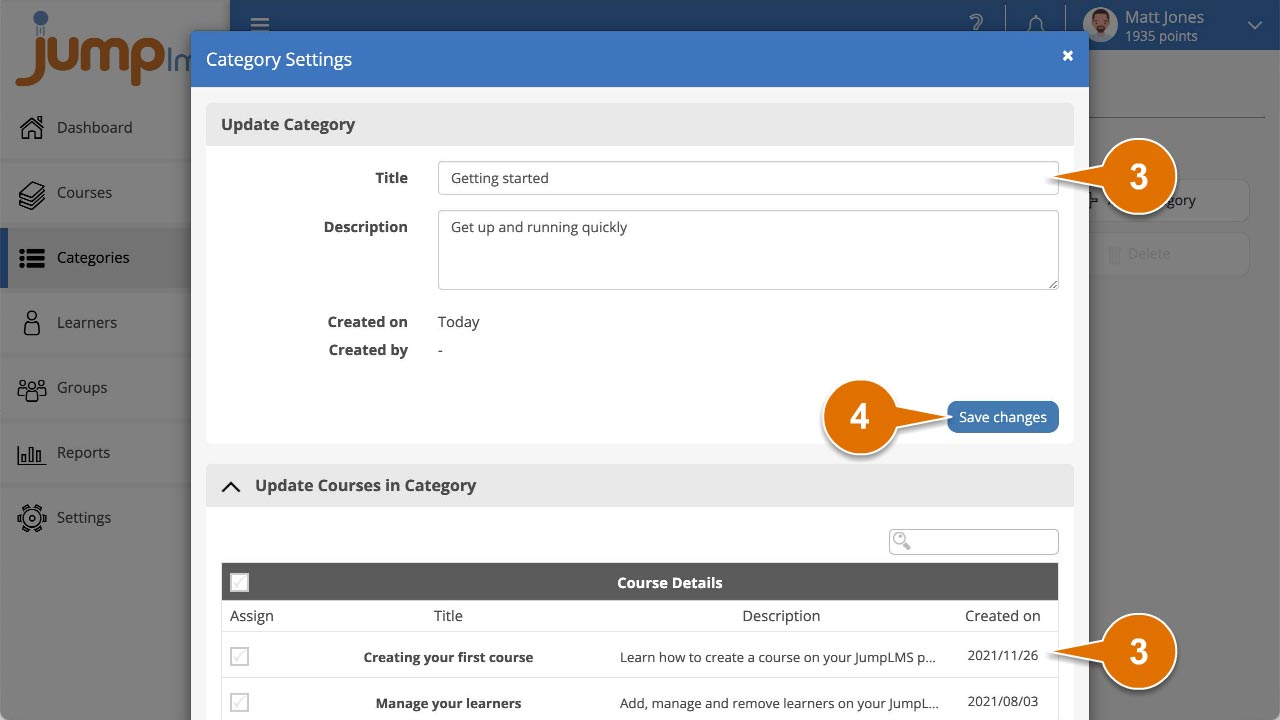
Your course category has now been updated and the changes will take effect in your JumpLMS portal.
Did this article help?
Can't find what you're looking for?
Contact the JumpLMS team and we’ll help you find the right answer.
Contact the JumpLMS team and we’ll help you find the right answer.