How to duplicate a course in JumpLMS
Last updated on
Duplicating a course lets you quickly create a copy of an existing course, which is useful when you want to reuse a course structure, content, or settings.
Duplicating and editing a course copy will not affect the original course.
After the course has been duplicated, the new version appears in your course list and can be edited immediately.
How to duplicate a course
-
Click on the Courses tab.
-
Search for the course you want to duplicate, or find it in the course list.
-
Open the course options and click Duplicate.
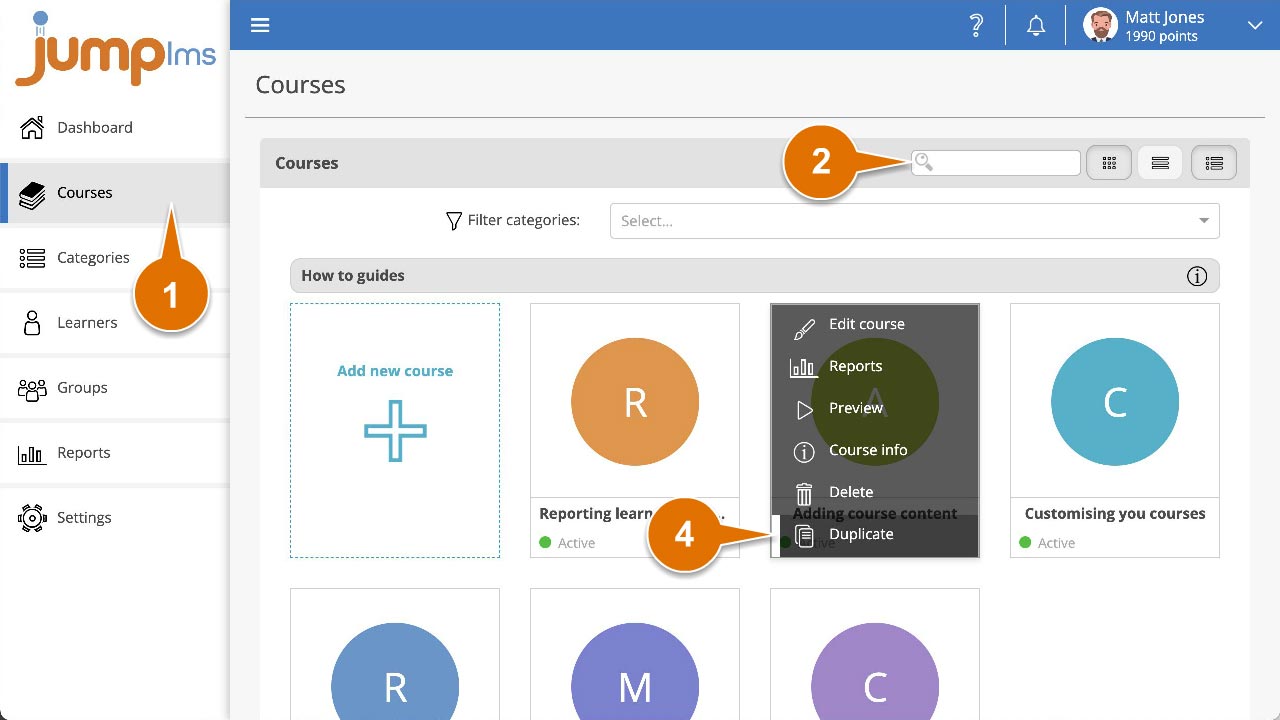
The duplicated course has now been added to your course list.
Did this article help?
Can't find what you're looking for?
Contact the JumpLMS team and we’ll help you find the right answer.
Contact the JumpLMS team and we’ll help you find the right answer.