How to upgrade a subscription in JumpLMS
You can upgrade your JumpLMS subscription at any time from your account settings. Upgrading gives you a higher active Learner allowance, making it easier to grow your training portal as your organisation or customer base expands.
Subscription changes are prorated, so your billing is adjusted based on the plan change and the time remaining in your billing period.
How to upgrade a subscription
-
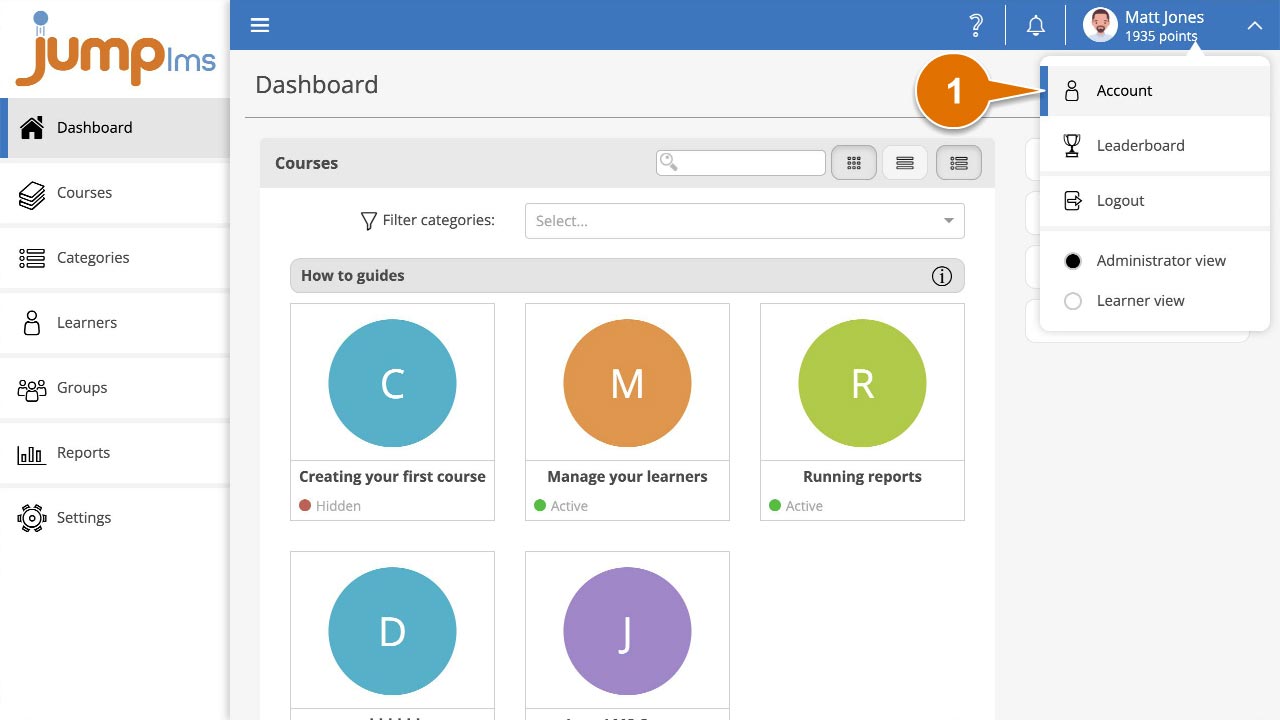
Click on your user profile image or name at the top-right of the screen and select Account.
-
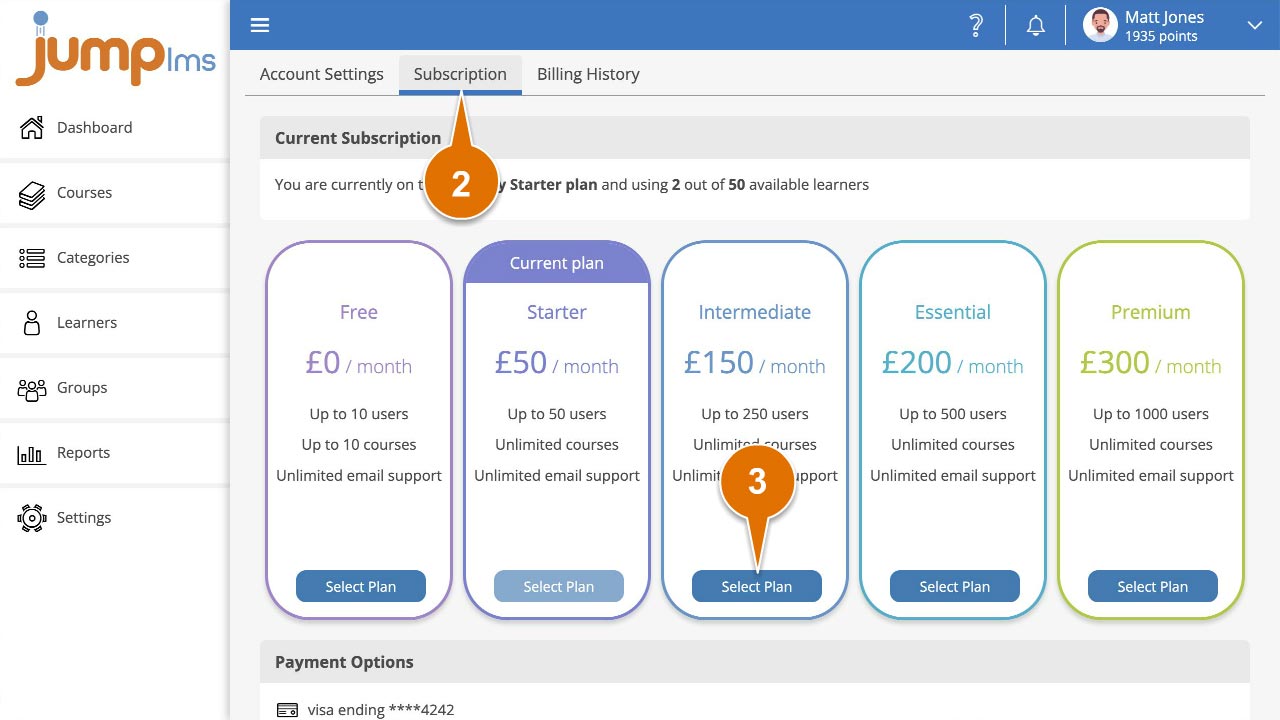
Select the Subscription tab.
-
Click Select Plan on the higher subscription plan you want to move to.
-
Review the summary showing how your monthly or yearly price will change. If you are happy with the new price, click Confirm Change.
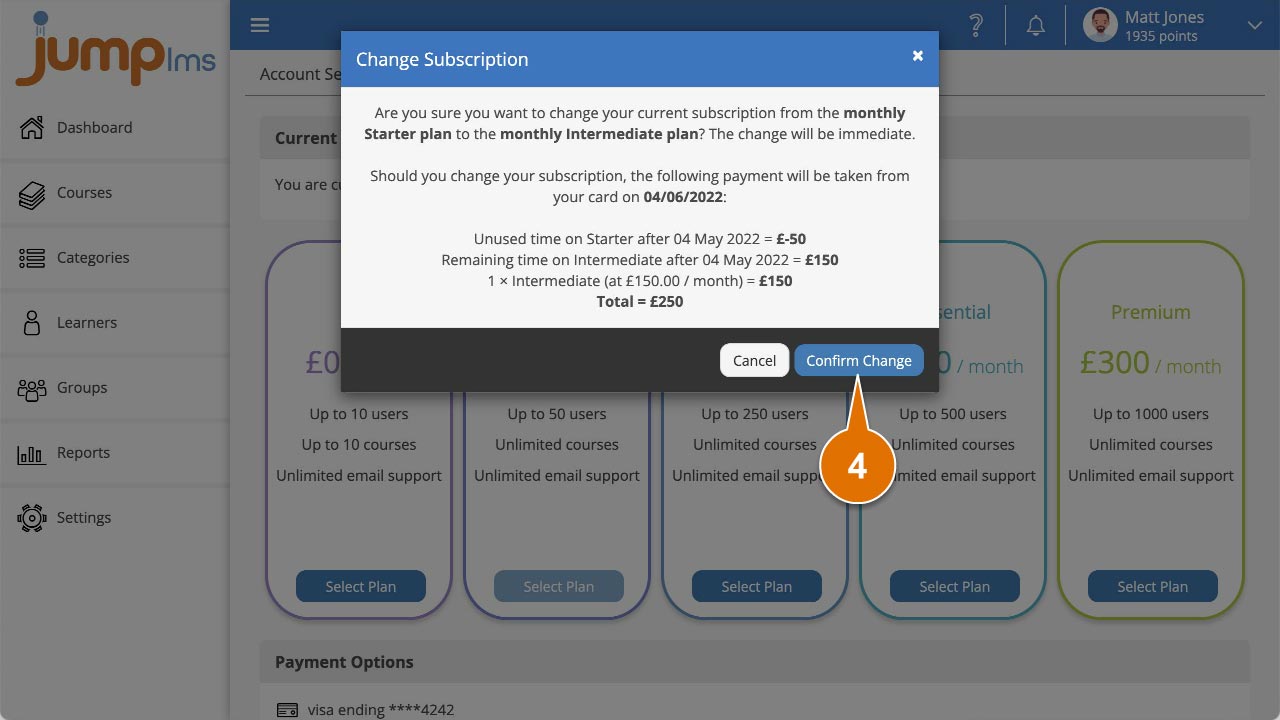
Your subscription has now been upgraded. Future payments will be charged at the new subscription amount.
Contact the JumpLMS team and we’ll help you find the right answer.