How to view your gamification leaderboards in JumpLMS
Last updated on
JumpLMS leaderboards show gamification points across your portal and individual courses.
Administrators can view the overall points leaderboard and leaderboards for active courses. Learners can view leaderboards for the courses they are enrolled on.
How to view your gamification leaderboards
-
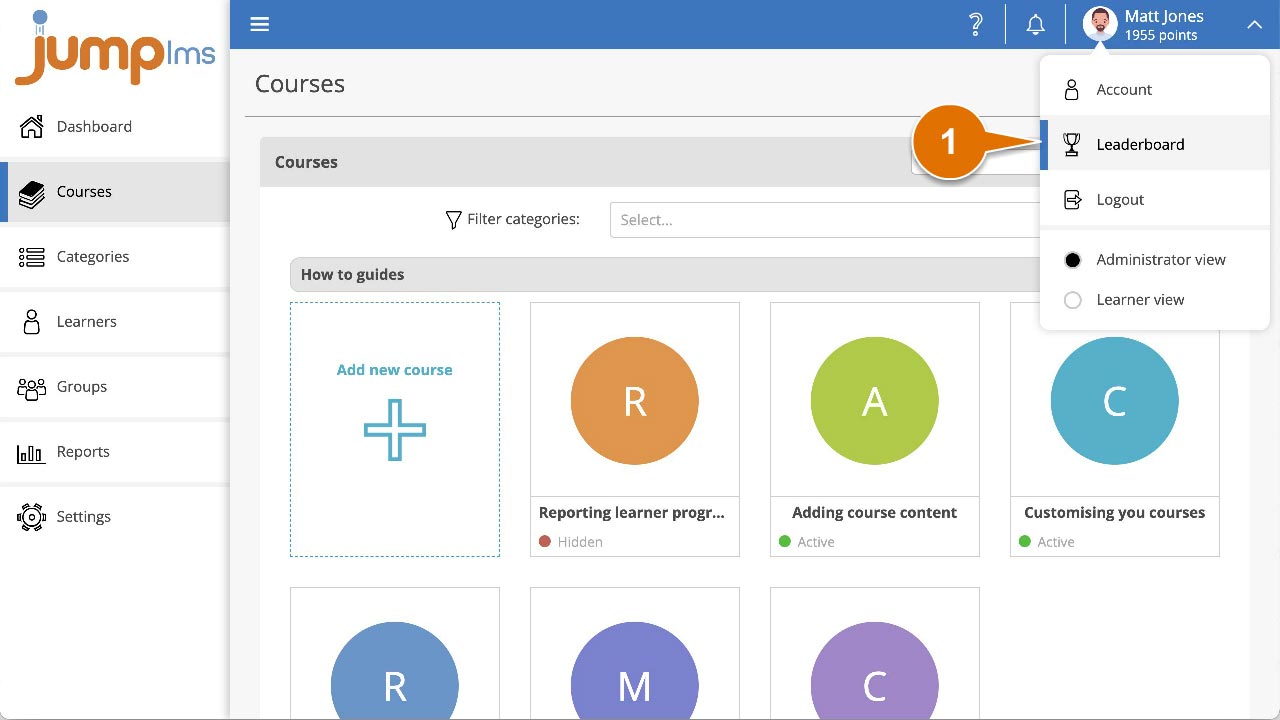
Click your user profile image or name at the top-right of the screen, then select Leaderboard.
-
Open the Show leaderboard for dropdown.
-
Select the course leaderboard you want to view, or select Overall points to view the overall leaderboard.
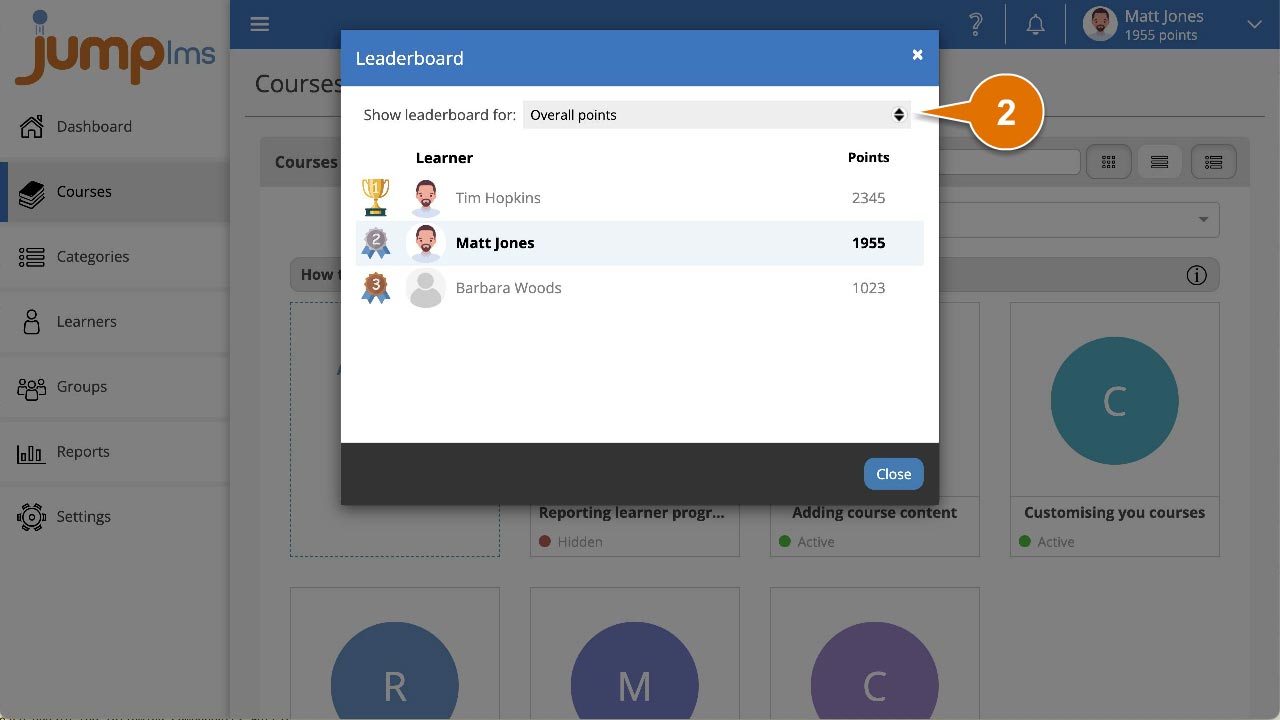
You can now view the leaderboard and compare Learner point totals.
Did this article help?
Can't find what you're looking for?
Contact the JumpLMS team and we’ll help you find the right answer.
Contact the JumpLMS team and we’ll help you find the right answer.