How to activate and deactivate a course in JumpLMS
When a course is ready for Learners, you can make it Active. Active courses can appear in Learner course lists, depending on their permissions and enrolments.
You can also hide a course if you no longer want Learners to access it. Hiding a course does not delete the course or remove existing Learner progress.
How to activate or hide a course
-
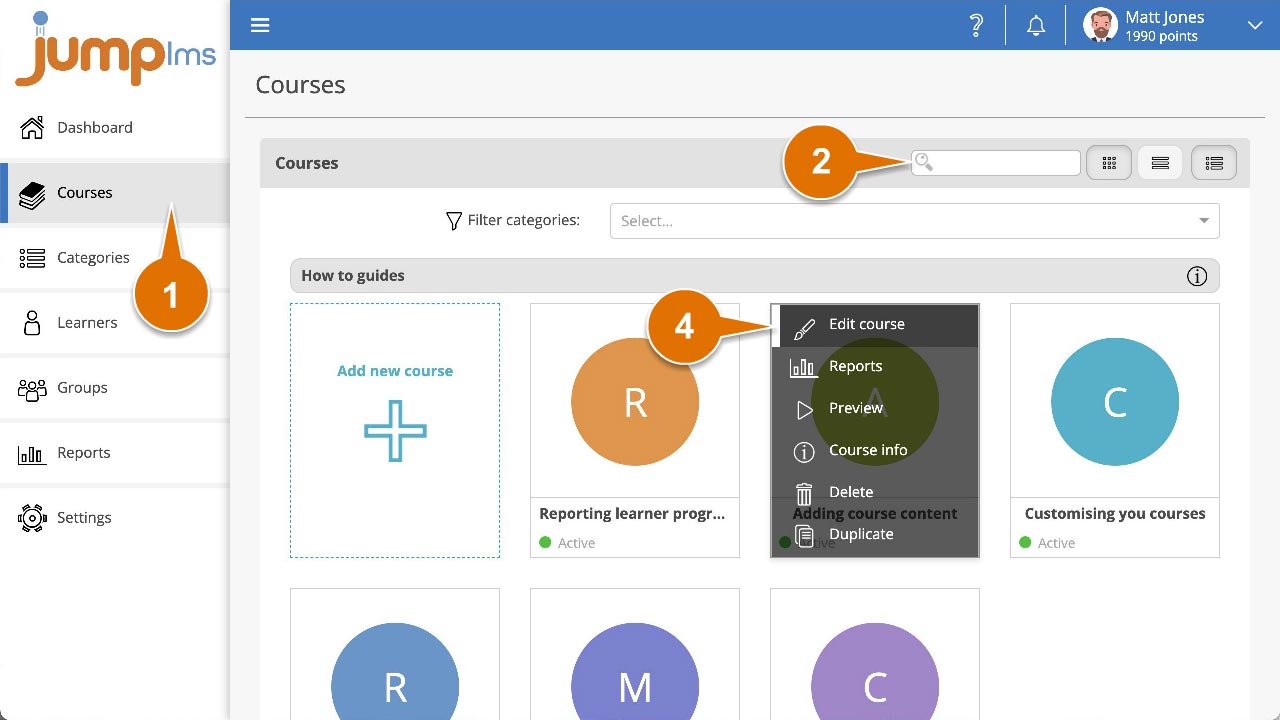
Click on the Courses tab.
-
Search for the course you want to activate or hide, or find it in the course list.
-
Open the course options and click Edit course.
-
Click the Course details tab.
-
Use the Activate switch to set the course status. Switch it on to make the course Active, or switch it off to make the course Hidden.
-
Click Save changes.
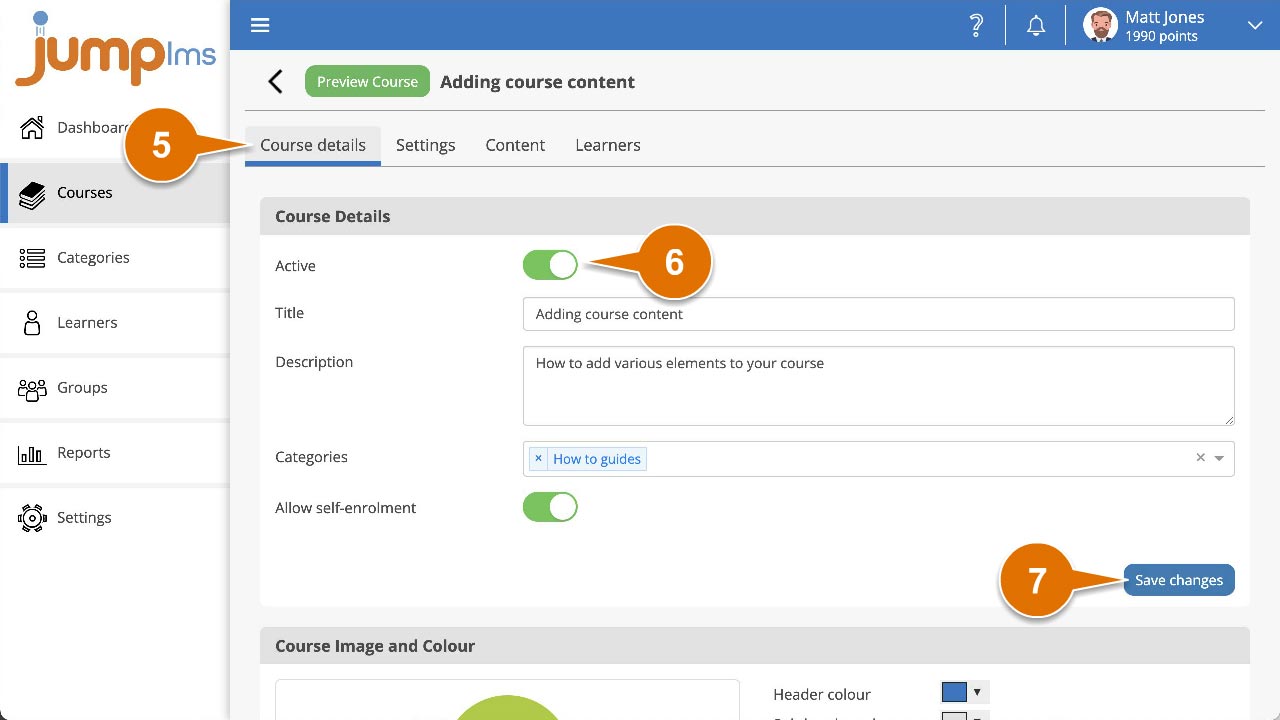
The course is now set to Active or Hidden.
Contact the JumpLMS team and we’ll help you find the right answer.