How to edit a group in JumpLMS
Last updated on
You can edit an existing group whenever you need to update its details or change the courses linked to it.
This is useful when a team changes, a group needs a clearer description, or you want to adjust which courses are associated with the group.
How to edit a group
-
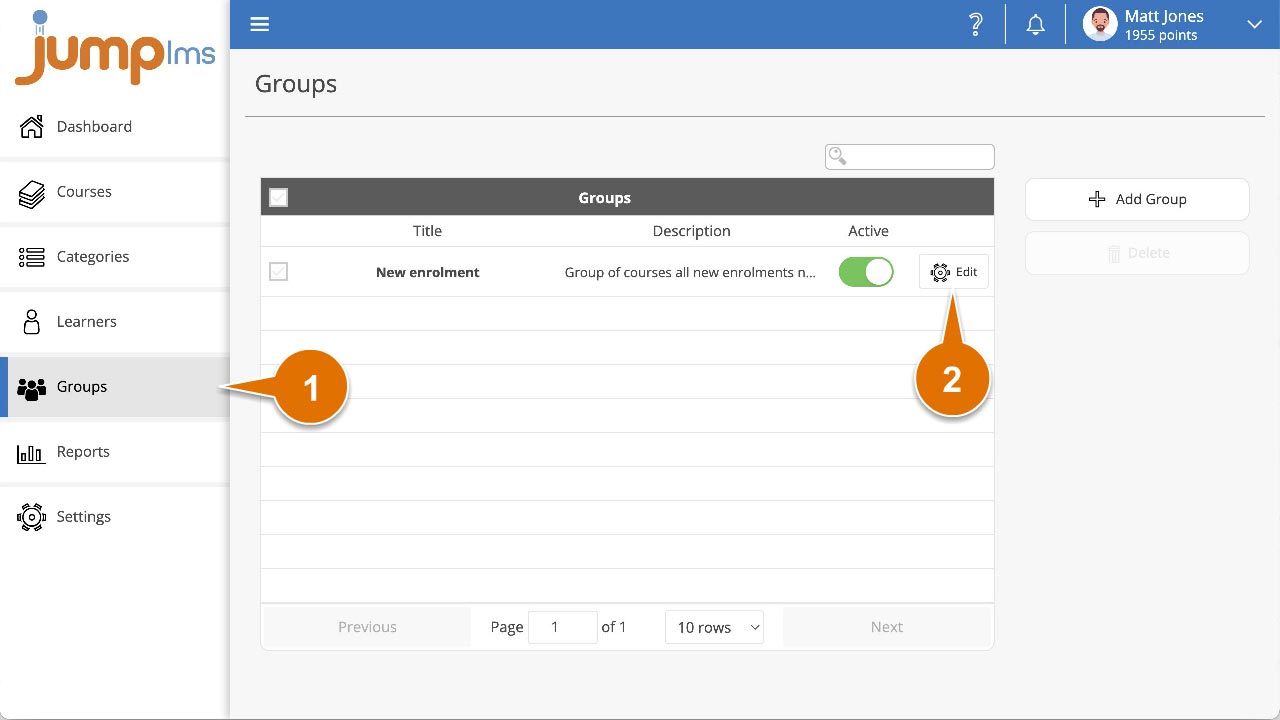
Click on the Groups tab.
-
Search for the group you want to update, or find it in the group list.
-
Click Edit.
-
Update the group title, description, active status and/or selected courses.
-
Click Save changes.
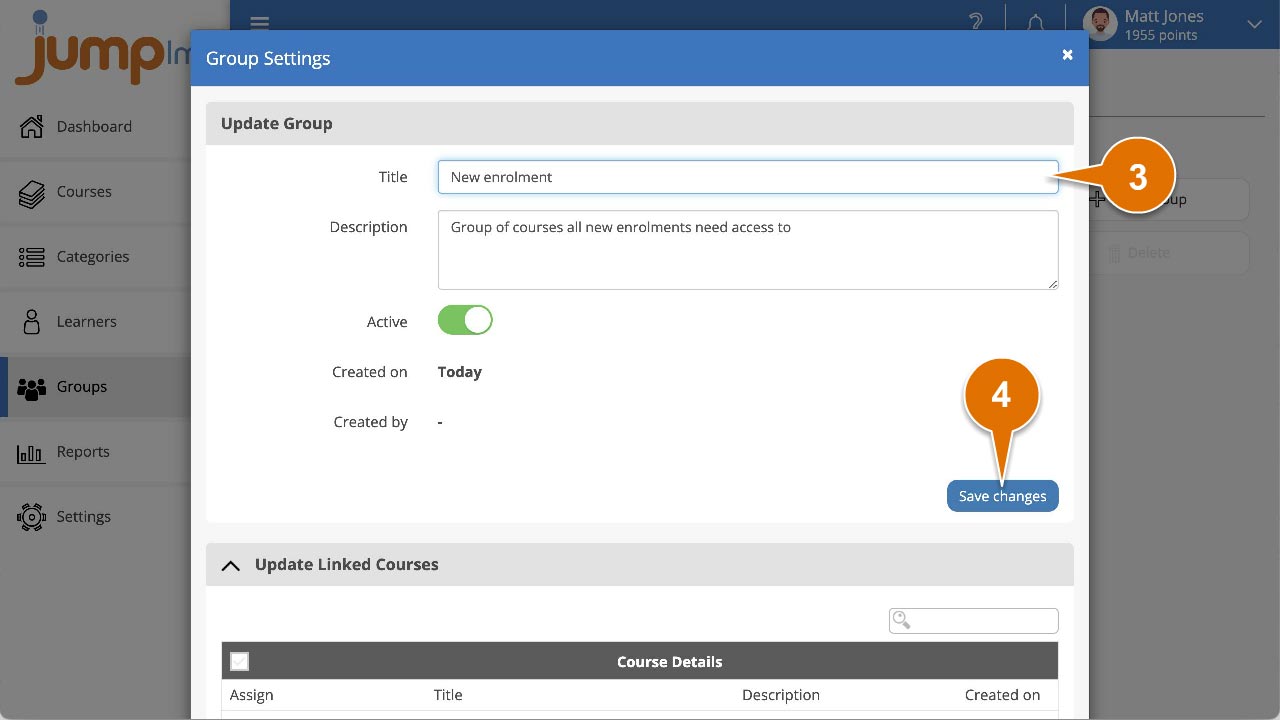
Your group changes have now been saved.
Did this article help?
Can't find what you're looking for?
Contact the JumpLMS team and we’ll help you find the right answer.
Contact the JumpLMS team and we’ll help you find the right answer.