How to reposition the text on a certificate in JumpLMS
JumpLMS lets you control where text appears on your certificates, so you can create a layout that suits your branding and certificate design.
This guide explains how to move and resize certificate text elements using the certificate creation tool.
How to reposition the text on a certificate
-
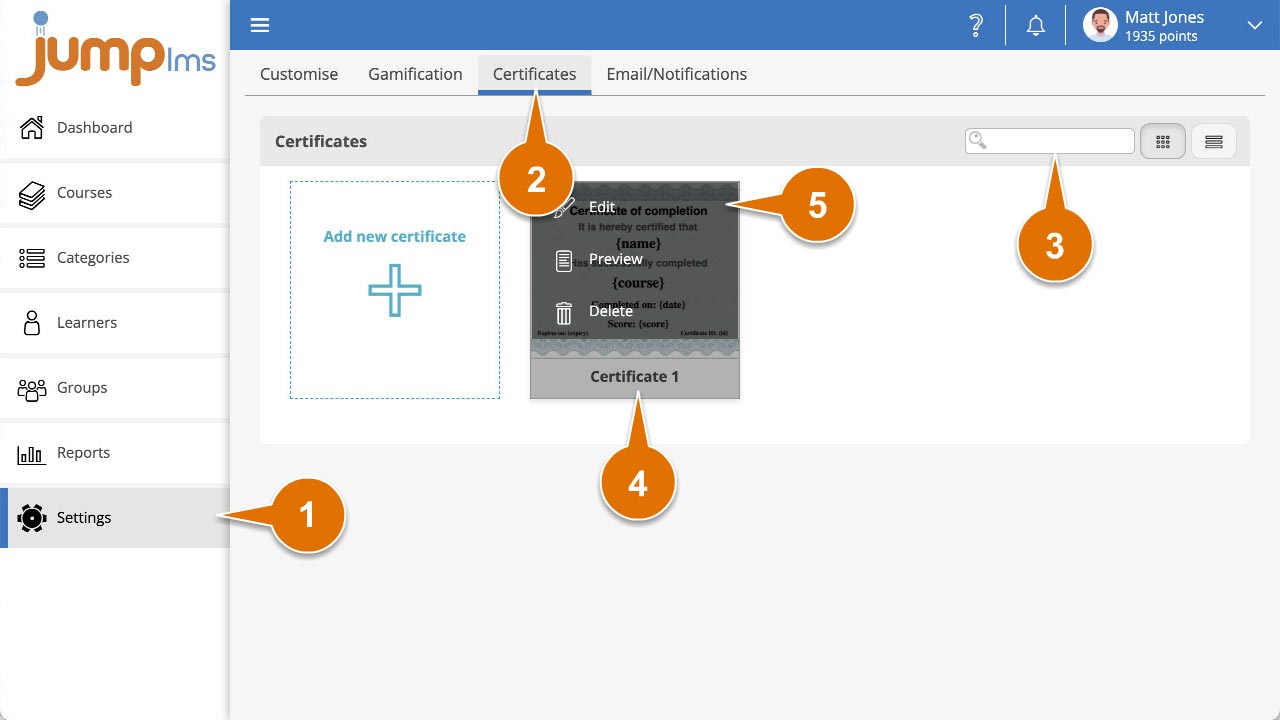
Click on the Settings tab.
-
Click on the Certificates tab.
-
Search for the certificate you want to edit, or find it in the certificate list.
-
Open the certificate options and click Edit.
-
Reposition any text element by clicking and dragging it around the certificate.
-
Resize a text element by clicking and dragging its anchor points left or right.
-
Click Save and close.
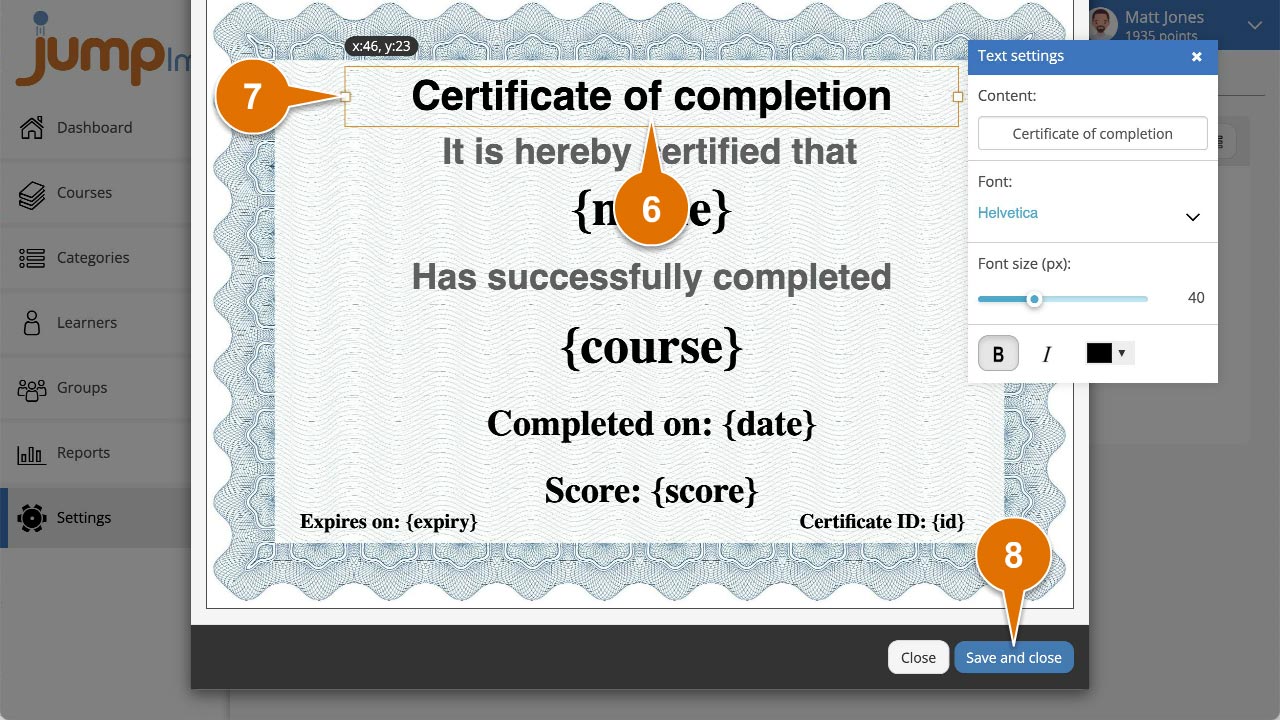
Your text elements will now appear in their new positions when the certificate is generated.
Contact the JumpLMS team and we’ll help you find the right answer.