How to create a new course in JumpLMS
Creating a new course in JumpLMS gives you a blank course structure that you can build on with course elements, settings, categories, certificates, and Learner enrolments.
This guide explains how to create a course, add the basic course details, choose categories, and decide whether to start adding content straight away.
How to create a new course
-
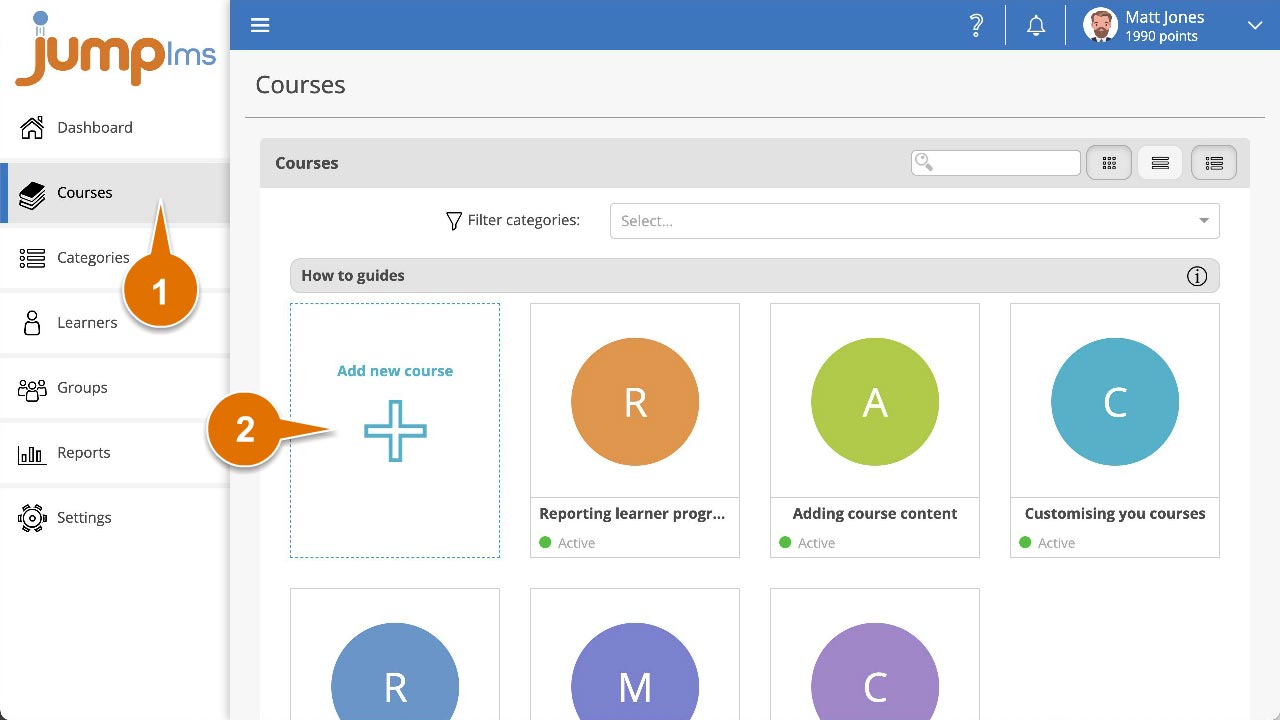
Click on the Courses tab.
-
Click Add new course.
-
Enter the course title and description.
-
Open the Categories dropdown and select each category you want the course to appear under. You can leave this blank if you do not want to categorise the course yet.
-
Click Save and close if you want to create the course without editing it now, or click Save then add content if you want to start adding course elements immediately.
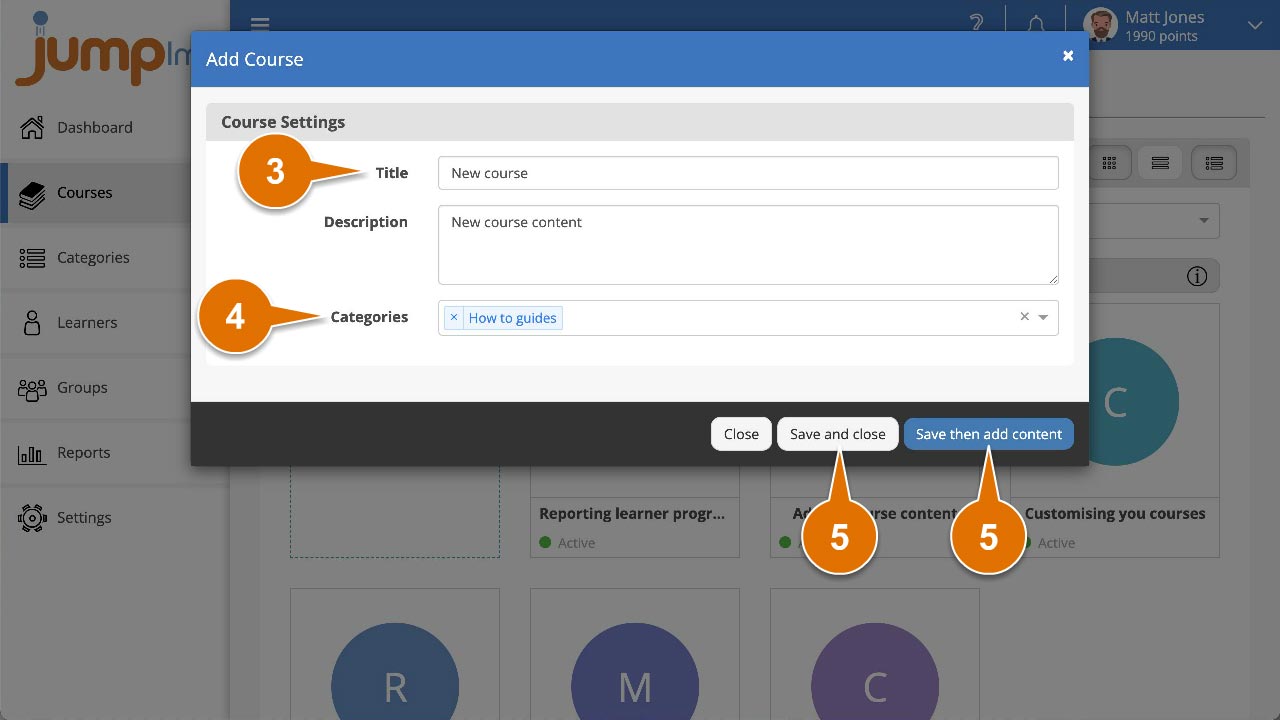
The new course has now been added to your course list.
Contact the JumpLMS team and we’ll help you find the right answer.