How to reset a Learner's progress in a course in JumpLMS
You can reset a Learner's progress in a course from either the Courses tab or the Reports tab.
This is useful when a Learner needs to restart a course, repeat training, or retake the course from the beginning.
Option 1: Reset progress from the Courses tab
-
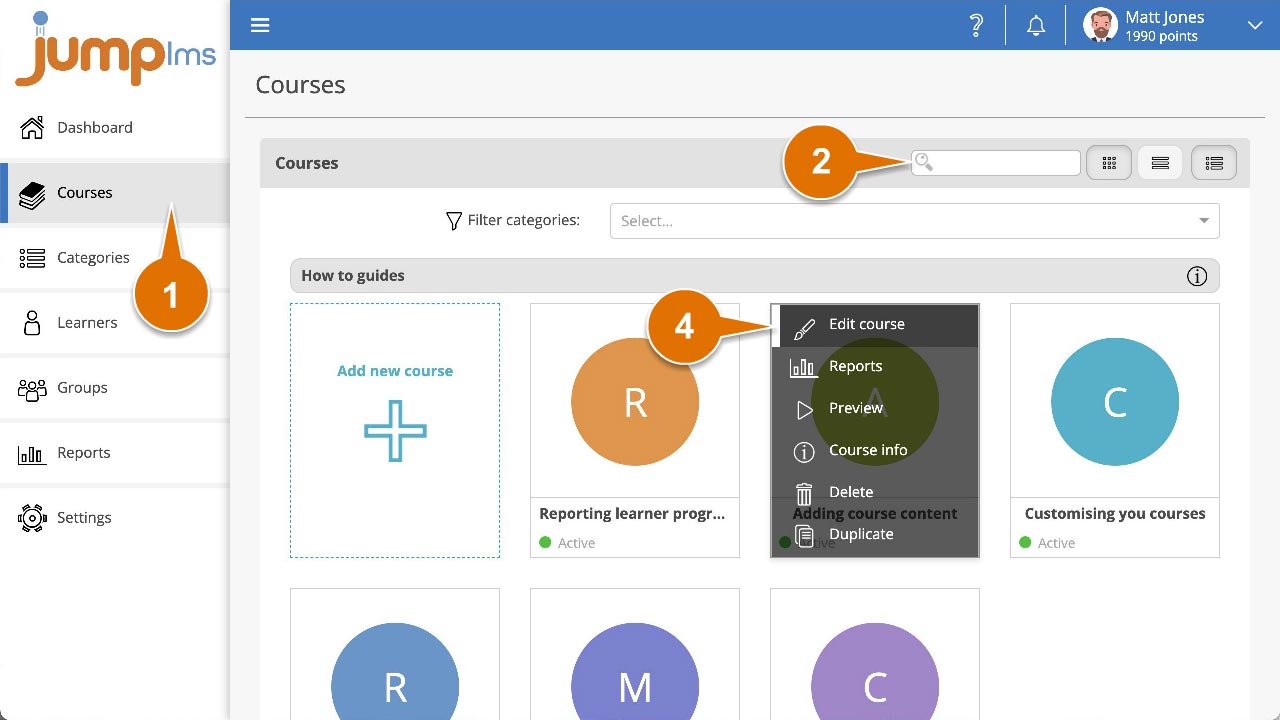
Click on the Courses tab.
-
Search for the course the Learner is enrolled on, or find it in the course list.
-
Open the course options and click Edit course.
-
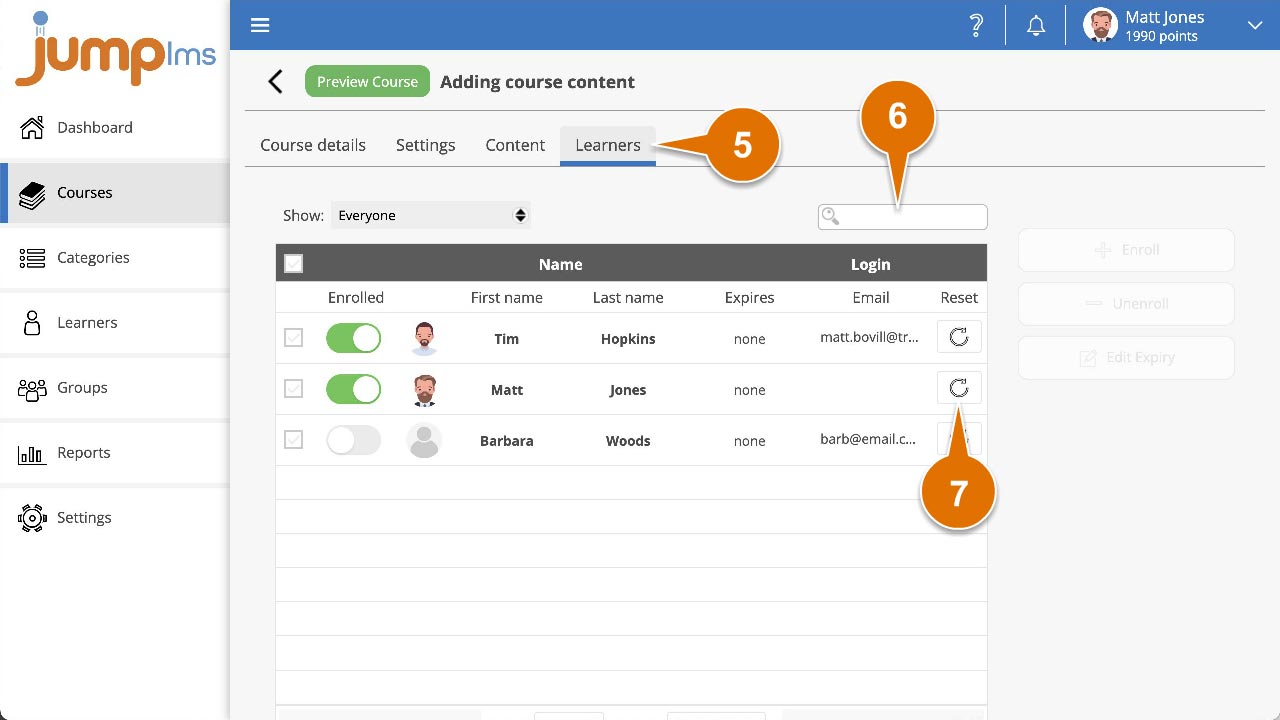
Click the Learners tab.
-
Search for the Learner whose progress you want to reset, or find them in the list.
-
Click Reset progress.
-
Confirm the reset by clicking Reset Progress.
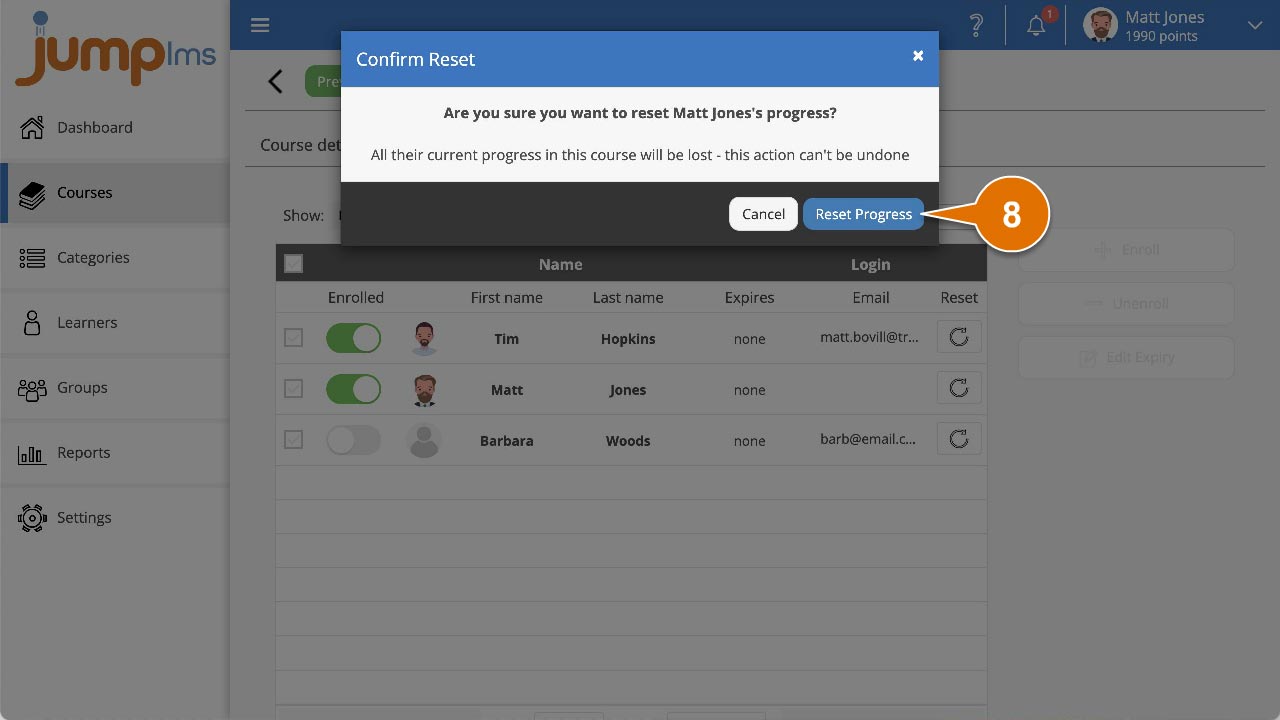
The Learner's progress in the course has now been reset.
Option 2: Reset progress from the Reports tab
-
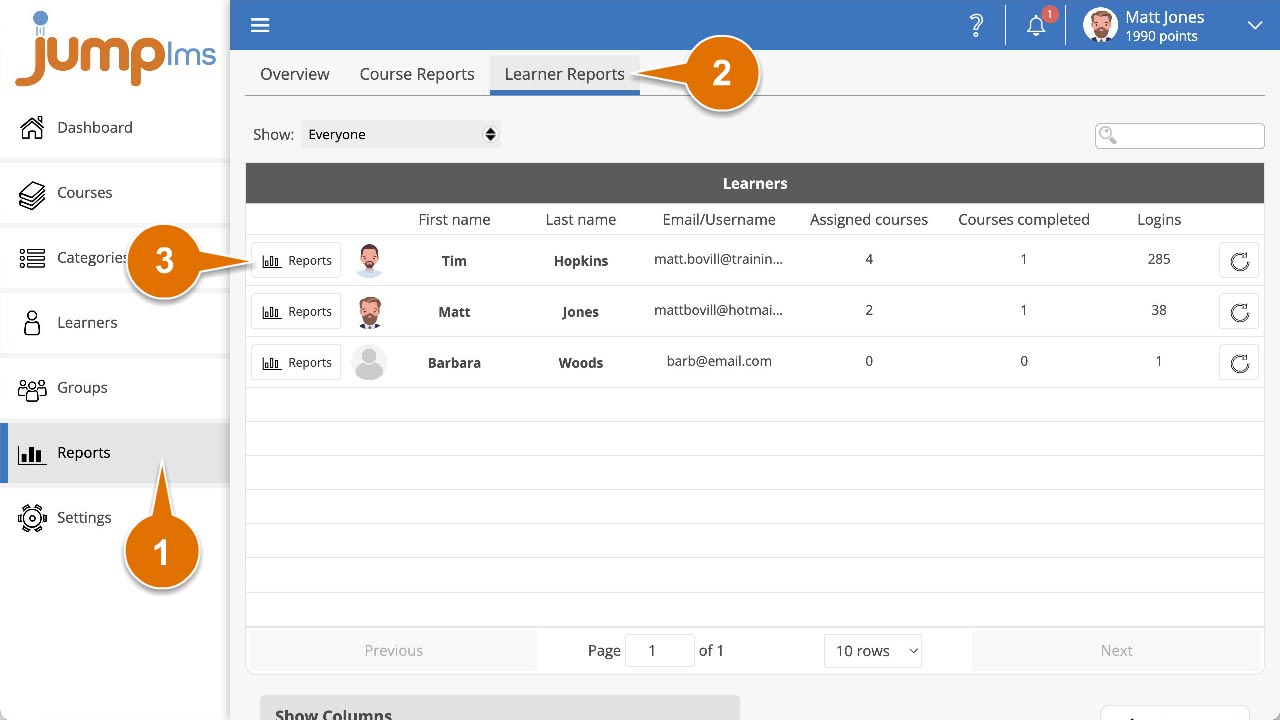
Click on the Reports tab.
-
Click the Learner Reports tab.
-
Search for the Learner whose progress you want to reset, or find them in the list.
-
Click Reports.
-
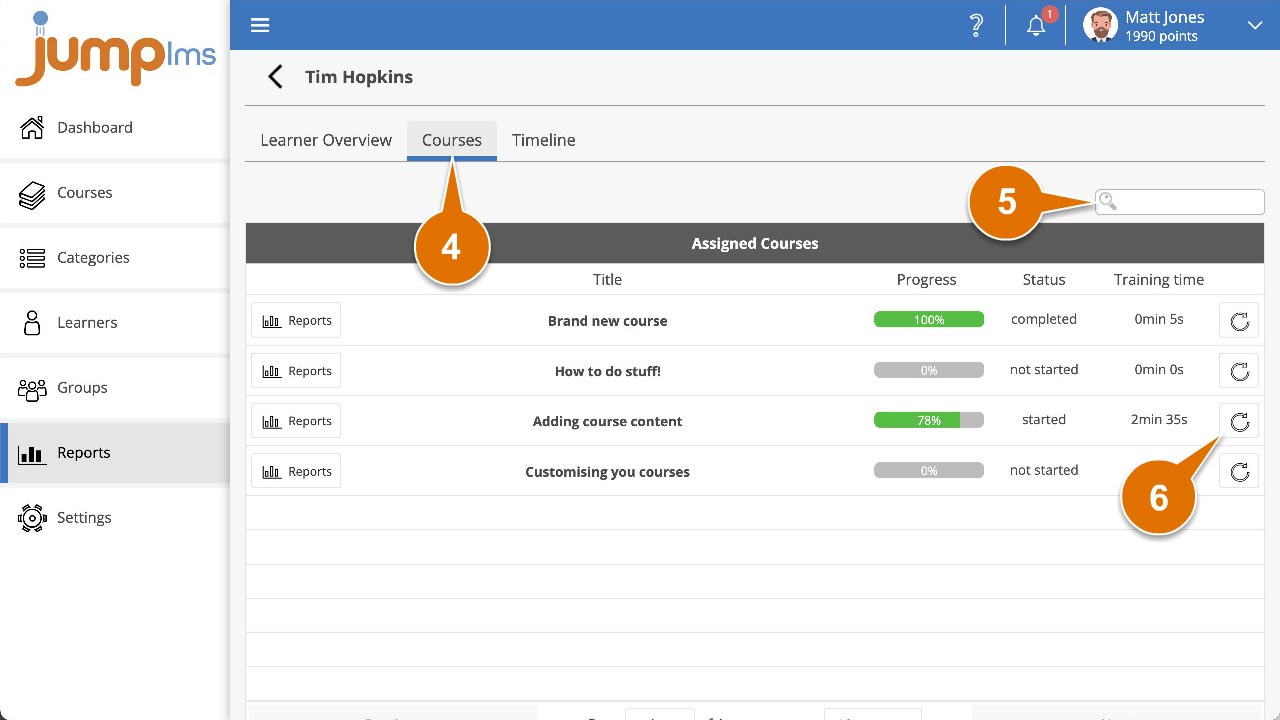
Click the Courses tab.
-
Search for the course you want to reset progress for, or find it in the list.
-
Click Reset progress.
-
Confirm the reset by clicking Reset Progress.
The Learner's progress in the course has now been reset.
Contact the JumpLMS team and we’ll help you find the right answer.