How to get a progress report for a course in JumpLMS
JumpLMS course reports help you monitor Learner progress, course engagement and training activity.
You can view a high-level Course Overview report for a summary of course progress, or use the Content report for a detailed breakdown of activity across individual course elements.
How to view a Course Overview report
Use the Course Overview report to view a summary of Learner progress through a course.
-
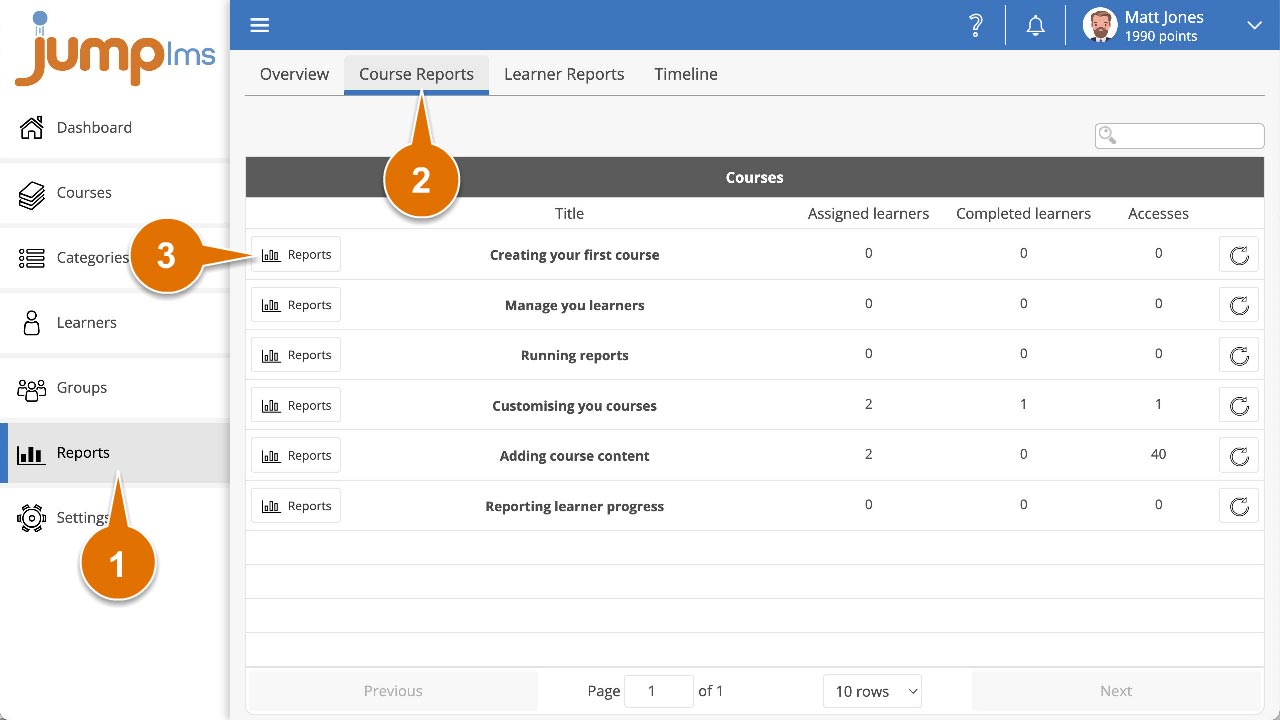
Click on the Reports tab.
-
Click on the Course Reports tab.
-
Search for the required course, or find it in the table and click Reports.
-
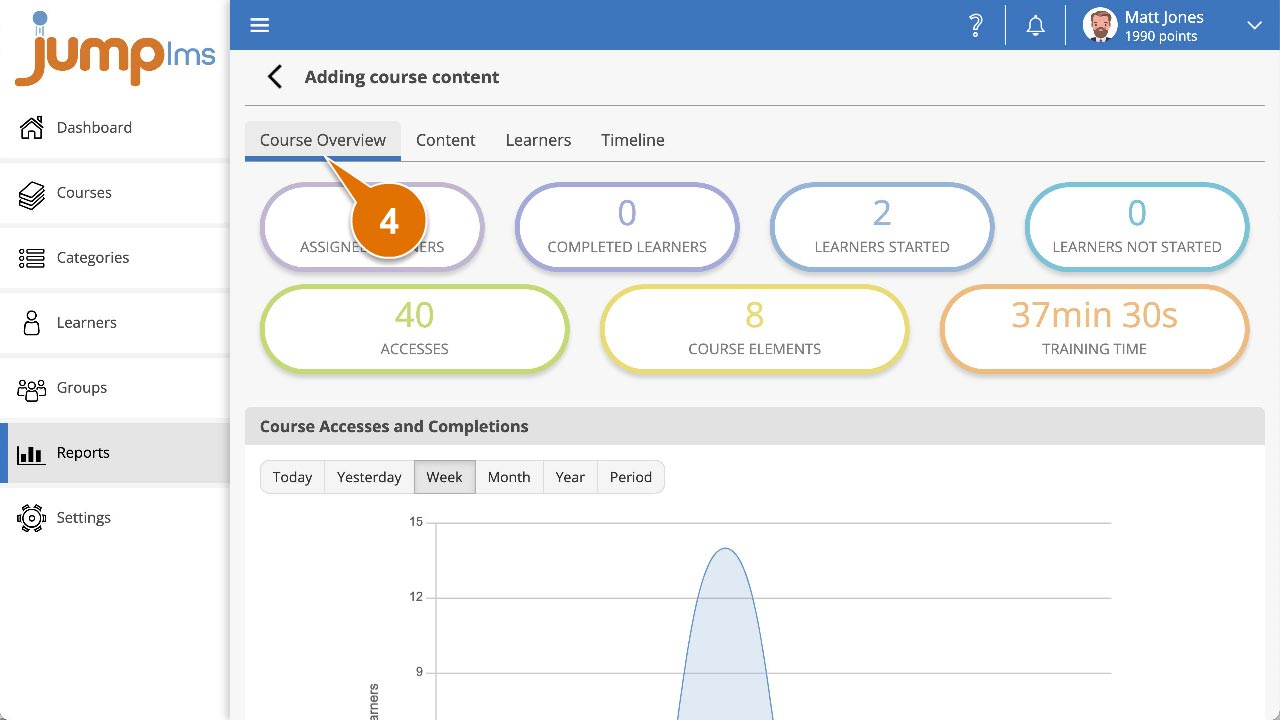
Click on the Course Overview tab.
You can now view a summary report for Learner progress in the course. Data includes:
- Assigned Learners
- Completed Learners
- Learners started
- Learners not started
- Total accesses
- Total course elements
- Total training time
How to view a Content report
Use the Content report to view a detailed, element-by-element breakdown of Learner progress in a course.
-
Click on the Reports tab.
-
Click on the Course Reports tab.
-
Search for the required course, or find it in the table and click Reports.
-
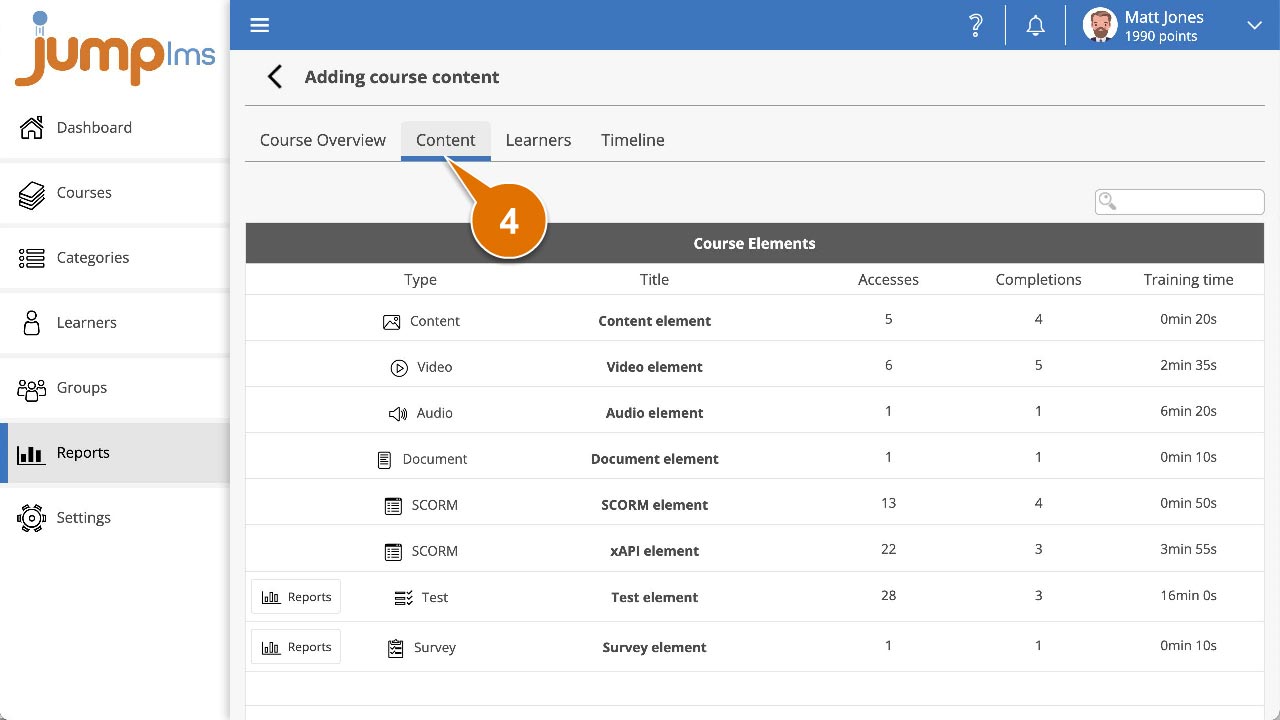
Click on the Content tab.
You can now view a table showing the following data for each course element:
- Total accesses
- Total completions
- Total training time
- Total points earned
- Total attempts
- Average score in tests
Contact the JumpLMS team and we’ll help you find the right answer.