How to reset Learner progress in JumpLMS
Sometimes a Learner needs a fresh start in a course, or you may need to reset progress for a course so Learners can complete the training again.
JumpLMS allows you to reset progress at different levels, including one Learner in one course, all Learners on a course, or one Learner across all their enrolled courses.
Important: Resetting progress removes the selected Learner data, including bookmarks, test answers and survey responses. This action cannot be undone.
How to reset one Learner's progress in a course
-
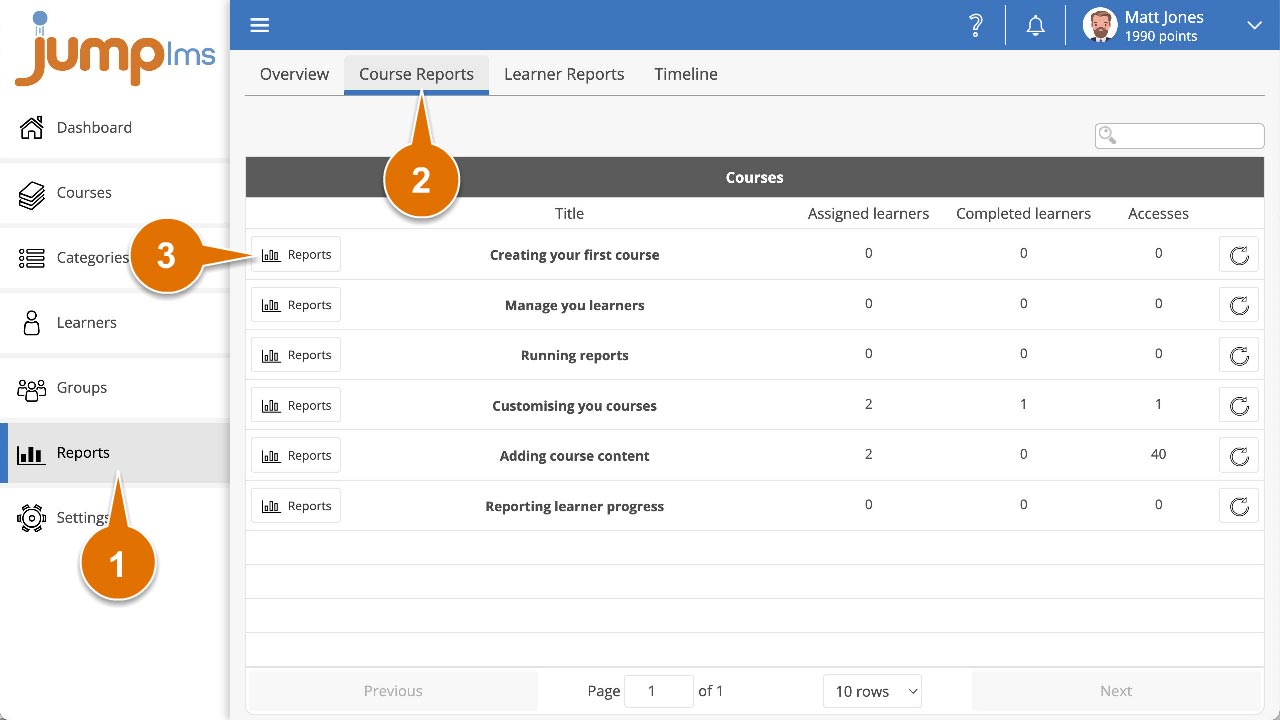
Click on the Reports tab.
-
Click on the Course Reports tab.
-
Search for the required course, or find it in the table and click Reports.
-
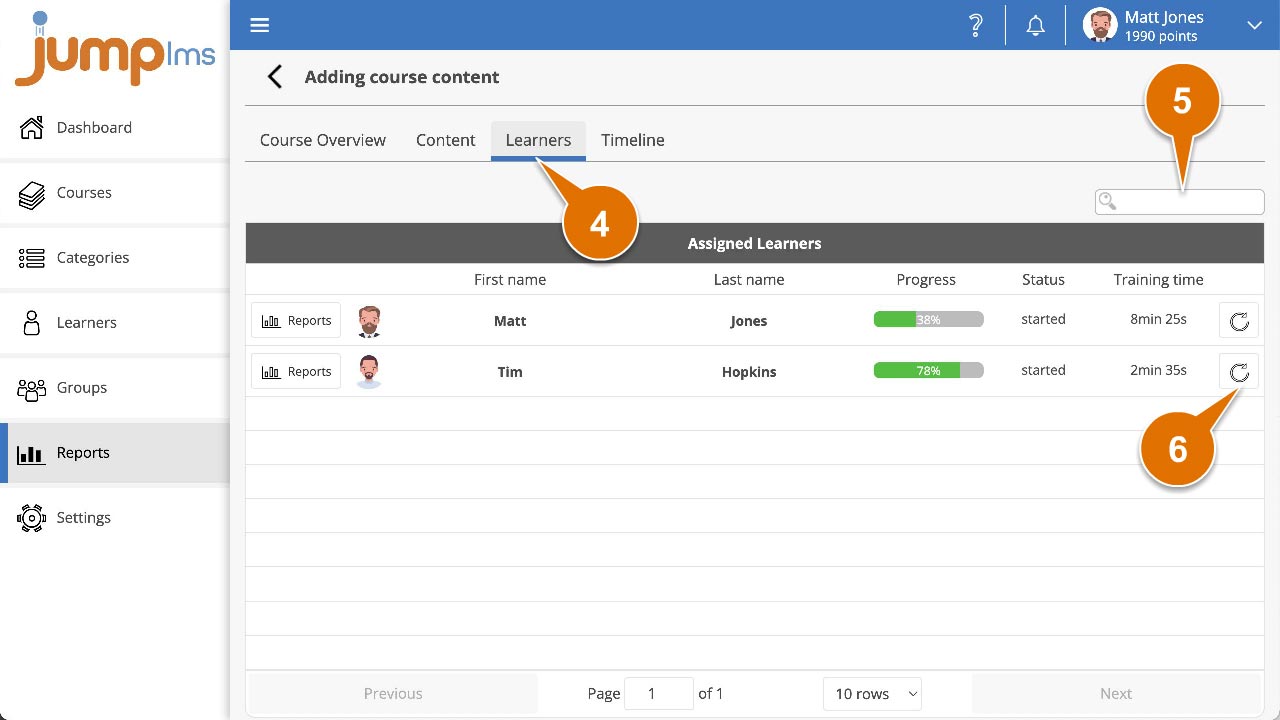
Click on the Learners tab.
-
Search for the required Learner, or find them in the table.
-
Click Reset progress.
-
Click Reset progress to confirm that you want to reset the Learner's progress.
The Learner's progress in the selected course has been reset.
How to reset all Learners' progress in a course
-
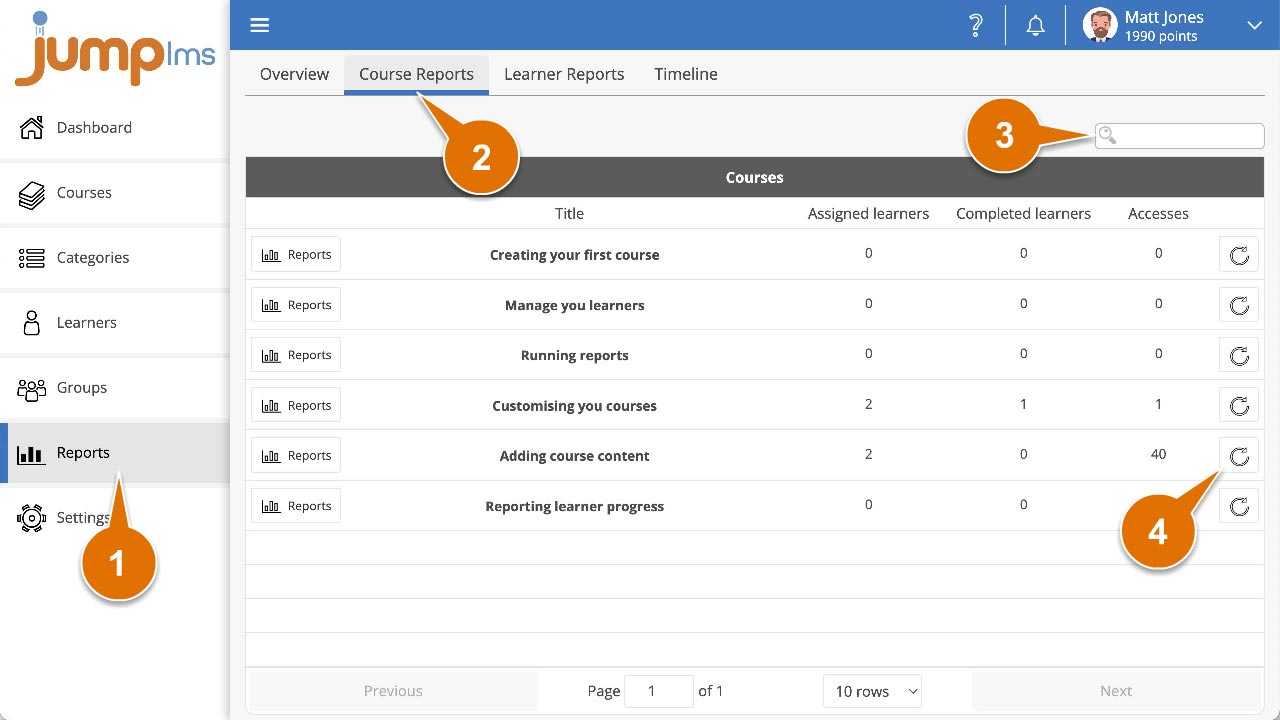
Click on the Reports tab.
-
Click on the Course Reports tab.
-
Search for the required course, or find it in the table.
-
Click Reset progress.
-
Click Reset progress to confirm that you want to reset progress for all Learners enrolled on the course.
Progress for all Learners in the selected course has been reset.
How to reset one Learner's progress in all enrolled courses
-
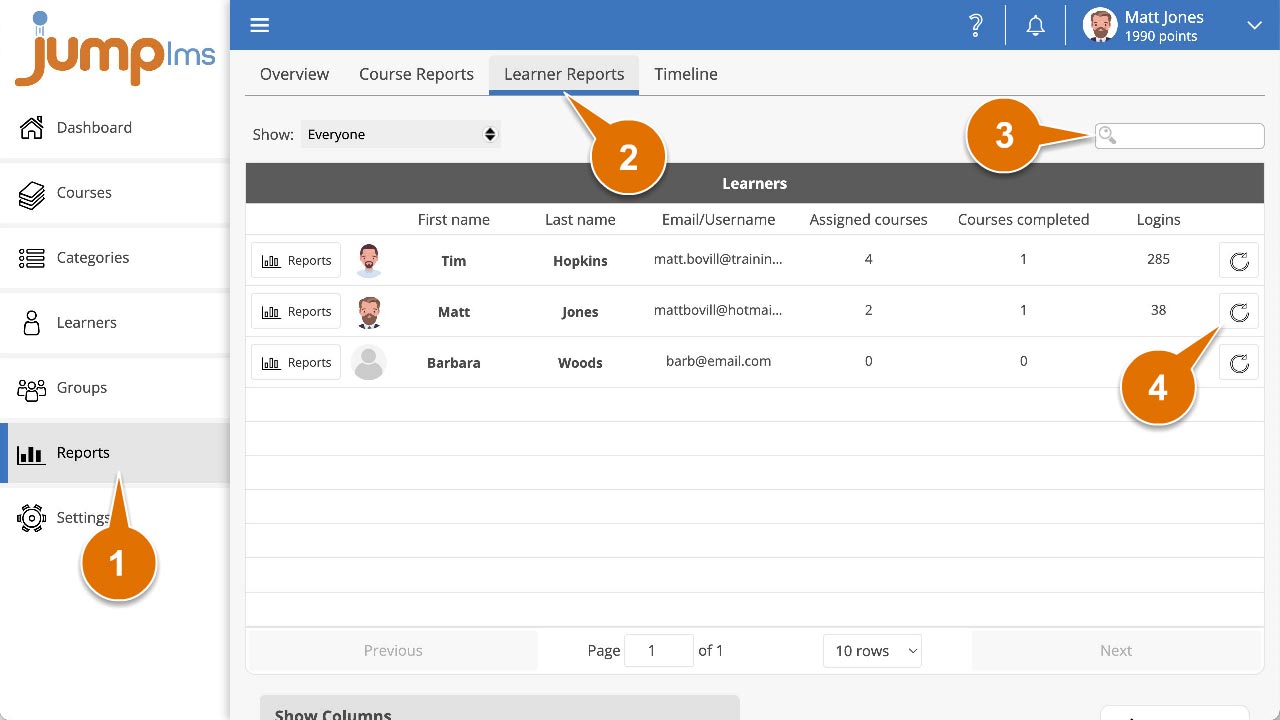
Click on the Reports tab.
-
Click on the Learner Reports tab.
-
Search for the required Learner, or find them in the table.
-
Click Reset progress.
-
Click Reset progress to confirm that you want to reset the Learner's progress in all courses they have been enrolled on.
The Learner's progress in all enrolled courses has been reset.
Contact the JumpLMS team and we’ll help you find the right answer.