How to set the completion condition in a course in JumpLMS
JumpLMS lets you control what a Learner must do before a course is marked as complete.
You can require all elements to be completed, a percentage of elements to be completed, or only specific elements to be completed.
Course completion condition options
- All elements must be completed
- A percentage of elements must be completed
- Certain elements must be completed
Learners must meet the selected condition before JumpLMS marks the course as complete.
How to set the completion condition in a course
-
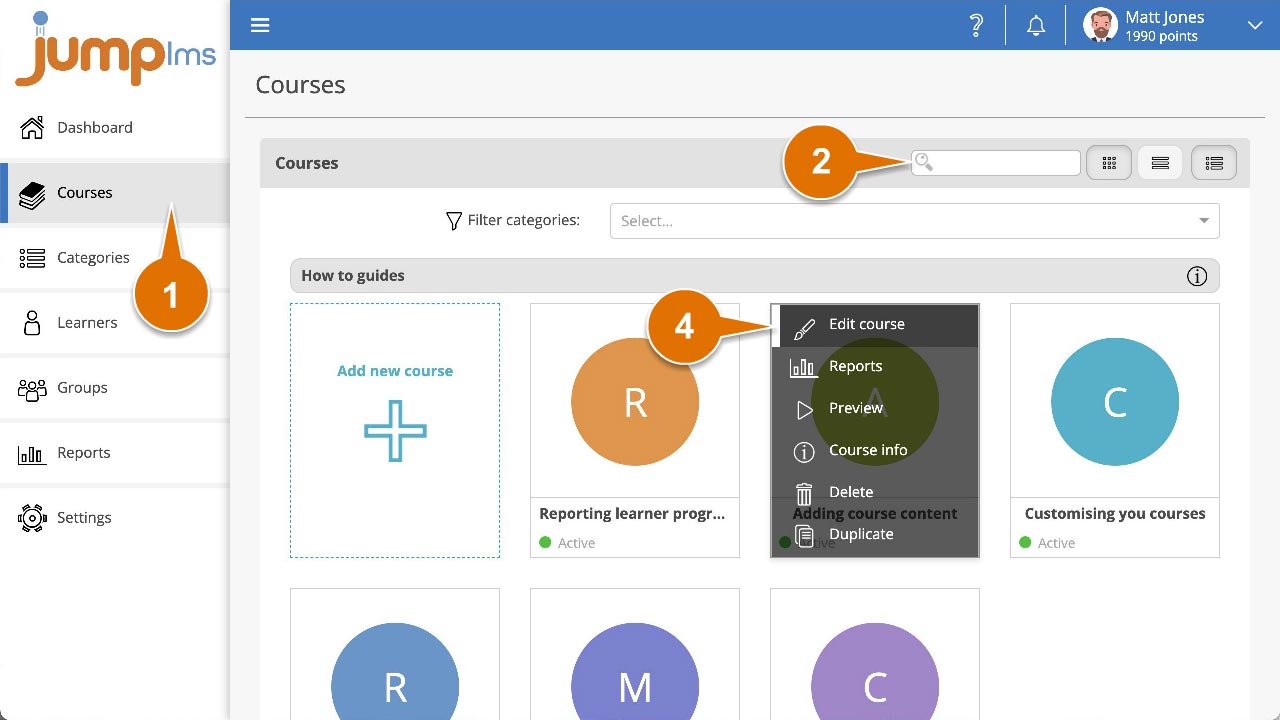
Click on the Courses tab.
-
Search for the course you want to edit, or find it in the course list.
-
Open the course options and click Edit course.
-
Click the Settings tab.
-
In the Navigation and Rules panel, open the Completion condition dropdown and select an option.
-
If you select A percentage of elements must be completed, enter the percentage required.
-
If you select Certain elements must be completed, select the course elements that must be completed.
-
Click Save changes.
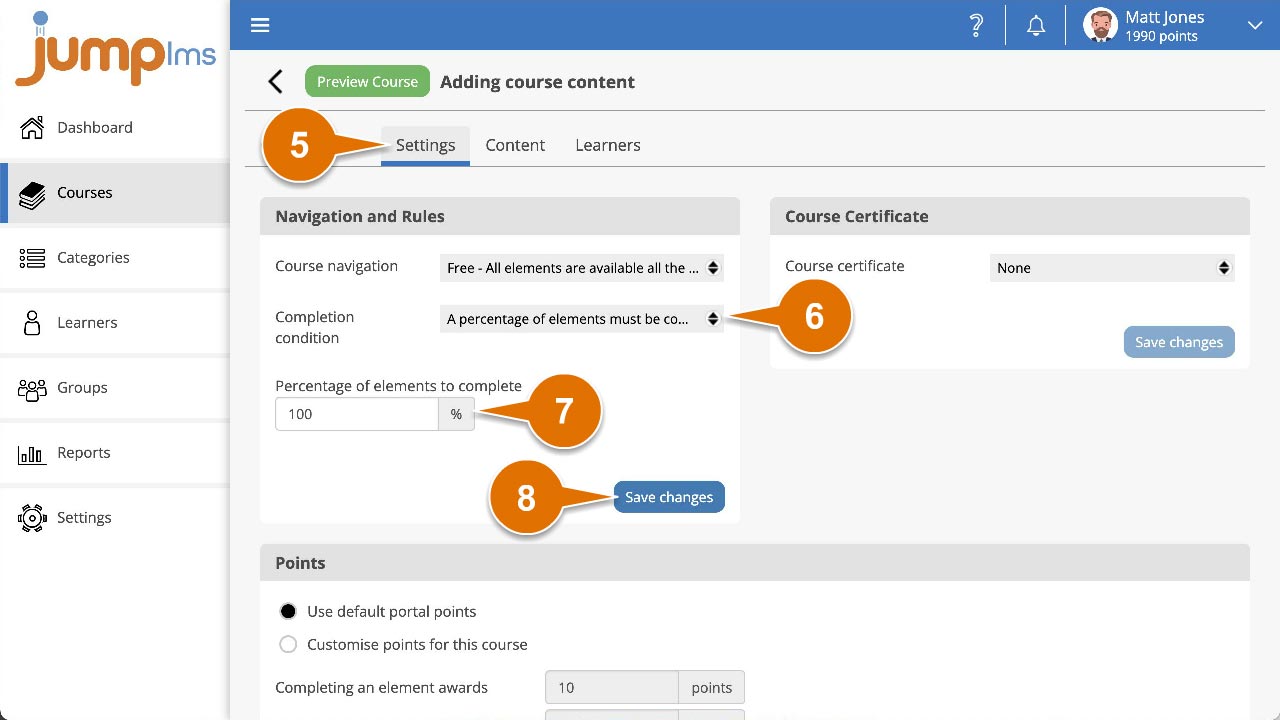
The course completion condition has now been set.
Contact the JumpLMS team and we’ll help you find the right answer.