How to change a Learner's password in JumpLMS
Last updated on
Learners can reset their own forgotten password from the login page by clicking Forgot your password? and following the on-screen instructions.
Administrators can also change a Learner's password directly from the Learners area of the portal.
How to change a Learner's password
-
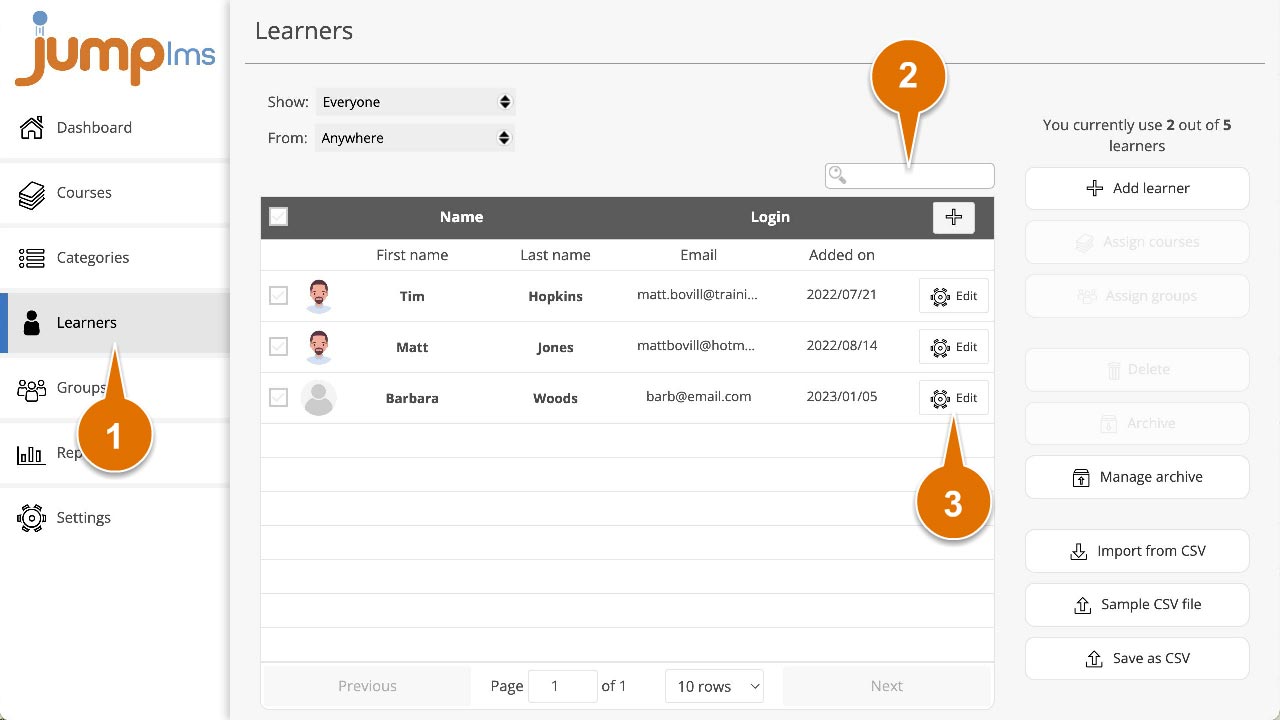
Click on the Learners tab.
-
Search for the Learner whose password you want to change, or find them in the Learners list.
-
Click Edit.
-
Enter the new password and retype it to confirm.
-
Click Save changes.
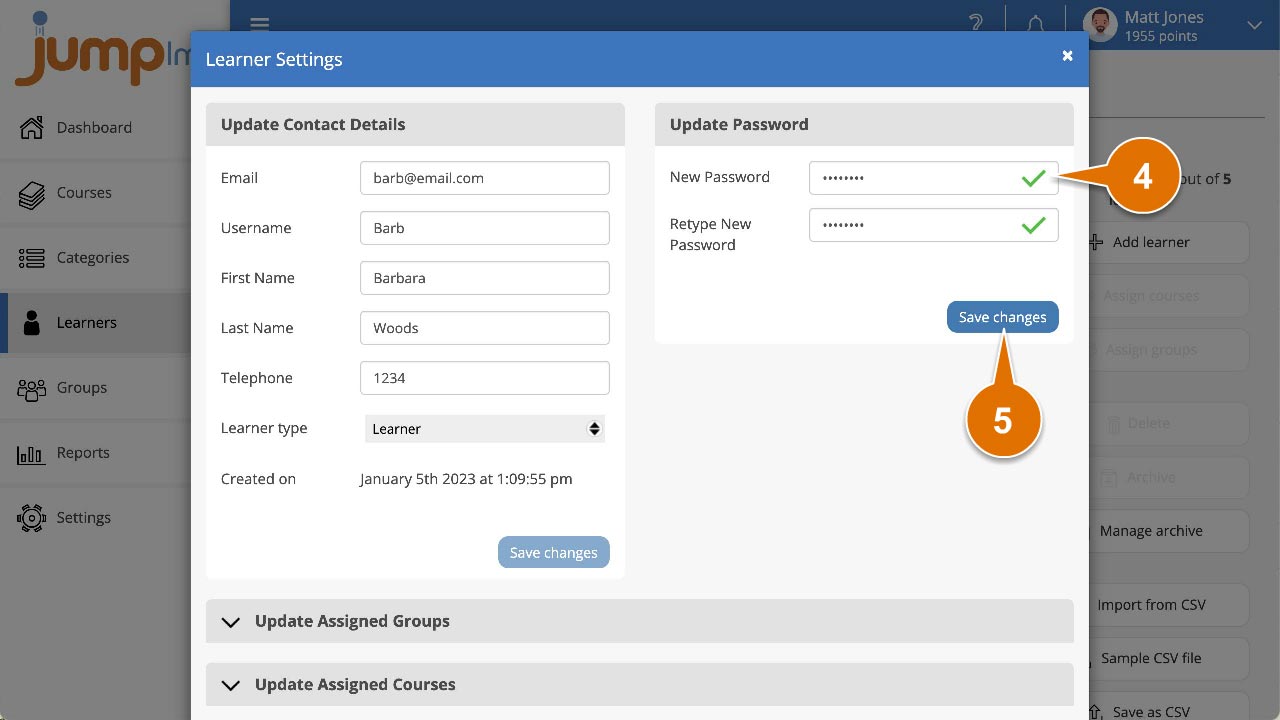
The Learner's password has now been updated.
Did this article help?
Can't find what you're looking for?
Contact the JumpLMS team and we’ll help you find the right answer.
Contact the JumpLMS team and we’ll help you find the right answer.