How to restore an archived Learner in JumpLMS
Last updated on
If an archived Learner needs access to the portal again, you can restore their account.
Once restored, the Learner can continue training from where they left off, provided restoring the account does not take you over your Learner allowance.
You can only restore archived Learners if doing so will not exceed your Learner allowance.
How to restore an archived Learner
-
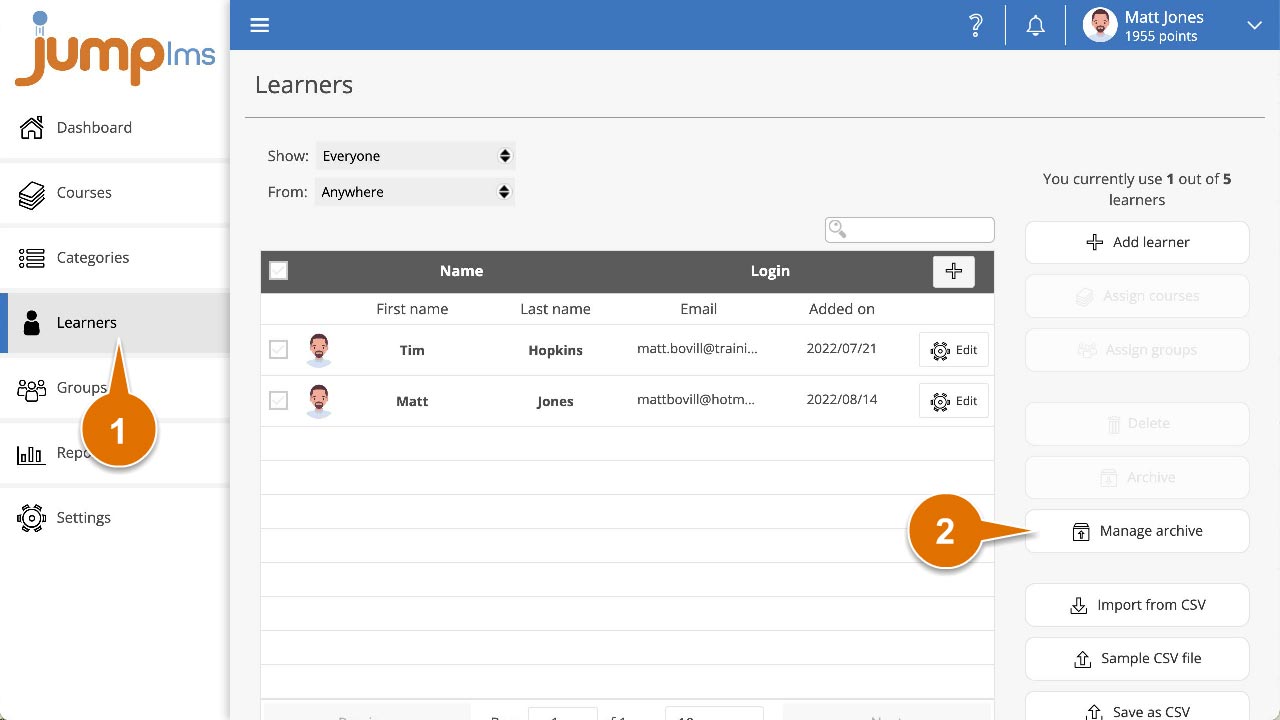
Click on the Learners tab.
-
Click Manage archive.
-
Tick each Learner you want to restore.
-
Click Restore.
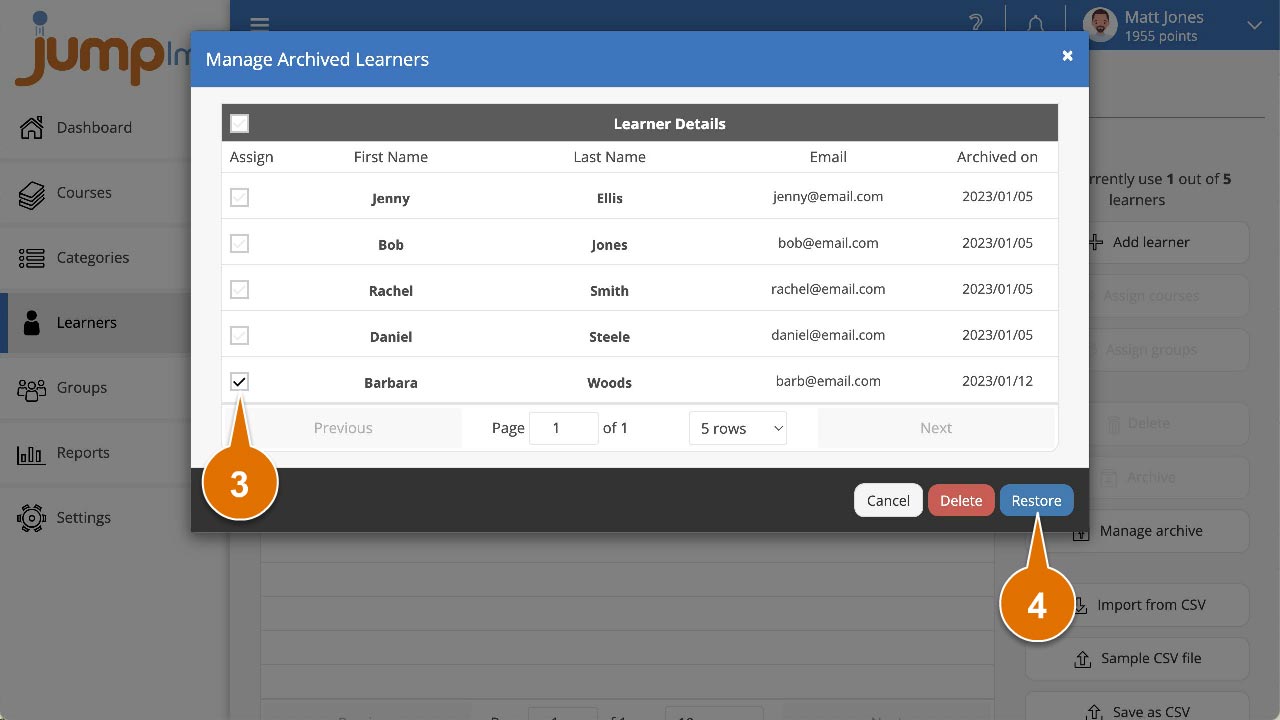
The selected Learners have now been restored, and their accounts can be accessed again.
Did this article help?
Can't find what you're looking for?
Contact the JumpLMS team and we’ll help you find the right answer.
Contact the JumpLMS team and we’ll help you find the right answer.