How to customise your certificate's text in JumpLMS
JumpLMS lets you customise the text shown on your certificates, including headings, completion wording, Learner details, course details, and other certificate text elements.
You can show or hide standard text elements, edit the wording, and use placeholders that automatically insert live Learner or course information when a certificate is produced.
How to customise your certificate's text
-
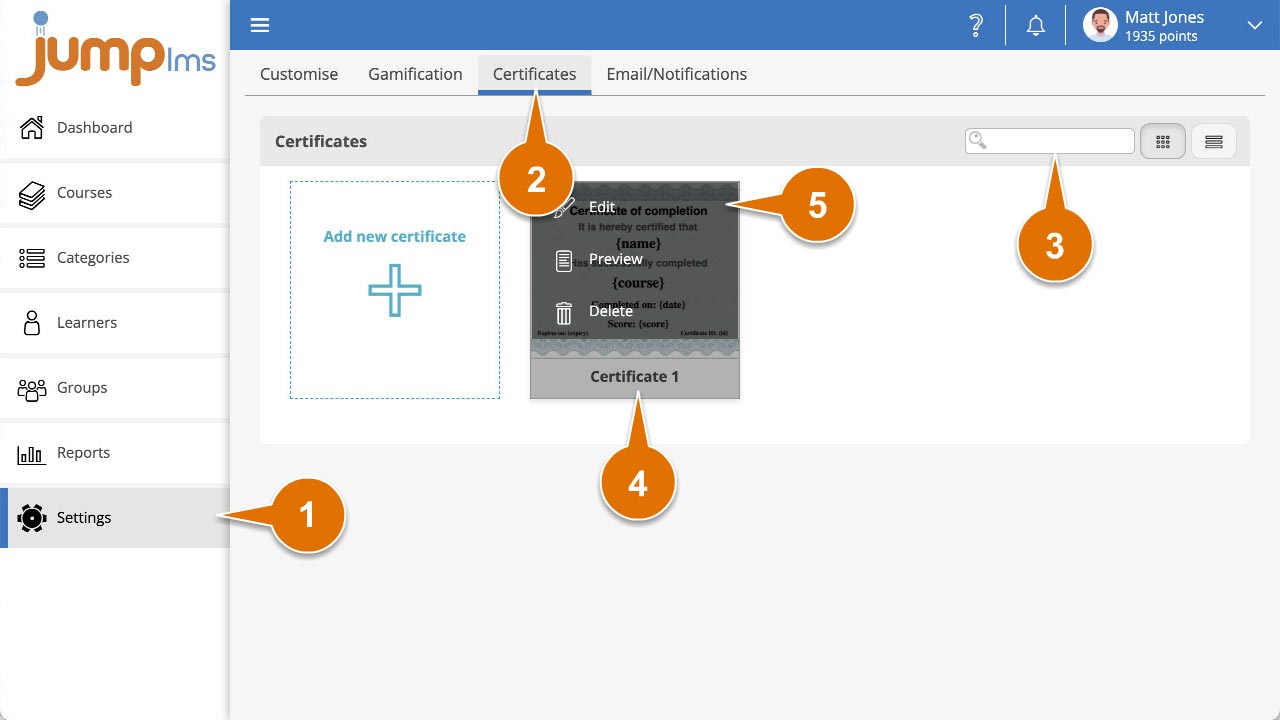
Click on the Settings tab.
-
Click on the Certificates tab.
-
Search for the certificate you want to edit, or find it in the certificate list.
-
Open the certificate options and click Edit.
-
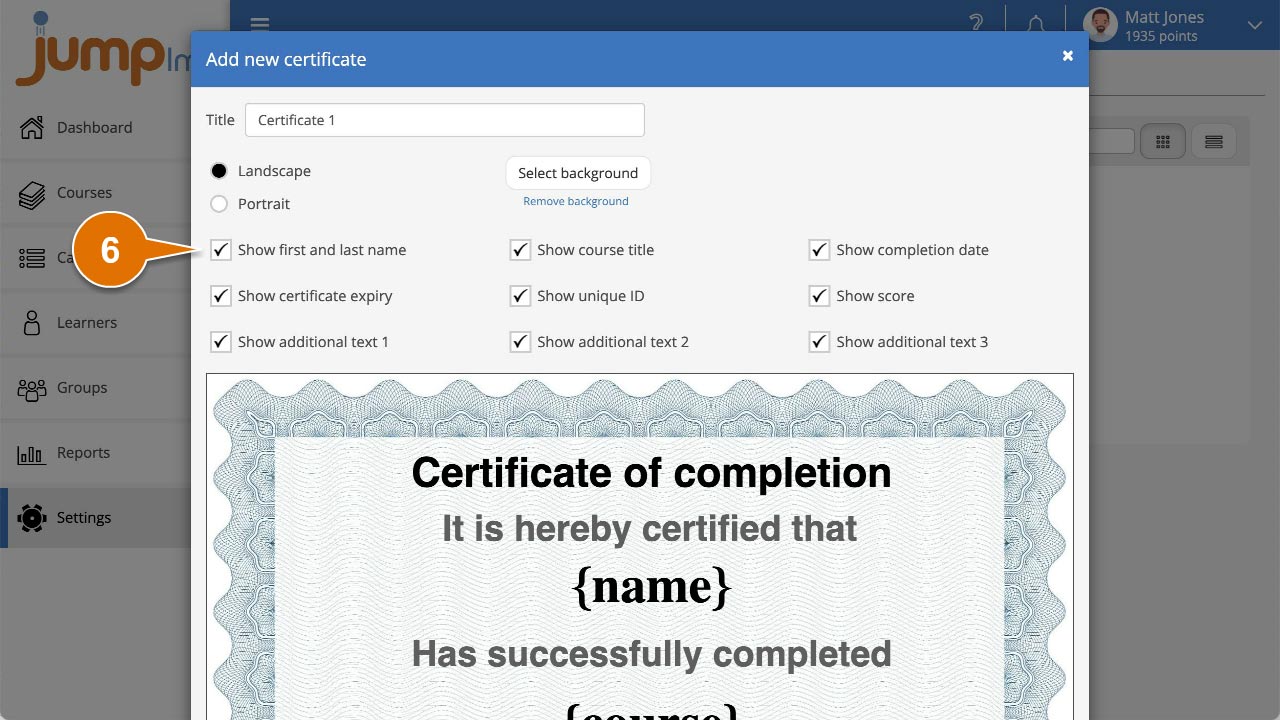
Show or hide any standard text elements by ticking or unticking their titles.
-
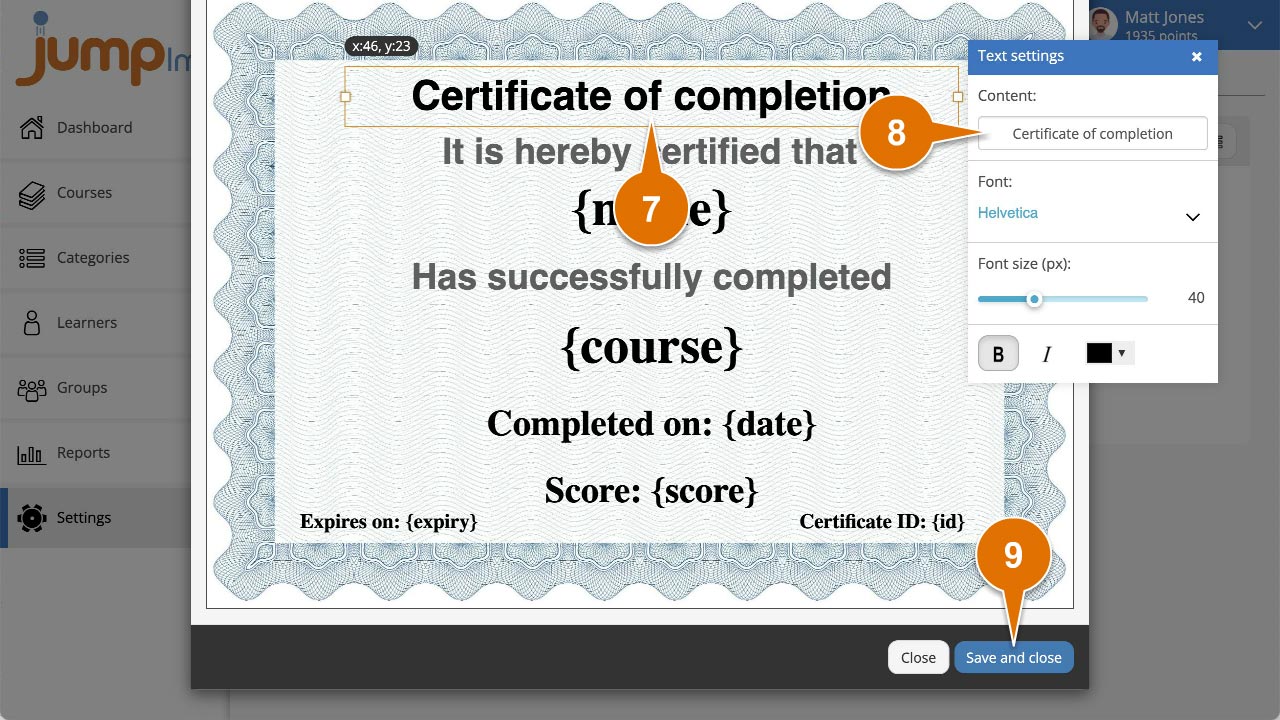
Click the text element on the certificate to display its properties panel.
-
Edit the Content text to suit your certificate wording.
-
Click Save and close.
Contact the JumpLMS team and we’ll help you find the right answer.