How to set the completion criteria for a course element in JumpLMS
Completion criteria control when a course element is marked as complete for a Learner. This helps you decide how much interaction is required before progress is recorded.
Different element types have different completion options. For example, a document can be completed when all pages are viewed, while a video or audio element can be completed when playback finishes.
How to set the completion criteria for a course element
-
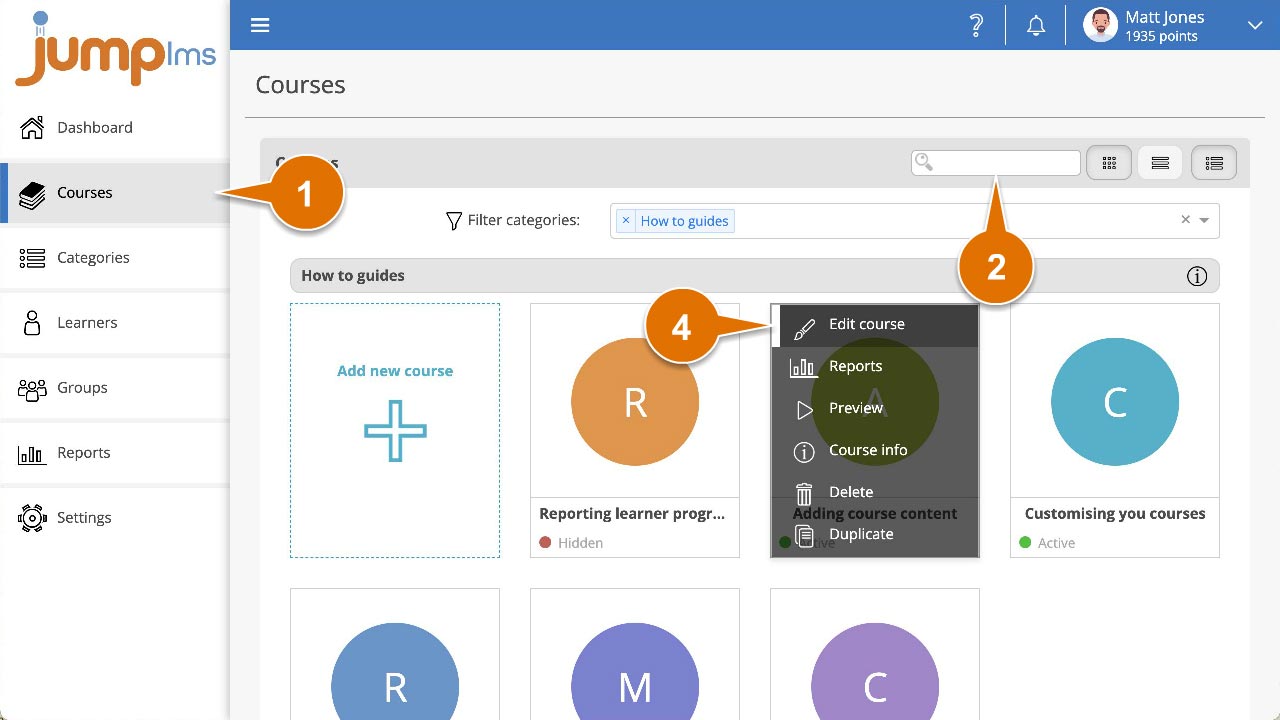
Click on the Courses tab.
-
Search for the course you want to update, or find it in the course list.
-
Open the course options and click Edit course.
-
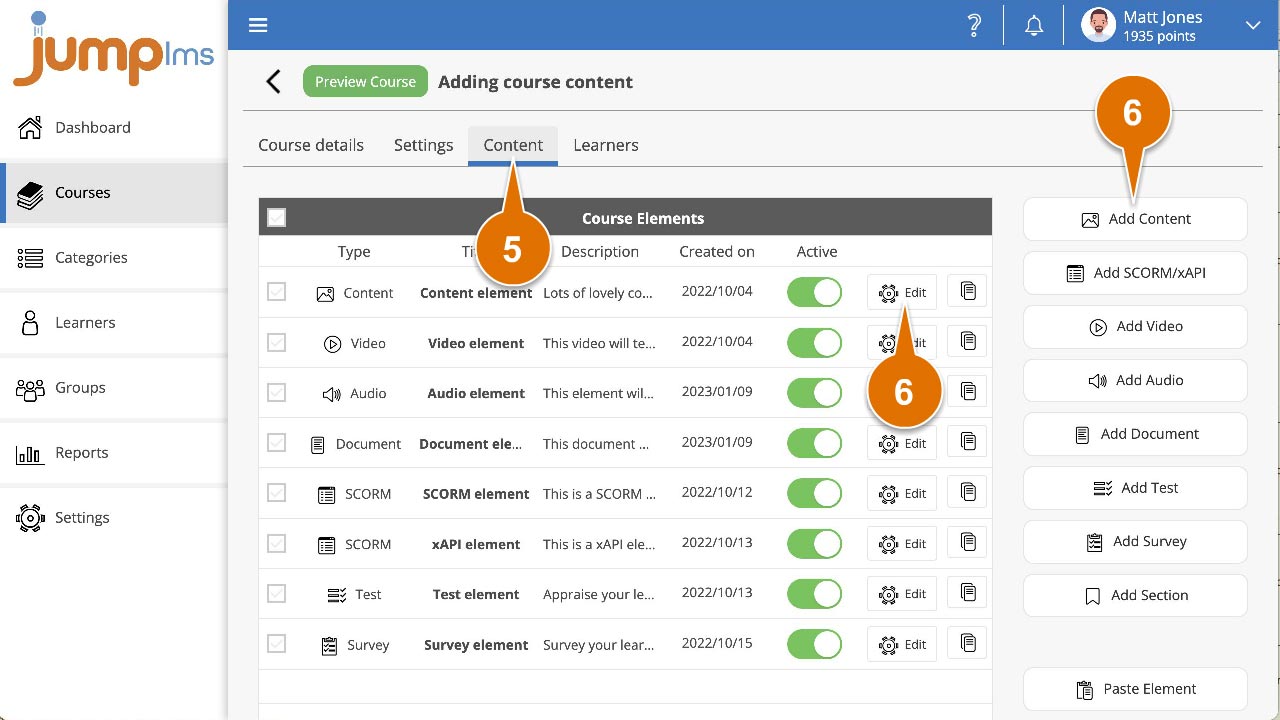
Click on the Content tab.
-
If you are creating a new element, click the appropriate Add button. Alternatively, locate the element you want to update and click the Edit button.
-
In the Settings panel, open the Complete element when dropdown and select the appropriate completion option.
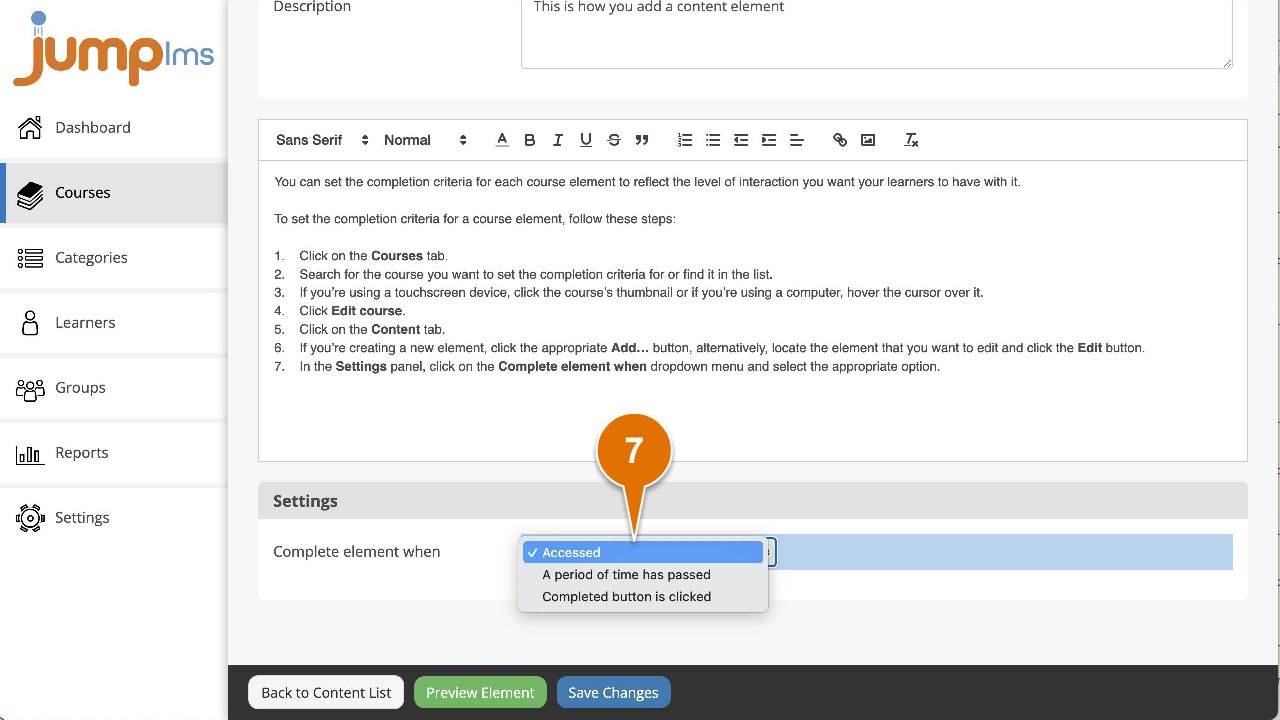
Completion criteria available for all course elements
- Accessed — The element is marked as complete as soon as the Learner starts it.
- A period of time has passed — The element is marked as complete after a defined period of time has passed.
- Completion button is clicked — The element is marked as complete when the Learner clicks a customisable completion button.
Additional completion criteria by element type
Video and audio elements
- Video/Audio has finished playing — The element is marked as complete when the full video or audio file has played.
Document elements
- All pages have been viewed — The element is marked as complete when the Learner has viewed every page in the document.
SCORM/xAPI elements
- SCORM/xAPI package says it has been completed
- SCORM/xAPI package says it has been passed
- SCORM/xAPI package says it has been passed or completed
- SCORM/xAPI package says it has been passed, failed or completed
SCORM/xAPI completion notifications are sent by the eLearning authoring tool used to create the package.
Contact the JumpLMS team and we’ll help you find the right answer.