How to integrate Stripe with JumpLMS and start selling
You can sell courses directly through JumpLMS by connecting your portal to a new or existing Stripe account.
After Stripe is connected, JumpLMS can support course checkout, payment processing and course delivery, helping you sell training from your own portal.
Before you start selling courses
To sell courses through JumpLMS, you will complete three main steps:
-
Connect Stripe to JumpLMS.
-
Configure your courses for sale.
-
Enable public access to your course catalogue and self-registration.
How to connect Stripe to JumpLMS
-
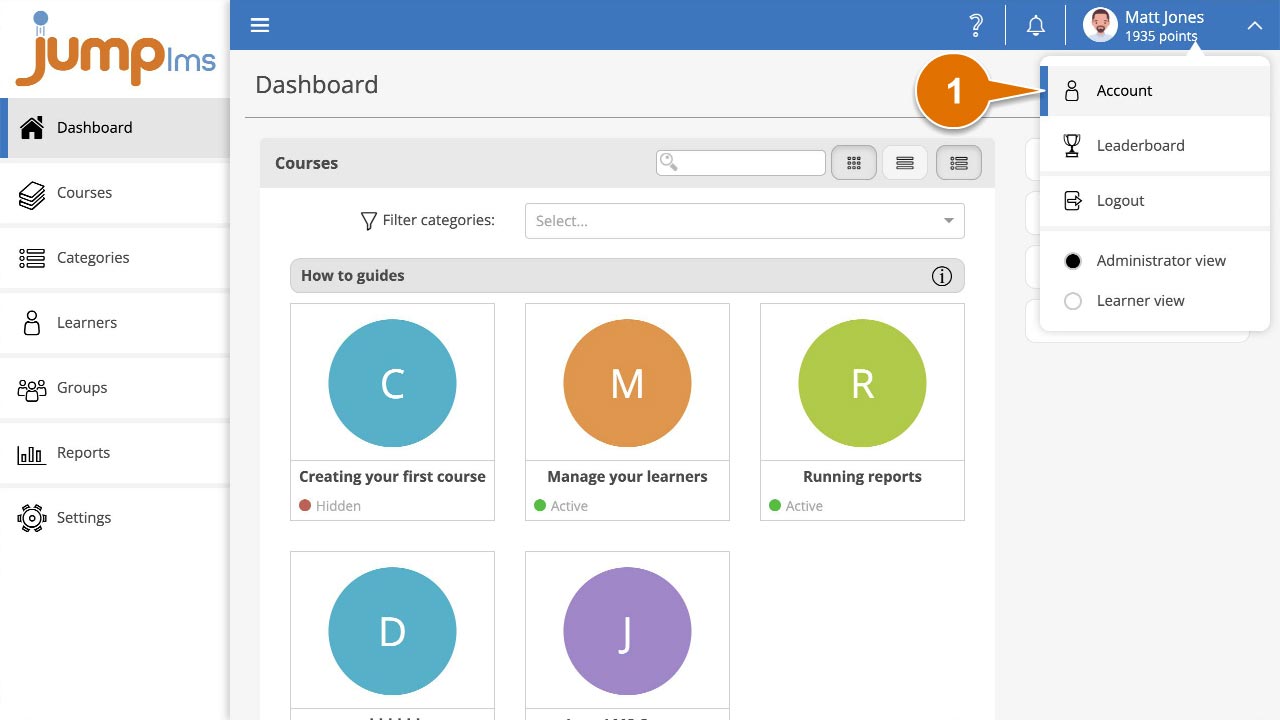
Click your user profile image or name at the top-right of the screen, then select Account.
-
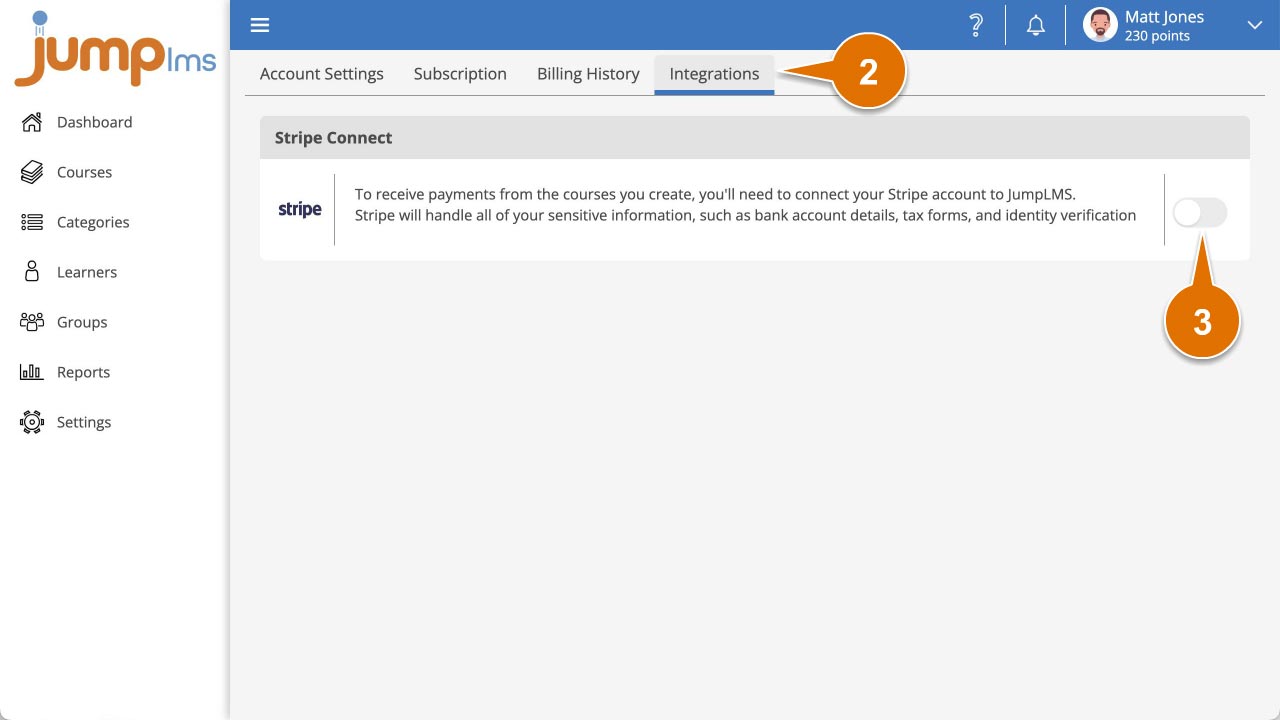
Select the Integrations tab.
-
Switch on the Stripe Connect integration.
-
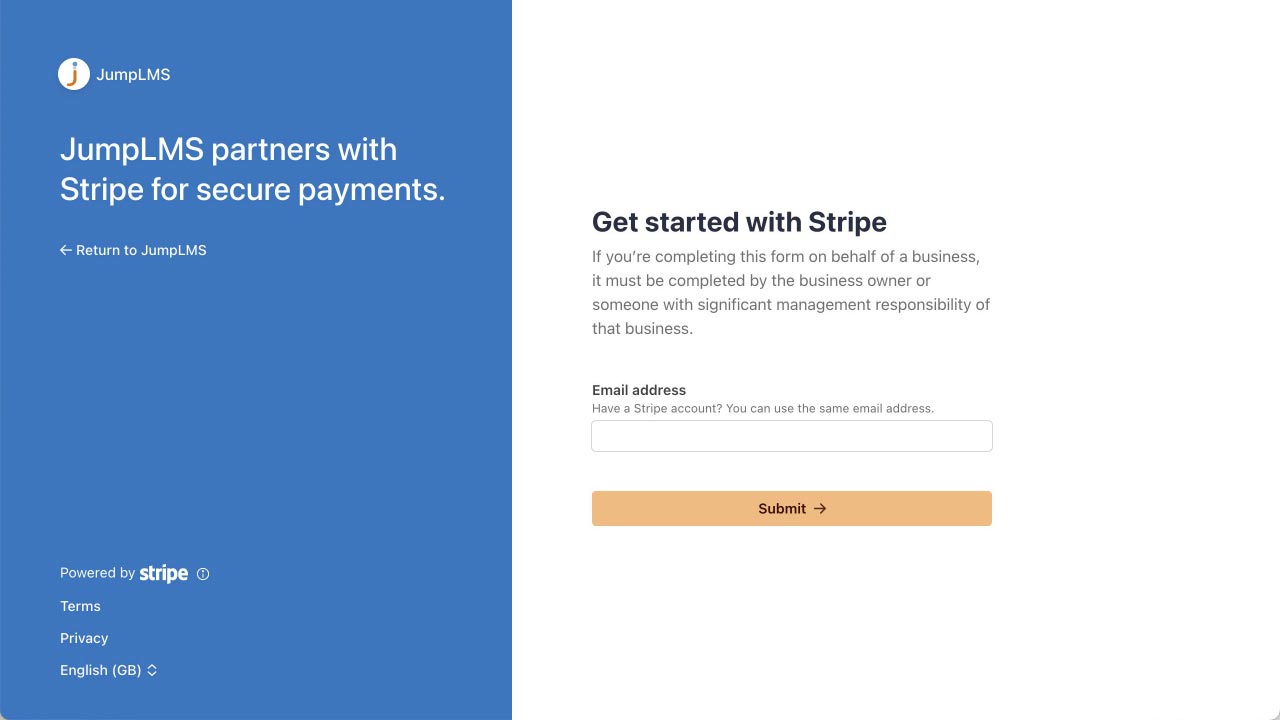
Follow the Stripe Connect process. You can connect an existing Stripe account or create a new one. This process is handled by Stripe, so the exact steps and information required may vary depending on your account requirements.
-
When the process is complete, return to JumpLMS and confirm that the Stripe integration is enabled.

You can now accept payments through Stripe.
Next, learn how to configure your courses for sale.
Contact the JumpLMS team and we’ll help you find the right answer.